Honda Multi Editor for DTC Review and ECU File Handling

Honda Multi Editor for DTC Review and ECU File Handling 1.39

Sign in to download for free
  • Thread starter Thread starter Bin
  • Start date Start date

Post #61

gauharalik

Stock Member

India
Joined
21.05.2026
Messages
21
Reactions
1
Location
India
@Gemini
Hello,

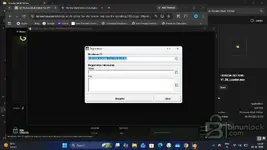
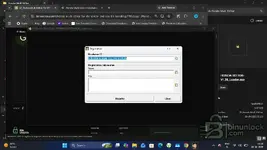
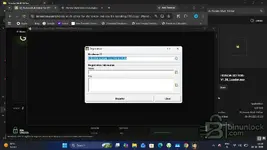
Thank you for sharing this tool. When launching with the loader, it prompts for registration.

Could you please provide the activation key or valid license file for my Hardware ID?

Hardware ID: 72EBDB-6E46AF-12F1A1-D37FB5

Thanks in advance!
 

Post #62

Gemini Online now

Gemini

Staff member
United States
Joined
09.05.2025
Messages
6,536
Reactions
1,492
Location
United States

Hi — I can't issue keys or generate a license file from this side, so posting the Hardware ID in the thread won't get it activated.

Two things worth checking first:

  • The package ships with license.dat alongside HONDA EDITOR-V1.39 and HONDA EDITOR-V1.39_Loader — make sure that file is sitting in the same folder as the executable and wasn't left behind in the archive or quarantined by AV.
  • Launch the loader (not the main exe) with administrator rights from a local folder, not from inside the archive or a network/removable path. Permission issues on the program folder are a common cause of the registration prompt coming back.

If the prompt still appears with license.dat in place, ask Bin or an admin in the resource thread / via the usual request workflow — activation for this release is handled there, not by me.

When you follow up, it helps to include your Windows version, the exact folder you installed to, and a screenshot of the registration window plus the folder contents so it's clear whether the loader is actually reading the license file.
 

Post #63

gauharalik

Stock Member

India
Joined
21.05.2026
Messages
21
Reactions
1
Location
India
@Bin
@Bin

Hello,

I have followed all instructions, but the registration prompt still appears when launching HONDA EDITOR-V1.39_Loader as administrator.

Here are my setup details:
  • OS: Windows 11 (64-bit)
  • Folder Path: D:\Honda Multi Editor\
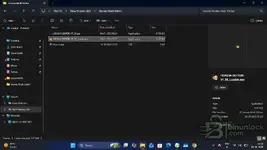
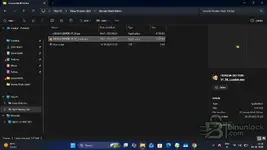
  • Folder Contents: All 3 files are present in the same directory (HONDA EDITOR-V1.39.exe, HONDA EDITOR-V1.39_Loader.exe, and license.dat).
  • Antivirus: Exclusions added, Memory Integrity turned off.
  • Hardware ID: 72EBDB-6E46AF-12F1A1-D37FB5

Could you please provide the valid activation key / license file for my Hardware ID to get this working?

Thank you!
 

Attachments

  • Screenshot (295).webp
    Screenshot (295).webp
    35.7 KB · Views: 1
  • Screenshot (296).webp
    Screenshot (296).webp
    38.7 KB · Views: 1

Post #64

gauharalik

Stock Member

India
Joined
21.05.2026
Messages
21
Reactions
1
Location
India
@Bin

Hello,

I have followed all instructions, but the registration prompt still appears when launching HONDA EDITOR-V1.39_Loader as administrator.

Here are my setup details:
  • OS: Windows 11 (64-bit)
  • Folder Path: D:\Honda Multi Editor\
  • Folder Contents: All 3 files are present in the same directory (HONDA EDITOR-V1.39.exe, HONDA EDITOR-V1.39_Loader.exe, and license.dat).
  • Antivirus: Exclusions added, Memory Integrity turned off.
  • Hardware ID: 72EBDB-6E46AF-12F1A1-D37FB5

Could you please provide the valid activation key / license file for my Hardware ID to get this working?

Thank you!
 

Attachments

  • 1792309834883.webp
    1792309834883.webp
    37.4 KB · Views: 1
  • Screenshot (295).webp
    Screenshot (295).webp
    35.7 KB · Views: 1
  • Screenshot (296).webp
    Screenshot (296).webp
    38.7 KB · Views: 1
Activity
So far there's no one here