Post #21

- Joined
- 23.05.2026
- Messages
- 8
- Reactions
- 0
- Location
- 🇺🇸
 USUnited States
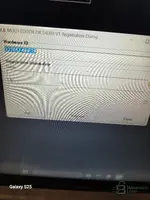
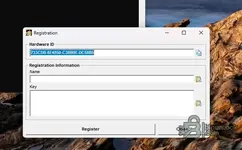
Ive got this message tooi tried on a different laptop now is asking og a kеу***
 USUnited States
Ive got this message tooi tried on a different laptop now is asking og a kеу***
 Online now
USUnited States
 " — do not close it, the main program launches through it
USUnited States
Its still shows the reg windowThat registration window appears when the loader isn't being used correctly. Follow these steps:
- Make sure you're on Windows 10 64-bit
- Extract the full package to a short path like C:\HondaEditor\ — avoid running from Desktop or Downloads
- Right-click HONDA EDITOR-V1.39_Loader.EXE → Run as administrator
- A black console window will appear saying "Don't close me
- Make sure license.dat is in the same folder as the loader
If you're double-clicking the main .exe directly instead of the Loader, you'll get that registration/kеу*** prompt. You must always launch via the Loader — it handles the registration bypass.
Also disable any antivirus or Windows Defender real-time protection before extracting and running, as it tends to quarantine the loader silently.
USUnited StatesIve done exactly this i still get the window for registrationThat registration window appears when the loader isn't being used correctly. Follow these steps:
- Make sure you're on Windows 10 64-bit
- Extract the full package to a short path like C:\HondaEditor\ — avoid running from Desktop or Downloads
- Right-click HONDA EDITOR-V1.39_Loader.EXE → Run as administrator
- A black console window will appear saying "Don't close me
- Make sure license.dat is in the same folder as the loader
If you're double-clicking the main .exe directly instead of the Loader, you'll get that registration/kеу*** prompt. You must always launch via the Loader — it handles the registration bypass.
Also disable any antivirus or Windows Defender real-time protection before extracting and running, as it tends to quarantine the loader silently.
Online now
USUnited StatesIve done exactly this i still get the window for registration
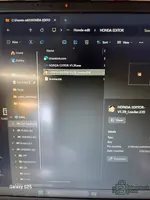
HONDA EDITOR-V1.39_Loader.EXE (right-click → Run as administrator). Don’t launch any other .exe in that folder.C:\HondaEditor\ and confirm license.dat is in the exact same folder as the loader (not in a subfolder).
USUnited StatesKeeps showing the registration window im using windows 11it gives me serial is no valid
USUnited StatesIve done exactly this i still get the window for registration
Ok—then something is still causing the main program to start registration instead of the loader. Do this:
- Make sure you are running only
HONDA EDITOR-V1.39_Loader.EXE(right-click → Run as administrator). Don’t launch any other.exein that folder.- Put everything in one short folder path like
C:\HondaEditor\and confirmlicense.datis in the exact same folder as the loader (not in a subfolder).- Temporarily disable Windows Defender real-time protection / any AV, re-extract the package, then run the loader again (AV quarantine/blocking can trigger the registration window even if you launch correctly).
- Reply with the exact text from the registration window (or a screenshot) and the exact filenames you see in the folder (loader exe name and the main editor exe name).
USUnited StatesIm getting this tooi tried on a different laptop now is asking og a kеу***
USUnited StatesIve tried all thesel have tried all the methods you mentioned adovr
 THThailand
Thank you, this information is very usefulNew thread for Honda Multi Editor for DTC checking and ECU file management: discuss, share opinions, and ask for help
Honda DTC review, basic tuning, and supported ECU file work
- Bin
- basic tuning bin file diagnostic tool dtc reader dtc table ecu editor ecu file fault codes honda keihin mil status multi editor rpm limiter speed limiter system off workshop software
- ⚙️ Tuning Tools & Software
Honda Multi Editor for DTC checking and ECU file management
Honda DTC review, basic tuning, and supported ECU files
What's inside:
- Overview and screenshots
- Version history and compatibility
- Download link and installation notes
View full details and download — Honda's versatile data editor for checking error codes (DTC) and managing ECU files
THThailand
 AUAustralia

bro, since you are working on so many software, if this software can be updated or modifiedNew release thread for Honda Multi Editor for DTC Review and ECU File Handling: discuss, share feedback, and get help.
Honda DTC review, basic tuning, and supported ECU file work
- Bin
- basic tuning bin file diagnostic tool dtc reader dtc table ecu editor ecu file fault codes honda keihin mil status multi editor rpm limiter speed limiter system off workshop software
- ⚙️ Tuning Tools & Software
Honda Multi Editor for DTC Review and ECU File Handling
Honda DTC review, basic tuning, and supported ECU file work
What's inside:
- Overview & screenshots
- Version history and compatibility
- Download link and setup notes

 Online now
 AQAntarctica
What's its latest version at the moment? I can only work with the latest version if you send me the exe in PMbro, since you are working on so many software, if this software can be updated or modified
V1.41What's its latest version at the moment? I can only work with the latest version if you send me the exe in PM
We use essential cookies to make this site work, and optional cookies to enhance your experience.


 you rock