INPA 64-Bit with ENET Support (for E/F/G-Series)

INPA 64-Bit with ENET - BMW Automotive Workshop Utility 2025-08-06

Sign in to download for free

Post #61

a useful program. thanks 🤝🤝

You're welcome! Use it in good health.

Indeed, on modern 64-bit systems (Win 10/11), this version works much more conveniently and faster than the older builds that required a virtual machine (VMware/XP).

If you have questions about cable setup or get errors when connecting to the control units, write in this thread and we'll try to help.
 

Post #62

New release thread for INPA 64-Bit with ENET Support (for E/F/G-Series): discuss, share feedback, and get help.


INPA 64-Bit with ENET Support (for E/F/G-Series)​

Finally, INPA on 64-bit Windows with ENET Cable Compatibility.


Frequently Asked Questions​

Which Windows version is recommended?
For maximum stability during ECU flashing and diagnostics, a clean installation of Windows 10 (64-bit) is recommended.
Is it compatible with J2534 PassThru?
Most modern software versions support standard J2534 interfaces like Scanmatik 2 Pro, OpenPort 2.0, and specific VCI adapters.

What's inside:
  • Overview & screenshots
  • Version history and compatibility
  • Download link and setup notes

👉 View full details and download — INPA 64-Bit with ENET Support (for E/F/G-Series)
Ok I redownload this software. I'm on win 10 64b.
Im still getting error codes 2503 and 2502 when trying to install. I went online look look up fixes changing group permissions everything says full control. And running troubleshooter it pops up incompatible software?
 

Post #63

New release thread for INPA 64-Bit with ENET Support (for E/F/G-Series): discuss, share feedback, and get help.


INPA 64-Bit with ENET Support (for E/F/G-Series)​

Finally, INPA on 64-bit Windows with ENET Cable Compatibility.


Frequently Asked Questions​

Which Windows version is recommended?
For maximum stability during ECU flashing and diagnostics, a clean installation of Windows 10 (64-bit) is recommended.
Is it compatible with J2534 PassThru?
Most modern software versions support standard J2534 interfaces like Scanmatik 2 Pro, OpenPort 2.0, and specific VCI adapters.

What's inside:
  • Overview & screenshots
  • Version history and compatibility
  • Download link and setup notes

👉 View full details and download — INPA 64-Bit with ENET Support (for E/F/G-Series)
nice...thank u
 

Post #64

Hello,
Do I need to remove the old INPA from my PC before installing this version? Or can I keep both?
 

Post #65

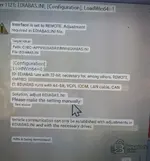
Ok went back and redownload inpa 64. I followed previous instructions took out ediabas and placed in C, didn't work I placed ediabas back into ec apps it opens. Now I edited ediabas to std:obd reopen get error it's still in remote error change to std obd.
 

Attachments

  • Screenshot_20261025-115718_Google~2.webp
    Screenshot_20261025-115718_Google~2.webp
    54.3 KB · Views: 5

Post #67

New release thread for INPA 64-Bit with ENET Support (for E/F/G-Series): discuss, share feedback, and get help.


INPA 64-Bit with ENET Support (for E/F/G-Series)​

Finally, INPA on 64-bit Windows with ENET Cable Compatibility.


Frequently Asked Questions​

Which Windows version is recommended?
For maximum stability during ECU flashing and diagnostics, a clean installation of Windows 10 (64-bit) is recommended.
Is it compatible with J2534 PassThru?
Most modern software versions support standard J2534 interfaces like Scanmatik 2 Pro, OpenPort 2.0, and specific VCI adapters.

What's inside:
  • Overview & screenshots
  • Version history and compatibility
  • Download link and setup notes

👉 View full details and download — INPA 64-Bit with ENET Support (for E/F/G-Series)

Great work Thanks
 
Activity
So far there's no one here