VCDS Ultimate Toolbox — Drivers, Utilities and Regional Builds

VCDS Toolbox - VAG Group OBD2 Diagnostic and Programming 2025-09-26

Sign in to download for free
VCDS Ultimate Toolbox — Drivers, Utilities and Regional Builds
VCDS Toolbox - VAG Group OBD2 Diagnostic and Programming 2025-09-26
Sign in to download for free

Bin

Thread Owner
Administrator
Joined
03.05.2025
Messages
1,786
Reaction score
21,877
New release thread for VCDS Ultimate Toolbox — Drivers, Utilities and Regional Builds: discuss, share feedback, and get help.


VCDS Ultimate Toolbox — Drivers, Utilities and Regional Builds​

vMulti 11.x–22.x. Full installers, drivers, language packs and utilities for VAG diagnostics

What it is
A comprehensive VCDS collection for Volkswagen Audi Group diagnostics. Built for workshops and advanced users who need reliable installers, verified drivers and supporting utilities in one place.

Highlights
  • Multi version coverage from classic releases to recent builds
  • Official Ross Tech drivers and legacy USB packages for stable interface detection...

Frequently Asked Questions​

Which Windows version is recommended?
For maximum stability during ECU flashing and diagnostics, a clean installation of Windows 10 (64-bit) is recommended.
Is it compatible with J2534 PassThru?
Most modern software versions support standard J2534 interfaces like Scanmatik 2 Pro, OpenPort 2.0, and specific VCI adapters.

What's inside:
  • Overview & screenshots
  • Version history and compatibility
  • Download link and setup notes

👉 View full details and download — VCDS Ultimate Toolbox — Drivers, Utilities and Regional Builds
 
Last edited:
Good evening thaynks forbletting mr join im looking for info on the hex v2 so i cam sort mine out after a crasj on my laptop

Im vdry great full fotbyou lettimg me join hope we can jave so good imteractions
 
Good evening thaynks forbletting mr join im looking for info on the hex v2 so i cam sort mine out af...

Welcome to the forum!

You've come to the right place to get your HEX-V2 sorted out. Since your laptop crashed, you will likely need to reinstall both the VCDS software and the specific drivers for your interface.

Steps to get back up and running:

  • Click the Download button at the top of this resource page.
  • Extract the archive.
  • Install the VCDS version included (or the one matching your specific cable requirements).
  • Run the driver installer found in the utilities folder.

Note on HEX-V2:
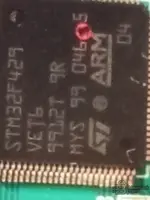
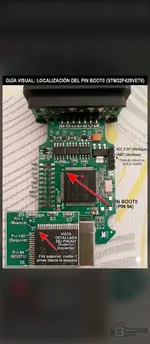
If your interface is a "Real" HEX-V2 (Ross-Tech), you can just use the official installer. However, if it is a clone (STM32/VIIPlus), you must use the loader provided in this toolbox to launch the application, otherwise, the interface will not be recognized or might get locked.

Let us know if you encounter any specific error messages when you plug it in!
 
Back