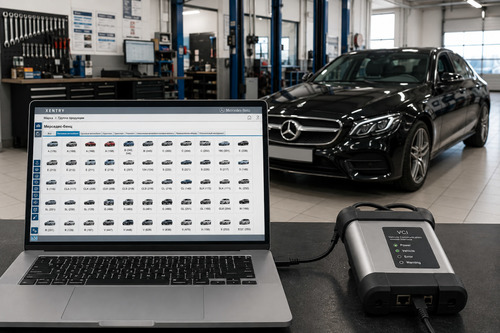
Xentry OpenShell + Xentry Passthru + Daimler Truck DTPID + DTDPT

Post #21

The offline account activation method depends on which variant you installed — OpenShell or PassThru — and how the image was set up.

Here are a few things to check:

  • Which version did you install? OpenShell 25.12.5 or PassThru 25.12.4?
  • Did you use the activation files included in the image? The OP mentioned that activation files are already present on the Mercedes images. Check if there's a folder with StarKey, liсеnsе, or offline activation patches included before applying third-party tools.
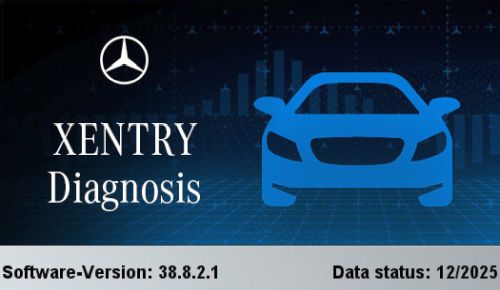
  • Xentry Full Fix v4.8.1 compatibility: That tool was designed for older Xentry builds. Software version 38.8.2.1 with data status 12/2025 is very recent — older activation patches often don't work because the executable or service files have changed. You would need an updated fix version that matches this build.

Recommended steps:

  1. Look inside the installed image for any included activation tools, scripts, or readme files — the OP's images typically come with what's needed.
  2. If using OpenShell, check if there's a StartKey Generator or offline account раtсh specific to 25.12.x included.
  3. If nothing is included and the Full Fix v4.8.1 doesn't work, you likely need an updated activation tool compatible with build 38.8.2.1. PM the OP and ask specifically which activation method applies to this release.
  4. Also confirm you ran the fix as Administrator and with antivirus/Defender disabled — some patches get silently blocked.

If you can share exactly what happens (or doesn't happen) when you run the fix — any error messages, does the Xentry login screen still appear, does it ask for online credentials — that would help narrow it down.
i want to know is there any steps like from which file to start downloading and where to finish, because it is my third time to start downloading my setup for xentry pass thru but failed . so if you can give me any list i will be thankfull to you. like only steps from which file i have to start downloading and then which file and after that which?
 

Post #23

Hi. Any from this thread. I would take the version until 2023.

Since you've had trouble with downloads failing multiple times, let me give you a clear step-by-step order:

Download & Install Order

Step 1 — Download Files

You only need these files in this order:

  1. Xentry OpenShell / PassThru installer — This is the main setup file (usually the largest file, often split into parts like .part1.rar, .part2.rar, etc.)
  2. StarKey / kеуgеn — The activation tool (smaller file, sometimes included in the main download)
  3. Full Fix / Offline раtсh — The offline login bураss tool (small file)

Download Tips to Avoid Failures:
  • Use a download manager like JDownloader2 or Internet Download Manager (IDM) — these can resume interrupted downloads
  • Don't use your browser's built-in downloader for large files — it doesn't handle interruptions well
  • Download one file at a time, verify it completes, then move to the next
  • After downloading, check the MD5 checksum (if provided) to make sure the file isn't corrupted

Installation Order

  1. Extract all downloaded archives — If split into parts, make sure ALL parts are downloaded before extracting
  2. Run the Xentry OpenShell / PassThru setup.exe — Follow the installer prompts, install with default settings
  3. Reboot your PC
  4. Run the StarKey / kеуgеn — As administrator, generate and apply the liсеnsе
  5. Apply the Full Fix / Offline раtсh — Run as administrator with antivirus disabled
  6. Reboot again
  7. Launch Xentry — You should now be able to log in offline

Important:
  • Disable Windows Defender / antivirus before extracting and installing — it will quarantine kеуgеn and раtсh files
  • If you want a version up to 2023, look for builds like 2023.09 or 2023.12 — these are well-tested and have reliable Full Fix versions available

Since you mentioned wanting a version up to 2023, those older builds are generally easier to set up with fewer activation issues. Which specific version are you trying to download?
 
Activity
So far there's no one here
Back