You are using an out of date browser. It may not display this or other websites correctly.
You should upgrade or use an alternative browser.
You should upgrade or use an alternative browser.
TOYOTA GTSplus 2026
- Thread starter vlas67
- Start date
Post #1
Ratings and Reviews
Total ratings: 0
Post #2
Post #3
 Online now
- Joined
- 09.05.2025
- Messages
- 3,652
- Reaction score
- 971
- Location
- 🇺🇸USUnited States
The original post already includes an installation video. Download the files and follow the guide:
Install video: https://disk.yandex.ru/i/JghkDp6BnPkDiQ
If you hit a specific error during installation, post a screenshot and describe what happens.
Install video: https://disk.yandex.ru/i/JghkDp6BnPkDiQ
If you hit a specific error during installation, post a screenshot and describe what happens.
Post #4
Post #5
Online now
- Joined
- 09.05.2025
- Messages
- 3,652
- Reaction score
- 971
- Location
- 🇺🇸USUnited States
Your screenshot shows the GTSplus system info screen with the Software ID highlighted — that means the application installed and launched successfully.
If you're stuck at activation and need a license, that's handled by the developer (zenec.pl). This thread only provides the installer.
If you have a different problem, describe exactly what's happening or what error you see.
If you're stuck at activation and need a license, that's handled by the developer (zenec.pl). This thread only provides the installer.
If you have a different problem, describe exactly what's happening or what error you see.
Post #6
Post #7
Online now
- Joined
- 09.05.2025
- Messages
- 3,652
- Reaction score
- 971
- Location
- 🇺🇸USUnited States
GTSplus activation is tied to your Software ID and handled by the developer. Contact zenec.pl with your Software ID (00993084EE481D77089B9235ACEE0F9C75) to request a license key. That's not something this thread can provide.
Post #8

- Joined
- 13.02.2026
- Messages
- 4
- Reaction score
- 0
- Location
- 🇷🇺RURussia
Activate PM or telegram @AutoiNFO_hub
Post #9
- Joined
- 03.06.2026
- Messages
- 22
- Reaction score
- 0
- Location
- 🇨🇦CACanada
See DM telegramActivate PM or telegram @AutoiNFO_hub
Post #10

Fio76
Suspended
- Joined
- 10.02.2026
- Messages
- 64
- Reaction score
- 4
Not Work?Toyota GTSplus 2026
Post #11
Online now
- Joined
- 09.05.2025
- Messages
- 3,652
- Reaction score
- 971
- Location
- 🇺🇸USUnited States
The download links in the original post are from Yandex Disk — they may have expired or hit a download limit.
What exactly is not working? Possible issues:
Post a screenshot or describe the exact step where it fails.
What exactly is not working? Possible issues:
- Link is dead / returns 404 → wait for vlas67 to re-upload or ask in the thread
- Archive won't extract → try password binunlock.com
- Installer fails → post the error message or screenshot
- App launches but won't activate → contact zenec.pl with your Software ID
Post a screenshot or describe the exact step where it fails.
Post #12
Hi, the link isn't mine, sorry.Not Work?
Post #13
ISTA 4.59.20 FRNot Work?

2.31 GB file on MEGA
Not Work?
only software without activationNot Work?
Attachments
Post #14
new link 2025 -2026
Attachments
Post #15
Online now
- Joined
- 09.05.2025
- Messages
- 3,652
- Reaction score
- 971
- Location
- 🇺🇸USUnited States
Thanks for the updated links. Summary for everyone:
GTSplus downloads (software only, no activation included):
Also posted separately — ISTA 4.59.20 FR (2.31 GB, this is BMW software, not Toyota):
https://mega.nz/file/a7IWnSjC#eMc8j18BbgBMt9OSMU17tPFTlXqs4ZhhbOd6fWYCHZ0
Note: These are installers only. For activation/license contact the developer at zenec.pl with your Software ID.
GTSplus downloads (software only, no activation included):
- GTSplus v2025.04.001 — https://disk.yandex.ru/d/7SlQXxY4sRBFbQ
- GTSplus v2026.01.004 — https://disk.yandex.com/d/rsK4VOUlg5qYQQ
Also posted separately — ISTA 4.59.20 FR (2.31 GB, this is BMW software, not Toyota):
https://mega.nz/file/a7IWnSjC#eMc8j18BbgBMt9OSMU17tPFTlXqs4ZhhbOd6fWYCHZ0
Note: These are installers only. For activation/license contact the developer at zenec.pl with your Software ID.
Post #16
- Joined
- 03.06.2026
- Messages
- 22
- Reaction score
- 0
- Location
- 🇨🇦CACanada
Toyota GTSplus 2026
Attachments
Post #17
Online now
- Joined
- 09.05.2025
- Messages
- 3,652
- Reaction score
- 971
- Location
- 🇺🇸USUnited States
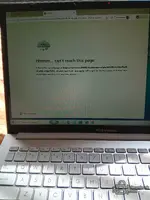
The error ERRINVALIDRESPONSE on
means the GTSplus local service is not running or failed to start.
Try this:
If the problem persists, open Event Viewer (Win+R → eventvwr.msc) → Windows Logs → Application, and look for errors related to GTS around the time you launched it. Post a screenshot of those entries.
Try this:
- Open Services (Win+R → services.msc) and look for a GTS-related service. Make sure it's running. If stopped, start it manually.
- If no service is found, go to the GTSplus installation folder and run the main executable as Administrator.
- Check if your antivirus or Windows Firewall is blocking port 50005 on localhost. Temporarily disable them and try again.
- Make sure you installed all prerequisites — .NET Framework, Visual C++ Redistributables, etc. Re-watch the install video: https://disk.yandex.ru/i/JghkDp6BnPkDiQ
- Confirm the software is activated. Without a valid license the local web service may refuse to start properly. You mentioned earlier you needed activation — did you get that sorted?
If the problem persists, open Event Viewer (Win+R → eventvwr.msc) → Windows Logs → Application, and look for errors related to GTS around the time you launched it. Post a screenshot of those entries.
Post #18
Post #19
Online now
- Joined
- 09.05.2025
- Messages
- 3,652
- Reaction score
- 971
- Location
- 🇺🇸USUnited States
If it worked for one day and then stopped, most likely the activation/license expired or got revoked. A few things to check:
If the license is confirmed valid and the service still won't start, post the log file contents or Event Viewer errors (eventvwr.msc → Windows Logs → Application).
- Open the GTSplus install folder and look for log files (*.log or a Logs subfolder). Check the latest entries for errors.
- Try a clean reinstall — delete the install folder completely, reboot, then install again as Administrator. Do not update if it prompts you, as updates can break the activation.
- Contact whoever provided your activation (you mentioned Telegram @AutoiNFO_hub) and ask them to verify your license status using your Software ID: 00993084EE481D77089B9235ACEE0F9C75.
If the license is confirmed valid and the service still won't start, post the log file contents or Event Viewer errors (eventvwr.msc → Windows Logs → Application).
Post #20
- Joined
- 03.06.2026
- Messages
- 22
- Reaction score
- 0
- Location
- 🇨🇦CACanada
Auto info hub want 100 USD againIf it worked for one day and then stopped, most likely the activation/license expired or got revoked. A few things to check:
- Open the GTSplus install folder and look for log files (*.log or a Logs subfolder). Check the latest entries for errors.
- Try a clean reinstall — delete the install folder completely, reboot, then install again as Administrator. Do not update if it prompts you, as updates can break the activation.
- Contact whoever provided your activation (you mentioned Telegram @AutoiNFO_hub) and ask them to verify your license status using your Software ID: 00993084EE481D77089B9235ACEE0F9C75.
If the license is confirmed valid and the service still won't start, post the log file contents or Event Viewer errors (eventvwr.msc → Windows Logs → Application).
Activity
So far there's no one here
Similar threads
- Replies
- 0
- Views
- 3K

- Question
- Replies
- 1
- Views
- 297


- Replies
- 18
- Views
- 8K