
Bell CANCOMM Diagnostics and Controller Configuration for Machines
CANCOMM is a diagnostic and service companion designed to interface with the CAN networks on supported Bell Equipment machines. It helps technicians view machine identity data, monitor controller status, and work with configuration and end of line parameter sets in a structured interface.

The UI provides dedicated pages for multiple controllers and machine groups, including CCU2, MDU2, TCCU, TMDU, CDU, OEU, MMU, and OBW. It is commonly used in workshop and fleet maintenance environments to reduce downtime by making controller data and diagnostics easier to review.

Summary Highlights
Supported languages
Package contents
Compatibility notes
This software is intended for Bell Equipment machines that expose supported controller data over the CAN network. Coverage depends on the machine model, controller generation, and firmware level. Availability varies by machine and firmware.
The CAN adapter and driver layer must be compatible with your setup. The product documentation referenced by resellers and user guides commonly mentions RP1210 adapter compatibility, but actual support can vary by device and configuration.
For safety, perform any configuration or parameter writing only with stable power supply, correct machine profile selected, and verified backups of existing settings.
Basic usage
Operating systems
Minimum system requirements
Disclaimer
Source of Files. All software and resources in this post are collected from public and open sources on the internet. We do not claim authorship or ownership.
File Hosting. This forum does not host files. All links point to third party public cloud storage. We are not responsible for external content.
User Responsibility. Software is provided for educational and evaluation purposes only. You use it at your own risk. Authors of the post and forum administration are not liable for any damage.
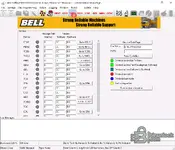
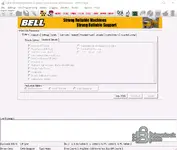
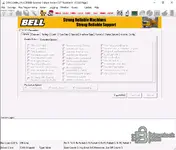
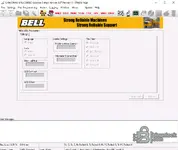
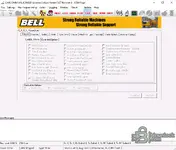
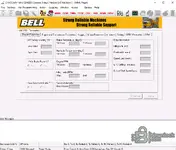
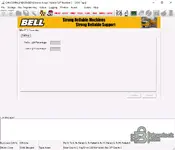
The UI provides dedicated pages for multiple controllers and machine groups, including CCU2, MDU2, TCCU, TMDU, CDU, OEU, MMU, and OBW. It is commonly used in workshop and fleet maintenance environments to reduce downtime by making controller data and diagnostics easier to review.
Summary Highlights
- Machine Data Page with VIN, controller software and hardware versions, odometer, and machine hours
- Controller overview with CAN status and quick navigation to controller pages
- EOL parameter pages for options, counters, limits, tyre sizes, and machine type selections
- Configuration upload and download actions where supported by controller and machine profile
- Integrated logging views for troubleshooting and service reporting
- Multilingual installer interface with selectable UI language
Supported languages
- English
- French
- German
- Italian
- Lithuanian
- Hungarian
- Dutch
- Polish
- Russian
- Spanish
Package contents
- Cancomm-5.07.0-Setup.rar
- CANCOMM_patched.rar
Compatibility notes
This software is intended for Bell Equipment machines that expose supported controller data over the CAN network. Coverage depends on the machine model, controller generation, and firmware level. Availability varies by machine and firmware.
The CAN adapter and driver layer must be compatible with your setup. The product documentation referenced by resellers and user guides commonly mentions RP1210 adapter compatibility, but actual support can vary by device and configuration.
For safety, perform any configuration or parameter writing only with stable power supply, correct machine profile selected, and verified backups of existing settings.
Basic usage
- Install CANCOMM and select the preferred UI language during setup
- Connect a supported CAN interface to the machine diagnostic connector
- Switch ignition on and confirm CAN status changes from disconnected to active
- Open Machine Data Page to read VIN, hours, and controller versions
- Use the controller tabs to review parameters and logs, then save service notes
Operating systems
- Windows 7 SP1, Windows 8.1, Windows 10, Windows 11
- x86 and x64 editions supported
Minimum system requirements
- CPU: 1.5 GHz or higher
- RAM: 2 GB minimum, 4 GB recommended
- Storage: 1 GB free space for installation and logs
- Network: Not required for offline diagnostics
- Permissions: Admin rights may be needed for driver installation
Disclaimer
Source of Files. All software and resources in this post are collected from public and open sources on the internet. We do not claim authorship or ownership.
File Hosting. This forum does not host files. All links point to third party public cloud storage. We are not responsible for external content.
User Responsibility. Software is provided for educational and evaluation purposes only. You use it at your own risk. Authors of the post and forum administration are not liable for any damage.


