ISTA+ STANDALONE (Activated) - Free Download for BMW / MINI Diagnostics

ISTA+ STANDALONE (Activated) - Free Download for BMW / MINI Diagnostics 4.59.40

BMW ISTA+ 4.59.40 / 4.57.30 (Rheingold) - Standalone Diagnostics, Service Functions & Programming Data for BMW / MINI / Rolls-Royce (2026)
Updated BMW ISTA+ standalone workshop software overview with diagnostics, service functions, ENET / ICOM / D-CAN interface notes, SQLiteDBs, BLP and PSdZData programming data information.


BMW ISTA+ 4.59.40 Standalone, also known as Rheingold, is a BMW Group workshop diagnostic environment for BMW, MINI and Rolls-Royce. It is used for vehicle identification, quick test, fault code reading and clearing, guided troubleshooting, service functions, repair instructions and workshop reference data on supported vehicles.

This page has been updated from ISTA+ 4.57.30 to ISTA+ 4.59.40 while keeping the existing compatibility notes, workshop workflow information and related BMW data pack references.

Latest update: 06/2026 • Current ISTA build: 4.59.40 • Previous indexed build: 4.57.30 • Programming data / I-Level shown in UI: 4.59.40

BMW ISTA+ 4.59.40 Standalone diagnostic software with ENET, ICOM, EDIABAS and D-CAN interface support for BMW and MINI vehicles


What changed in ISTA+ 4.59.40
  • ISTA build updated from 4.57.30 to 4.59.40
  • Programming data updated to 4.59.40
  • ENET programming enabled for supported workflows
  • ICOM A1 / A2 / NEXT support included
  • D-CAN support included for legacy diagnostic workflows
  • ICOM-ENET / D-CAN Switch included for interface switching
  • External drive installation supported with D-CAN registry path fix notes
  • FASTA disabled so diagnostic data is not sent
  • Clean ISTA interface without visual web ads

Important note: this is a newer build and may not be fully tested in every workshop scenario. Diagnostics can be used normally, but programming functions require correct interface setup, stable vehicle power supply and qualified personnel.


Key capabilities
  • Full vehicle scan / Quick Test across control units and ECU systems
  • Read and clear DTCs with structured fault memory handling
  • Live data and measured values where supported by the vehicle platform
  • Guided test plans for fault diagnosis and troubleshooting
  • Service functions for adaptations, calibrations, resets and CBS-related workflows where applicable
  • Repair instructions and workshop documents inside the ISTA interface
  • Vehicle interface support for ENET, ICOM and D-CAN workflows depending on model generation
  • Programming data reference for supported programming workflows when the required data packages are installed


What is included in this overview
  • Clean overview of BMW ISTA+ 4.59.40 Standalone workflows and features
  • Compatibility notes for BMW, MINI and Rolls-Royce
  • Practical requirements for Windows 10 / Windows 11 x64
  • Interface notes for ENET, ICOM, EDIABAS and D-CAN
  • Related BMW data pack information: SQLiteDBs, BLP, PSdZData Full and SP-Daten
  • Version history context for users already familiar with ISTA+ 4.57.30


Supported interfaces
  • ICOM A1 / A2 / NEXT - workshop-standard interface for diagnostics and programming workflows
  • ENET - commonly used on many F-Series, G-Series and newer BMW platforms
  • D-CAN / K-DCAN - commonly used for older E-Series diagnostic workflows
  • EDIABAS interface mode - used for certain legacy diagnostic communication setups

Note: exact interface behavior depends on the vehicle platform, installed data packages, Windows configuration and the selected ISTA connection settings.


BMW data packs used with ISTA+
  • SQLiteDBs - diagnostic and language databases used by ISTA+ for fault descriptions, guided test plans, service functions, repair documents and translated workshop content.
  • BLP - basic vehicle data package used by ISTA+ for vehicle identification and diagnostic workflows.
  • PSdZData Full - ECU programming data package commonly used with BMW E-Sys and programming workflows on F/G/I platforms.
  • SP-Daten - legacy BMW data files commonly associated with older E-Series workflows and BMW Standard Tools environments.


Compatibility - brands, models, body styles and common chassis codes
  • Brands: BMW • MINI • Rolls-Royce
  • Coverage note: final vehicle coverage depends on vehicle year, platform generation, installed SQLiteDBs, BLP and programming data packages.
  • BMW 1 Series: Hatchback 3-door / 5-door • Coupe • Convertible
    Common chassis: E81/E82/E87/E88 • F20/F21 • F40​
  • BMW 2 Series: Coupe • Convertible • Gran Coupe • Active Tourer • Gran Tourer
    Common chassis: F22/F23 • F44 • F45/F46 • G42​
  • BMW 3 Series: Sedan • Touring • Gran Turismo • Coupe / Convertible on older generations
    Common chassis: E90/E91/E92/E93 • F30/F31/F34 • G20/G21​
  • BMW 4 Series: Coupe • Convertible • Gran Coupe
    Common chassis: F32/F33/F36 • G22/G23/G26​
  • BMW 5 Series: Sedan • Touring • Gran Turismo on older generations
    Common chassis: E60/E61 • F10/F11/F07 • G30/G31 • G60/G61​
  • BMW 6 Series: Coupe • Convertible • Gran Coupe • Gran Turismo
    Common chassis: E63/E64 • F12/F13/F06 • G32​
  • BMW 7 Series: Sedan and long-wheelbase variants
    Common chassis: E65/E66 • F01/F02 • G11/G12 • G70​
  • BMW 8 Series: Coupe • Convertible • Gran Coupe
    Common chassis: G14/G15/G16​
  • BMW X Series / SAV / SUV: X1 • X2 • X3 • X4 • X5 • X6 • X7
    Common chassis: X1 E84/F48/U11 • X2 F39/U10 • X3 E83/F25/G01 • X4 F26/G02 • X5 E70/F15/G05 • X6 E71/F16/G06 • X7 G07​
  • BMW Z Series: Z3 Roadster • Z4 Roadster / Coupe variants where applicable
    Common chassis: Z3 E36/7 • Z4 E85/E86 • E89 • G29​
  • BMW i / electrified line: i3 • i4 • i5 • i7 • i8 • iX
    Common chassis: i3 I01 • i4 G26 • i5 G60/G61 • i7 G70 • i8 I12 • iX I20​
  • BMW M / M Performance: M2 • M3 • M4 • M5 • M8 • X3 M • X4 M
    Common chassis: M2 F87/G87 • M3 E90/F80/G80/G81 • M4 F82/F83/G82/G83 • M5 E60/F10/F90/G90 • M8 F91/F92/F93 • X3M/X4M F97/F98​
  • MINI R and F generations: Hatch / Cooper • Convertible • Clubman • Countryman • Paceman • Coupe • Roadster
    Common chassis: R50/R52/R53 • R55/R56/R57/R58/R59/R60/R61 • F54/F55/F56/F57 • F60​
  • Rolls-Royce BMW-era models: Phantom • Ghost • Wraith • Dawn • Cullinan • Spectre
    Common platforms: modern Rolls-Royce generations are supported where the corresponding BMW-era ECU and data sets are present​
  • Platform generations: E-Series • F-Series • G-Series • I-Series • selected newer U-Series platforms depending on installed data
  • Interfaces by workflow: K-DCAN for legacy E-Series • ENET for many F/G platforms • ICOM for workshop-standard diagnostics and programming


System requirements - practical workshop setup
  • Operating system: Windows 10 / Windows 11 x64
  • Recommended baseline: Windows 10 LTSC 2019 or a clean Windows 10/11 x64 installation
  • CPU / RAM: modern dual-core or better • 8 GB RAM minimum recommended • 16 GB RAM preferred for large databases
  • Storage: enough free disk space for ISTA application files and BMW data libraries
  • Interfaces: ENET, ICOM or D-CAN depending on the vehicle and workflow
  • Vehicle power: stable external power supply is mandatory for any programming or coding workflow


Typical ISTA+ workflows
  • Vehicle identification by VIN and vehicle order data
  • Quick Test to scan installed control units
  • Fault memory analysis with DTC descriptions and guided troubleshooting
  • Service functions such as adaptations, resets, calibrations and component-specific procedures
  • Repair instructions and technical documents for workshop reference
  • Wiring diagrams and technical data where available in the installed data packages
  • Programming-related workflows where supported and where the required programming data is installed


Frequently asked questions

What is BMW ISTA+ Rheingold?
BMW ISTA+ Rheingold is a BMW Group diagnostic and workshop software environment used for diagnostics, service functions, guided test plans, repair information and vehicle communication workflows.

Does ISTA+ 4.59.40 support ENET?
Yes, ENET is used for many BMW F-Series, G-Series and newer diagnostic workflows. Programming support depends on the vehicle, data packages and correct setup.

Does ISTA+ work with ICOM?
ICOM is the workshop-standard interface for BMW diagnostics and programming workflows. ICOM A1, ICOM A2 and ICOM NEXT are commonly used with ISTA environments.

Can ISTA+ 4.59.40 work with D-CAN?
D-CAN / K-DCAN is mainly used for older BMW E-Series diagnostic workflows. Correct COM port and latency settings are important for stable communication.

What are SQLiteDBs in ISTA+?
SQLiteDBs are diagnostic and language databases. They provide ISTA with fault descriptions, guided test plans, service functions, repair instructions and translated workshop content.

Do I need PSdZData Full for ISTA+?
PSdZData Full is required for programming-related workflows on supported F/G/I platforms. It is separate from diagnostic language databases such as SQLiteDBs.

Can ISTA+ be used for programming?
Programming workflows require the correct ISTA setup, programming data, supported interface and a stable vehicle power supply. Programming should only be performed by qualified users.


Notes - legal, licensing and safety
  • This post is editorial documentation with UI reference, requirements, compatibility notes and BMW data-pack explanations.
  • Use ISTA, BMW data packages and related diagnostic software in accordance with BMW licensing terms and local laws.
  • Incorrect diagnostic, service or programming procedures can cause vehicle damage or personal injury.
  • Programming and coding workflows require qualified personnel, stable power supply and the correct interface configuration.


Additional BMW ISTA+ 4.59.40 screenshots

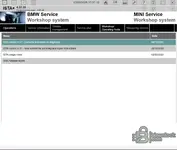
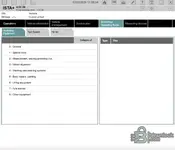
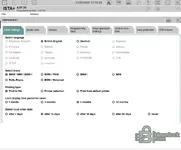
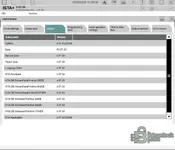
BMW ISTA+ 4.59.40 Standalone programming data screen with PsdZData I-levels for BMW F, G, I, K and Motorrad seriesBMW ISTA+ 4.59.40 language settings with English, German, Russian, Polish and other BMW diagnostic language optionsBMW ISTA+ 4.59.40 diagnostic document filter with repair instructions, service functions, wiring diagrams, fault diagnosis and technical data
BMW ISTA+ 4.59.40 release notes showing new maintenance, service and repair literature for the updated ISTA databaseBMW ISTA+ 4.59.40 repair instruction for bleeding the brake system with DSC and workshop procedure imagesBMW ISTA+ 4.59.40 service information page with training videos for brake disc and wheel hub runout inspection
BMW ISTA+ 4.59.40 repair instruction for complimentary delivery inspection, tow eye removal and transport protection checksBMW ISTA+ 4.59.40 BEV delivery inspection procedure showing protective film removal and transport protection stepsBMW ISTA+ 4.59.40 complimentary delivery inspection checklist with technical information and service steps
Author
Bin
Downloads
1,808
Views
35,168
First release
Last update
Ratings
4.79 star(s) 222 ratings
Join the discussion
Size
31.15 GB (gigabytes)

Latest updates

  1. BMW ISTA+ Standalone 4.59.40 — ENET / ICOM / D-CAN & Programming Data Refresh

    This release updates the ISTA standalone diagnostic environment for BMW, MINI and Rolls-Royce...
  2. BMW ISTA Standalone 4.59.12 Update (ENG / RU / DE)

    BMW ISTA Standalone 4.59.12 Diagnostic Software Update for BMW & Mini What's included in this...
  3. ISTA+ 4.57.30 Standalone Release: ENET/DCAN/ICOM Programming Fixes

    ISTA+ 4.57.30 Standalone has been updated with interface compatibility improvements, programming...

Latest reviews

جيد جداً
the best
Thanks
Thanks
Great share!
good d
very good
good good
thank you
thank you