
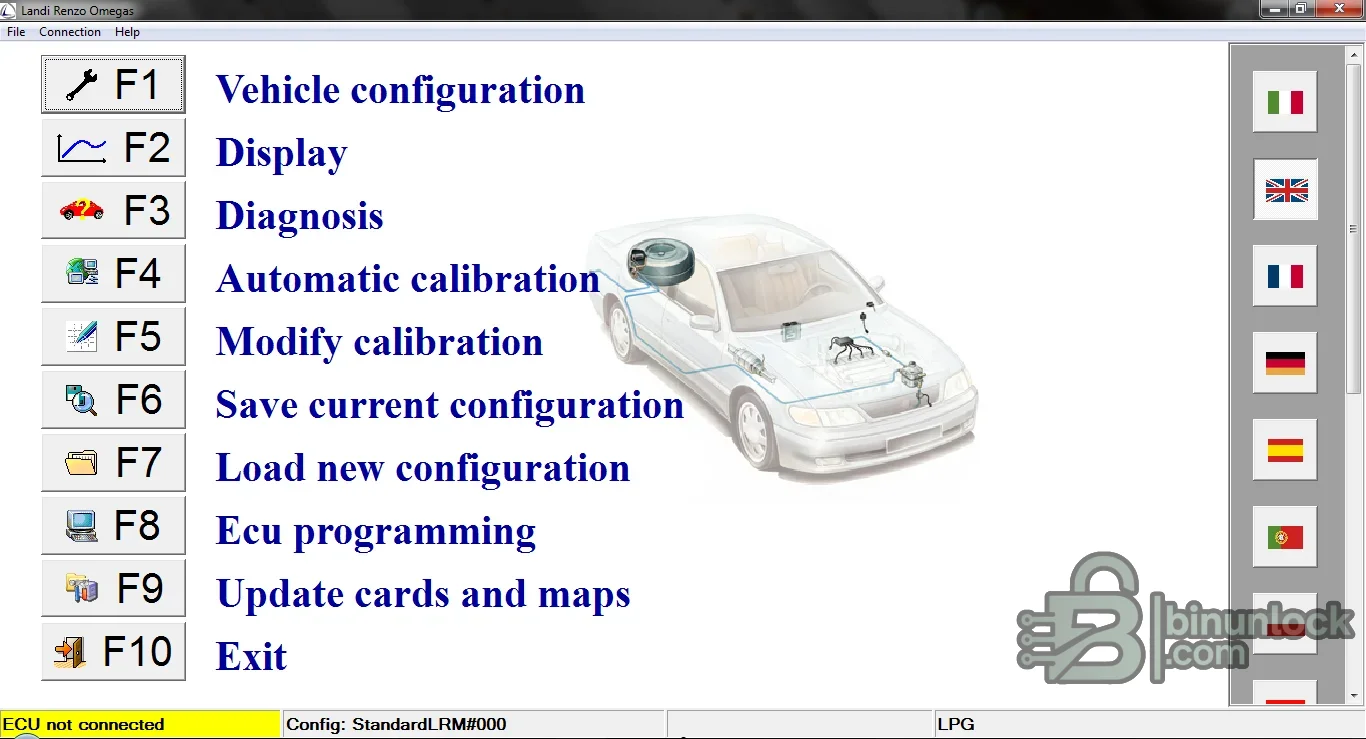
Landi Renzo Omegas is a Windows service application for configuring, diagnosing and calibrating compatible Landi Renzo LPG/autogas control units. It combines vehicle configuration, live values, fault diagnosis, automatic or manual calibration, map handling and ECU programming in one workshop interface.
Supported vehicles, ECUs and files#
The software family is documented for Omegas installations and related Landi Renzo controller generations, including LRE184, LRE188, LRE194, LRE198 and EVO-era systems where the matching software, firmware and interface are used. Exact availability depends on ECU generation and kit configuration; model-specific kits can arrive preconfigured while universal kits require correct vehicle and injector setup.- Landi Renzo Omegas LPG systems that are recognized by this application generation.
- Controller setup for engine, fuel, injector, pressure and changeover parameters exposed by the connected ECU.
- Generic and vehicle-specific autogas installations, subject to the exact ECU and calibration package.
- Multiple interface languages included by the original application.
Functions#
- Read and edit vehicle and LPG-controller configuration.
- Display operating values, identify stored faults and support diagnostic checks.
- Run automatic calibration and refine the map manually when the installation requires it.
- Save a known-good configuration to disk and restore it to the correct controller.
- Program supported ECU firmware and manage the cards/maps offered by the software.
System and hardware requirements#
- A compatible legacy Windows PC; original documentation reflects an older PC environment rather than modern current-OS certification.
- The correct Landi Renzo communication interface/cable and installed driver.
- A mechanically sound LPG installation, correct fuel pressure and warmed engine before calibration.
- Stable vehicle voltage and a saved original configuration before firmware or map changes.
Recommended workflow#
- Identify the ECU and kit, connect through the proper interface and save the existing configuration.
- Resolve petrol-engine and LPG hardware faults before attempting calibration.
- Complete basic configuration, perform automatic calibration under the required temperature conditions, then verify fuel trims and drivability.
- Use manual map changes only with measured data and recheck emissions and fault memory afterward.


