
OP-COM (VAUX-COM) All-in-One — Opel/Vauxhall Diagnostic Suite
OP-COM (also known as VAUX-COM) is a Windows-based diagnostic suite for Opel/Vauxhall vehicles. It combines fault-code tools, live data with graphing, output/actuator tests, coding/adaptations, and immobiliser/key functions across a wide range of ECUs. Ideal for workshops and enthusiasts who want OEM-style visibility in a simple interface. 

Highlights
What’s Inside
Typical Workflow
Compatibility
Works smoothly on Windows 7, Windows 8.1, Windows 10, and Windows 11.
Tested on Windows 10 LTSC (2019); also verified on current Windows 11 builds.
Minimum System Requirements
Disclaimer
Information above is compiled from publicly available sources and provided for educational purposes only. Any files (if referenced) are hosted by third-party services, our forum does not store or distribute software. Please follow the official EULA and all applicable laws in your region.




- Read and clear Diagnostic Trouble Codes (full text, status, freeze info)
- Live data/measuring blocks with logging and snapshot replay
- Output tests and service routines (cooling fan, fuel pump, DPF/aftertreatment checks where supported)
- Coding & adaptations, variant configuration (module-dependent)
- Immobiliser/remote/key functions on supported models
- Module coverage typically includes Engine, Transmission, ABS/ESP, Airbag, Cluster, BCM, HVAC and more
- USB interface, CAN/K-Line protocol support, easy setup on Windows
What’s Inside
- OP-COM 090821d and VAUX-COM 120309a applications
- Utilities for interface testing, protocol options, and configuration
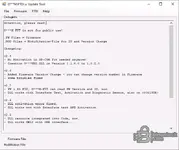
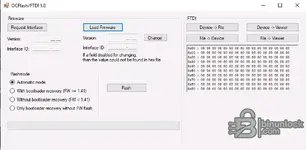
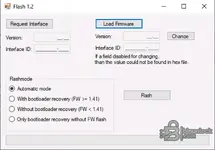
- Optional maintenance tools for supported OP-COM interfaces (firmware utilities)
Typical Workflow
- Connect the interface via USB and select vehicle/model.
- Scan for DTCs, open live data, and run output tests as needed.
- Perform coding/adaptations or key/remote procedures where applicable.
- Save reports and snapshots for later review.
Compatibility
Works smoothly on Windows 7, Windows 8.1, Windows 10, and Windows 11.
Tested on Windows 10 LTSC (2019); also verified on current Windows 11 builds.
Minimum System Requirements
- CPU: Dual-core 2.0 GHz or better
- RAM: 2 GB (4 GB recommended)
- Storage: 1 GB free (more if logging many sessions)
- Display: 1280×720 or higher
- USB 2.0 port; .NET Framework 4.x typical for modern Windows
Disclaimer
Information above is compiled from publicly available sources and provided for educational purposes only. Any files (if referenced) are hosted by third-party services, our forum does not store or distribute software. Please follow the official EULA and all applicable laws in your region.


