
Tech2Win — PC-based emulator of the GM Tech 2 diagnostic tool 
Tech2Win runs Tech 2 software on Windows and connects to vehicles through a Vehicle Communication Interface (VCI) such as GM MDI/MDI 2 or any ISO 22900 PDU API–compliant device. Almost all systems supported by the original Tech 2 are supported here, including optional CANdi (CAN) emulation. (Official Tech2Win user guide & GM docs).

What it does
Included in this package (from your screenshots)
Typical workflow
Compatibility
Tested on Windows 10 LTSC (2019). Also works on Windows 7 / 8 / 10 / 11 (x86/x64).
Minimum system requirements
Important notes
Disclaimer
All details are summarized from public sources and screenshots for educational/archival purposes. Any files, if referenced, are hosted on third-party cloud services by unknown users; our forum does not host or distribute software and isn’t responsible for external content. Please respect software licensing and local laws.
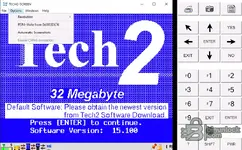
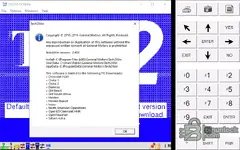
Tech2Win runs Tech 2 software on Windows and connects to vehicles through a Vehicle Communication Interface (VCI) such as GM MDI/MDI 2 or any ISO 22900 PDU API–compliant device. Almost all systems supported by the original Tech 2 are supported here, including optional CANdi (CAN) emulation. (Official Tech2Win user guide & GM docs).
What it does
- Emulates the GM Tech 2 on a Windows PC for diagnostics and service tasks.
- Works with GM MDI / MDI 2 (or ISO 22900 PDU API–compliant VCIs).
- Vehicle coverage: generally 1997–2009 model years via Tech2/Tech2Win; newer models move to GDS2 while earlier pre-1997 use Tech1.
- CANdi simulation toggle in Options when needed for CAN-based platforms.
Included in this package (from your screenshots)
- Multiple versions: Tech2Win v2.256, v2.302, v2.336, v2.358 (Win10–11 x64 only), v2.370 (Win10–11 x64 only), v2.402 (WinXP–10 x86/x64).
- Installer: Tech2Win_v2.402.msi.
- Help/notes: “help” folder with guidance.
- Legacy BIN set (≈97 BIN images) for many regions/brands, e.g. Chevrolet / Cadillac / Buick (NAO), Daewoo, GM Brasil, GM South Africa, Holden & Holden Export, Isuzu (NAO & Truck), Opel / Vauxhall, Saab, Saturn Astra, Suzuki, plus “China 1/2” region sets, etc. (Matches the About dialog’s supported TIS downloads for Tech2Win v2.402.)
Typical workflow
- Install Tech2Win and your VCI driver (GM MDI Manager or ISO 22900 PDU API).
- Launch Tech2Win → Options → enable CANdi simulation if required.
- Select the correct BIN image for your region/brand, then proceed with diagnostics.
Compatibility
Tested on Windows 10 LTSC (2019). Also works on Windows 7 / 8 / 10 / 11 (x86/x64).
Minimum system requirements
- OS: Windows 7 or newer (32/64-bit)
- CPU: Dual-core 2.0 GHz or better
- RAM: 2 GB (4 GB recommended)
- Storage: 500 MB free
- Display: 1280×768 or higher
- VCI: GM MDI/MDI 2 or ISO 22900 PDU API–compliant interface
Important notes
- Official distribution is via ACDelco TDS; 1996–2013 vehicles typically use Tech2Win, while 2010+ are generally covered by GDS2 depending on market/model.
- Model-year support varies by region; consult GM documentation for exact coverage.
Disclaimer
All details are summarized from public sources and screenshots for educational/archival purposes. Any files, if referenced, are hosted on third-party cloud services by unknown users; our forum does not host or distribute software and isn’t responsible for external content. Please respect software licensing and local laws.


