
Description
Voltage Monitor - BMW is a Windows utility for managing ISTA low-battery warnings and monitoring the actual vehicle battery voltage during BMW diagnostics.
The program combines two useful functions in one interface:
This is especially useful during longer ISTA diagnostic sessions, programming preparation or workshop work where repeated low-voltage warnings can interrupt the workflow.
Important: The program does not increase battery voltage and does not replace a charger or power supply. The ISTA threshold function only changes the warning limit used by the software.
Minimum Voltage Control
ISTA normally uses a minimum monitored voltage of 12.55 V.
Voltage Monitor - BMW allows this threshold to be adjusted from:
This can reduce or eliminate repeated ISTA low-battery warnings when working in situations where the vehicle voltage is intentionally below the original ISTA threshold.
Safety and backup features:
The change affects the voltage threshold monitored by ISTA only.
It does not modify the vehicle, battery management system or charging voltage.
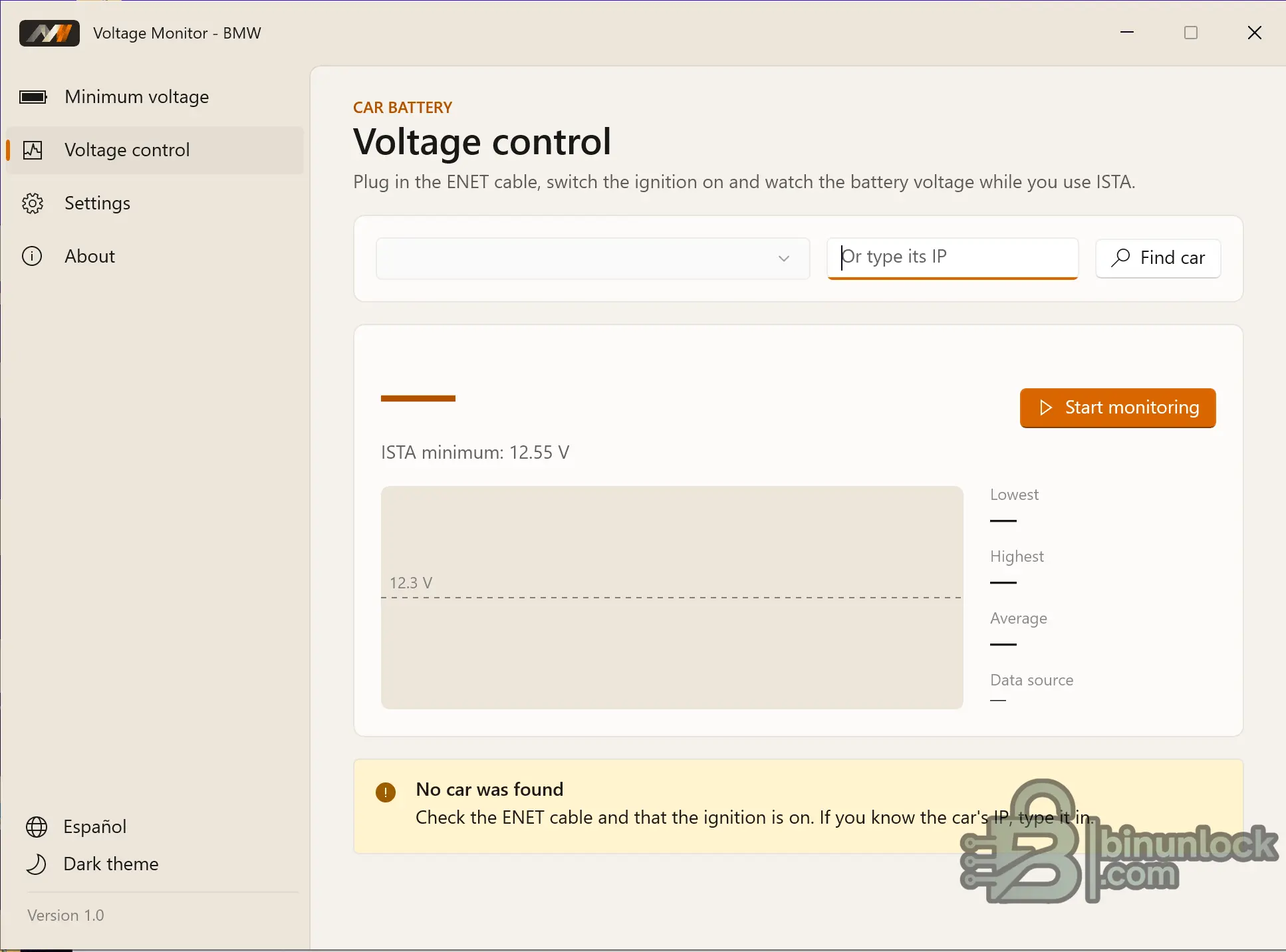
Live Voltage Monitoring over ENET
The Voltage Control section connects to the BMW vehicle through an ENET connection and displays the actual battery / vehicle supply voltage in real time.
The program can search for the vehicle automatically or connect using a manually entered IP address.
Live monitoring includes:
The monitoring function is read-only.
No coding, configuration or control commands are written to the vehicle while monitoring voltage.
ENET requirements:
If the vehicle cannot be detected, the program displays a warning and suggests checking the ENET cable, ignition state and vehicle IP address.
Low Battery Warnings
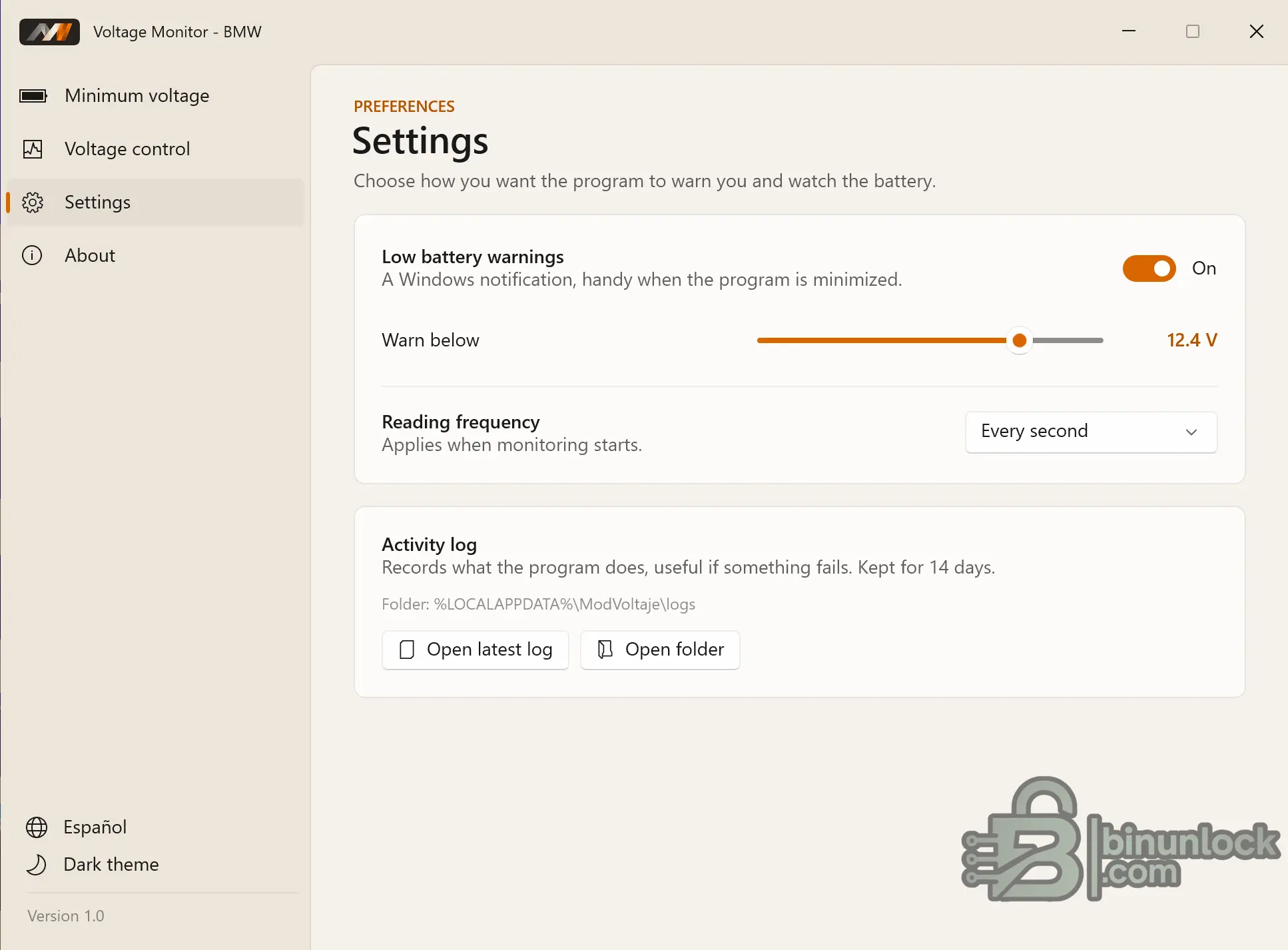
Voltage Monitor - BMW can display a Windows notification when the measured voltage drops below a user-defined level.
This is useful when the program is minimized and ISTA or another diagnostic application is being used in the foreground.
The warning threshold can be configured independently.
For example:
The notification system can also be disabled completely from Settings.
Monitoring Frequency
The voltage reading interval can be configured in the Settings page.
The selected frequency is applied when monitoring starts.
This allows the user to choose how frequently the application updates the voltage information and graph.
Activity Log
The application records its activity to a local log.
Logs are useful for troubleshooting connection or monitoring problems and are retained for 14 days.
The Settings page provides direct access to:
Default log location shown by the application:
Main Features
Typical Use Cases
Important Safety Note
Lowering ISTA's warning threshold does not make low voltage safe.
A weak battery or insufficient workshop power supply can still cause diagnostic communication failures or programming problems even if ISTA no longer displays its original warning.
For ECU programming, flashing or other voltage-sensitive operations, always use an appropriate stabilized power supply and monitor the actual vehicle voltage.
Voltage Monitor - BMW is primarily a convenience and monitoring tool: it simplifies ISTA voltage-threshold configuration while providing a separate real-time ENET voltage display.
The program combines two useful functions in one interface:
- ISTA minimum-voltage adjustment — change the voltage threshold that ISTA monitors for low-voltage warnings.
- Live battery-voltage monitoring over ENET — watch the real vehicle voltage while diagnosing the car.
This is especially useful during longer ISTA diagnostic sessions, programming preparation or workshop work where repeated low-voltage warnings can interrupt the workflow.
Important: The program does not increase battery voltage and does not replace a charger or power supply. The ISTA threshold function only changes the warning limit used by the software.
Minimum Voltage Control
ISTA normally uses a minimum monitored voltage of 12.55 V.
Voltage Monitor - BMW allows this threshold to be adjusted from:
Code:
5.0 V to 12.55 VThis can reduce or eliminate repeated ISTA low-battery warnings when working in situations where the vehicle voltage is intentionally below the original ISTA threshold.
Safety and backup features:
- The original ISTA value is 12.55 V.
- The program creates a backup before the first modification.
- The threshold can be changed without manually editing ISTA files.
- If ISTA is currently running, the program can offer to close and restart it so the new value takes effect.
The change affects the voltage threshold monitored by ISTA only.
It does not modify the vehicle, battery management system or charging voltage.
Live Voltage Monitoring over ENET
The Voltage Control section connects to the BMW vehicle through an ENET connection and displays the actual battery / vehicle supply voltage in real time.
The program can search for the vehicle automatically or connect using a manually entered IP address.
Live monitoring includes:
- Current battery voltage
- Live voltage chart
- Lowest recorded voltage
- Highest recorded voltage
- Average voltage
- Detected data source
The monitoring function is read-only.
No coding, configuration or control commands are written to the vehicle while monitoring voltage.
ENET requirements:
- Connect the ENET cable to the vehicle.
- Switch the ignition on.
- Allow the program to find the vehicle automatically or enter its IP address manually.
- Start monitoring.
If the vehicle cannot be detected, the program displays a warning and suggests checking the ENET cable, ignition state and vehicle IP address.
Low Battery Warnings
Voltage Monitor - BMW can display a Windows notification when the measured voltage drops below a user-defined level.
This is useful when the program is minimized and ISTA or another diagnostic application is being used in the foreground.
The warning threshold can be configured independently.
For example:
Code:
Warn below: 12.4 VThe notification system can also be disabled completely from Settings.
Monitoring Frequency
The voltage reading interval can be configured in the Settings page.
The selected frequency is applied when monitoring starts.
This allows the user to choose how frequently the application updates the voltage information and graph.
Activity Log
The application records its activity to a local log.
Logs are useful for troubleshooting connection or monitoring problems and are retained for 14 days.
The Settings page provides direct access to:
- The latest log file
- The complete log folder
Default log location shown by the application:
Code:
%LOCALAPPDATA%\ModVoltaje\logsMain Features
- Adjust the ISTA minimum-voltage threshold from 5.0 V to 12.55 V.
- Original ISTA threshold shown as 12.55 V.
- Automatic backup before the first ISTA configuration change.
- Offer to restart ISTA after changing the threshold.
- Automatic BMW vehicle discovery over ENET.
- Manual vehicle IP entry.
- Real-time battery-voltage monitoring.
- Live voltage graph.
- Lowest, highest and average voltage statistics.
- Configurable Windows low-voltage notifications.
- Configurable monitoring frequency.
- Read-only vehicle monitoring.
- Activity logging with 14-day retention.
- English / Spanish interface.
- Light and dark themes.
Typical Use Cases
- BMW ISTA diagnostic sessions
- Monitoring battery voltage while troubleshooting
- Watching vehicle voltage during extended diagnostic work
- Reducing unnecessary ISTA low-voltage warning interruptions
- Checking whether a charger or workshop power supply is maintaining sufficient voltage
- Monitoring voltage while using ISTA through ENET
Important Safety Note
Lowering ISTA's warning threshold does not make low voltage safe.
A weak battery or insufficient workshop power supply can still cause diagnostic communication failures or programming problems even if ISTA no longer displays its original warning.
For ECU programming, flashing or other voltage-sensitive operations, always use an appropriate stabilized power supply and monitor the actual vehicle voltage.
Voltage Monitor - BMW is primarily a convenience and monitoring tool: it simplifies ISTA voltage-threshold configuration while providing a separate real-time ENET voltage display.


