
Description
BMW EasyConnect is a Windows utility for configuring BMW diagnostic communication and several common EDIABAS / ENET / WinKFP tasks from one interface.
The program combines EDIABAS connection setup, ENET traffic forwarding, BMW gateway reset functions and WinKFP SP-Daten configuration.

Main functions
EDIABAS connection
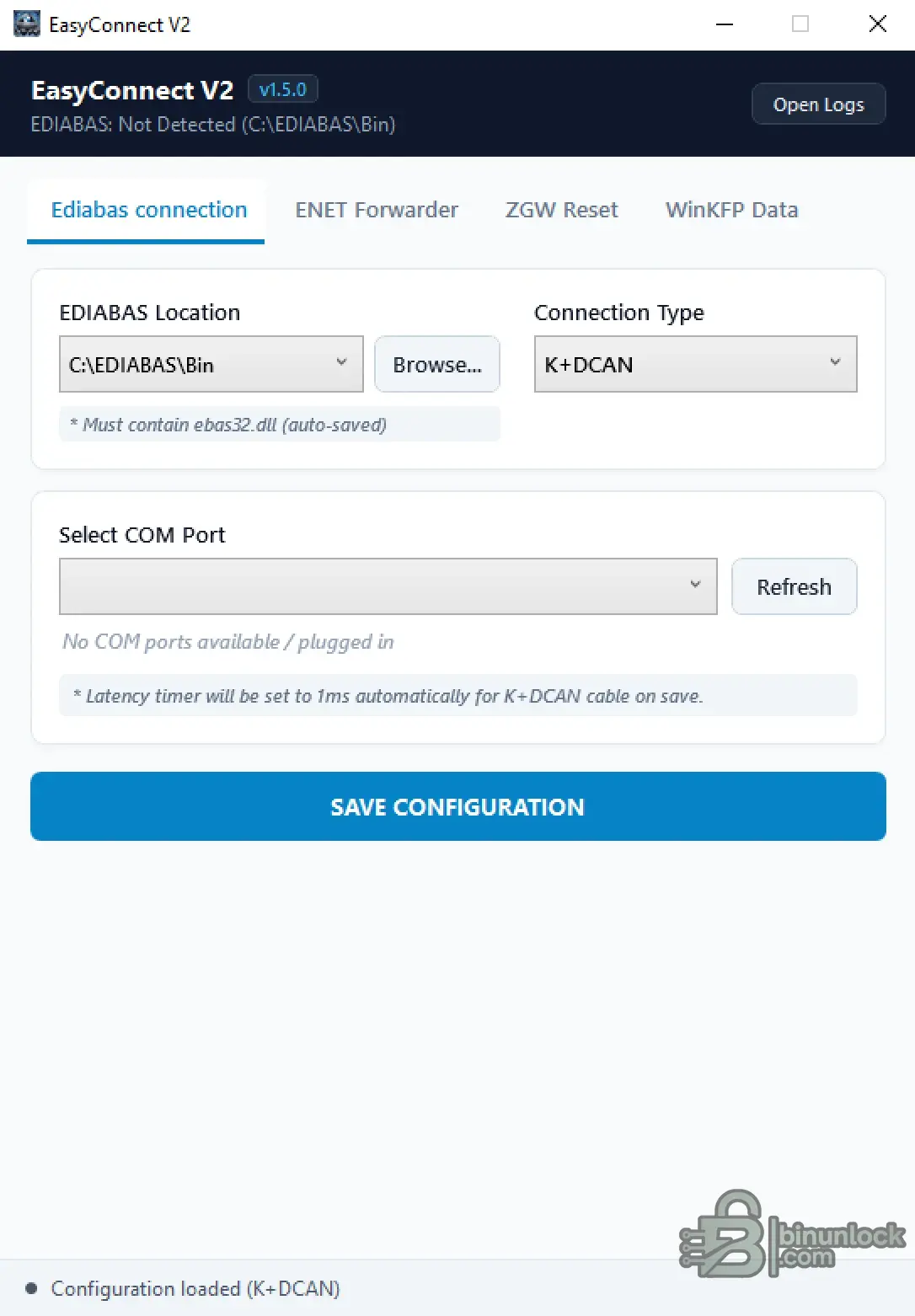
The EDIABAS section allows you to select the EDIABAS installation folder and configure the diagnostic connection.
For K+DCAN connections, the program can:
The selected EDIABAS directory must contain ediabas32.dll.
ENET Proxy Forwarder
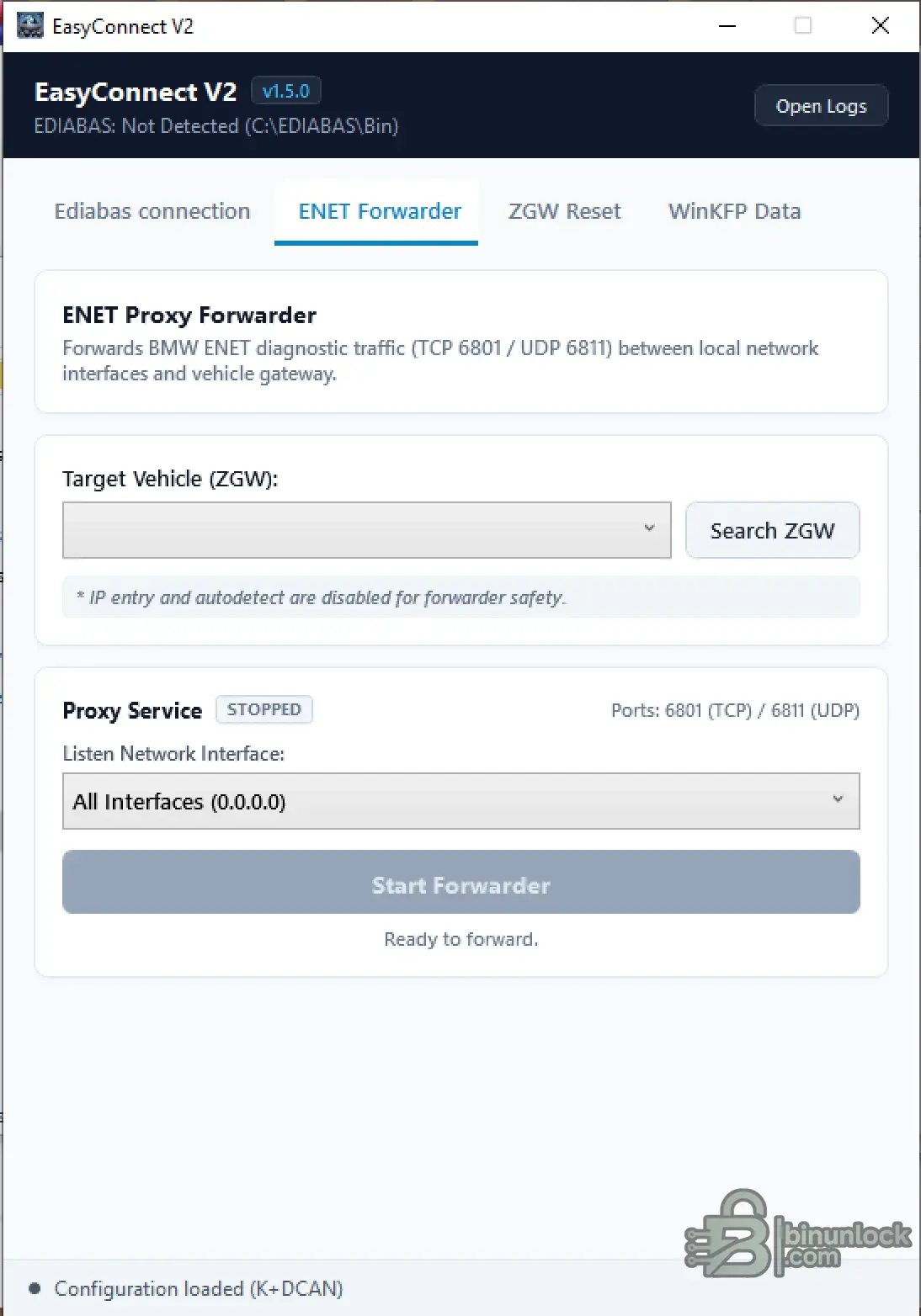
EasyConnect includes an ENET forwarding function for BMW diagnostic traffic.
The forwarder uses:
The program can search for the vehicle ZGW, select the required gateway and forward ENET diagnostic communication between a local network interface and the vehicle.
This can be useful when diagnostic software needs access to BMW ENET communication through another local network interface.
ZGW / FEM / BDC Reset
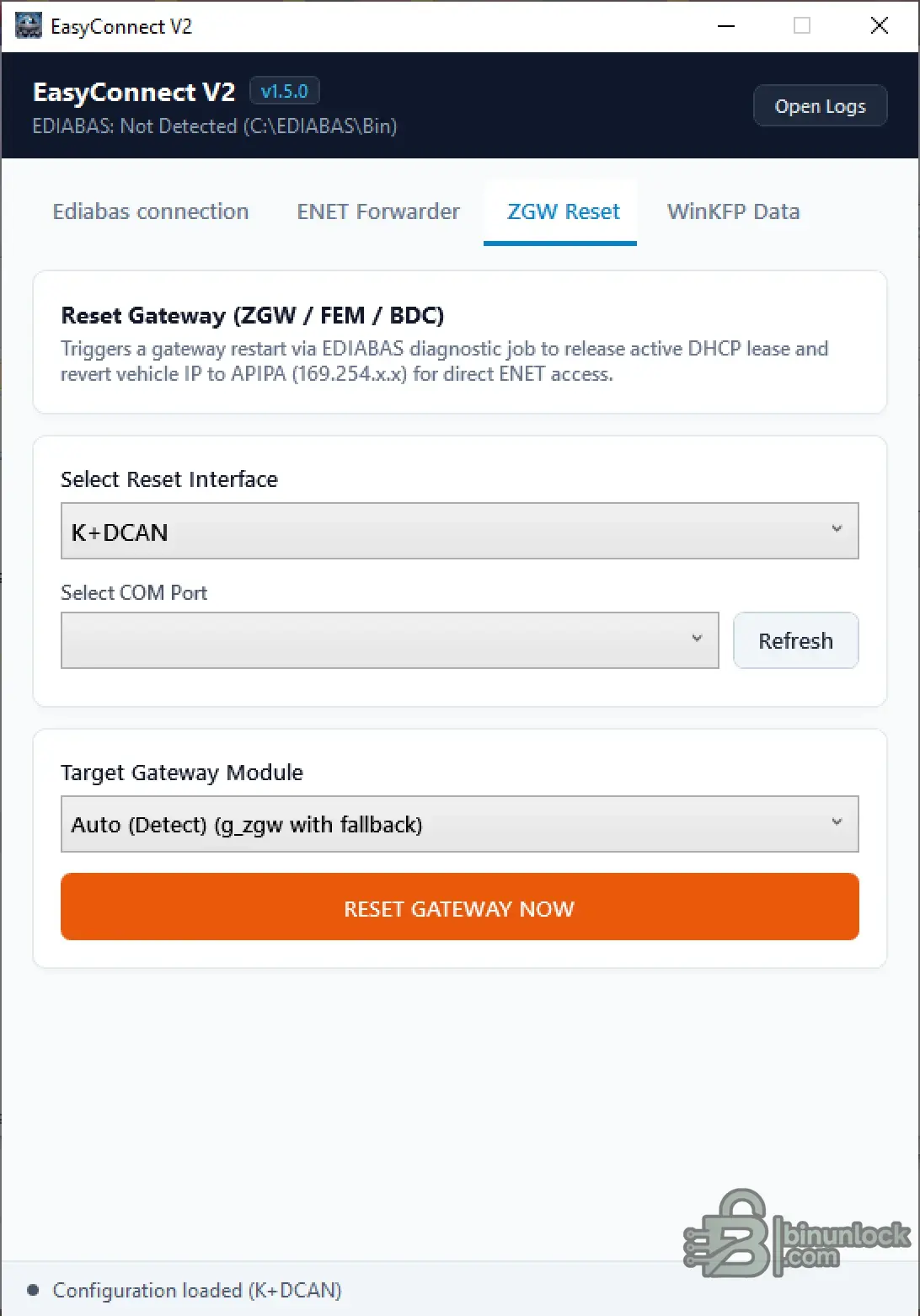
The gateway reset section can restart a supported BMW gateway using an EDIABAS diagnostic job.
The function is intended to release an active DHCP lease and return the vehicle network interface to an APIPA 169.254.x.x address for direct ENET access.
Supported gateway targets shown by the program include:
Automatic gateway detection is available, with a fallback to the appropriate gateway diagnostic file when required.
WinKFP SP-Daten Configuration
EasyConnect can configure WinKFP to use existing SP-Daten / ecudata folders without manually copying the complete dataset into the WinKFP directory structure.
The program allows you to:
The program specifically warns that the SP-Daten source should come from an unmodified ISTA-P installation.
Typical use
EasyConnect is useful when preparing a BMW diagnostic environment for:
Included file
Important
This tool changes diagnostic communication and programming-related configuration. Verify the selected interface, EDIABAS path, vehicle gateway and SP-Daten source before applying changes.
The program combines EDIABAS connection setup, ENET traffic forwarding, BMW gateway reset functions and WinKFP SP-Daten configuration.
Main functions
- EDIABAS connection configuration
- K+DCAN interface and COM port setup
- BMW ENET proxy forwarding
- ZGW / FEM / BDC gateway reset
- WinKFP SP-Daten configuration
- Built-in logging
EDIABAS connection
The EDIABAS section allows you to select the EDIABAS installation folder and configure the diagnostic connection.
For K+DCAN connections, the program can:
- select the required COM port;
- save the EDIABAS communication configuration;
- automatically set the K+DCAN latency timer to 1 ms.
The selected EDIABAS directory must contain ediabas32.dll.
ENET Proxy Forwarder
EasyConnect includes an ENET forwarding function for BMW diagnostic traffic.
The forwarder uses:
- TCP port 6801
- UDP port 6811
The program can search for the vehicle ZGW, select the required gateway and forward ENET diagnostic communication between a local network interface and the vehicle.
This can be useful when diagnostic software needs access to BMW ENET communication through another local network interface.
ZGW / FEM / BDC Reset
The gateway reset section can restart a supported BMW gateway using an EDIABAS diagnostic job.
The function is intended to release an active DHCP lease and return the vehicle network interface to an APIPA 169.254.x.x address for direct ENET access.
Supported gateway targets shown by the program include:
- ZGW
- FEM
- BDC
Automatic gateway detection is available, with a fallback to the appropriate gateway diagnostic file when required.
WinKFP SP-Daten Configuration
EasyConnect can configure WinKFP to use existing SP-Daten / ecudata folders without manually copying the complete dataset into the WinKFP directory structure.
The program allows you to:
- select or automatically detect an SP-Daten base folder;
- choose the required BMW chassis;
- apply the WinKFP data configuration;
- restore the default configuration when necessary.
The program specifically warns that the SP-Daten source should come from an unmodified ISTA-P installation.
Typical use
EasyConnect is useful when preparing a BMW diagnostic environment for:
- EDIABAS / INPA / Tool32 communication;
- K+DCAN diagnostic connections;
- direct ENET access;
- gateway connection troubleshooting;
- WinKFP programming setup;
- working with local SP-Daten packages.
Included file
Code:
BMW Easy Connect 2 v1.5.exeImportant
This tool changes diagnostic communication and programming-related configuration. Verify the selected interface, EDIABAS path, vehicle gateway and SP-Daten source before applying changes.


