Toyota 4D Key Tool - Immo Repair & Key Generation

Toyota 4D Key Tool - Immo Repair & Key Generation 1.2

Sign in to download for free
Toyota 4D Key Tool is an offline EEPROM utility for authorized Toyota immobilizer repair, replacement-key preparation and Transponder ID ECU to engine ECU synchronization work. It processes a dump that has already been read from the vehicle: the program does not communicate directly through OBD, read the module by itself or replace the EEPROM programmer and transponder tool used in the workshop.

The application is aimed at older Toyota 4D transponder systems. It can calculate key data from a supported immobilizer dump, present the resulting key pages for transfer to a compatible emulator, and provide model-specific reference information for synchronization and no-start diagnosis. Always identify the module and make multiple verified backups before changing any data.

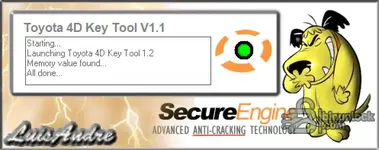
Toyota 4D Key Tool interface for vehicle selection and transponder key data generation

Main functions​#

  • Open a supported Transponder ID ECU immobilizer EEPROM dump
  • Generate cryptographic key data for a replacement master-key workflow
  • Display the calculated pages used by a compatible transponder programming device
  • Guide selection by Toyota model and model-year range
  • Assist with immobilizer and engine ECU synchronization diagnosis
  • Provide a reference procedure for engine ECU registration on supported OBD-II vehicles

Vehicle coverage shown in the supplied application​#

The vehicle menu contains the following applications. The year marks are the starting years displayed by the program, not a promise that every market, engine, ECU part number or trim level is supported.

  • Toyota Avensis — 2003 and later menu branch
  • Toyota Aygo — 2005 and later menu branch
  • Toyota Corolla — 2005 and later menu branch
  • Toyota Hilux — 2006 and later menu branch
  • Toyota Prius — 2005 and later menu branch
  • Toyota RAV4 — 2004 and later menu branch
  • Toyota Yaris — 2003 and later menu branch

Confirm compatibility from the immobilizer label, EEPROM type, dump length and software response rather than selecting a vehicle only because its model name appears in the list. Regional Toyota systems can differ even within the same production year.

Immobilizer and EEPROM workflow​#

For the supported generation, immobilizer information is stored in the Transponder ID ECU. The application reference identifies a 93C66 EEPROM in the immobilizer box and is designed around a dump read from that memory.

  1. Identify the vehicle, immobilizer module and memory device before desoldering or connecting a clip.
  2. Read the EEPROM at least twice with a suitable programmer and compare both files byte for byte.
  3. Store one untouched original outside the working directory and use a separate copy in the application.
  4. Select the exact vehicle branch, open the verified dump and use the key-data generation function.
  5. Review the calculated key pages and save a record of the original dump and generated result.
  6. Write the data to a compatible TPX2 or EH electronic 4D emulator using a separate transponder tool.
  7. Test key recognition and starting authorization before reassembling the module and returning the vehicle to service.

The program screen references Codereader, Zed-Bull and RW4 as examples of transponder equipment. Those devices are not included, and equivalent tools should only be used when they explicitly support the chosen emulator and Toyota 4D workflow.

When synchronization is relevant​#

The supplied help material distinguishes key-data faults from an immobilizer-to-engine-ECU communication problem. Typical workshop symptoms include a vehicle that starts briefly and stops, an unregistered or wrong-transponder condition, or engine ECU DTC B2799 after module replacement or lost synchronization.

If the immobilizer dump and registered key data are valid but the engine ECU still reports the communication fault, use the synchronization path specified for the exact vehicle. The application includes a Toyota/Lexus OBD-II reference screen, but connector terminal assignments, wait time and prerequisites must be checked against the correct factory repair information before bridging terminals or cycling the ignition.

Required equipment​#

  • EEPROM programmer with verified support for the memory fitted to the Transponder ID ECU
  • Suitable adapter, clip or soldering equipment for a stable read without damaging the board
  • Compatible TPX2 or EH electronic 4D emulator and a transponder programming device
  • Diagnostic scanner capable of reading Toyota immobilizer and engine ECU fault codes
  • Regulated workshop power and a known recovery plan for any module that must be removed or rewritten
  • Hex editor or comparison utility for validating repeated EEPROM reads and retaining an audit copy

Windows requirements​#

The package contains a native 32-bit Windows GUI application and its functional loader. It is portable and should be extracted to a short local path before use.

  • 32-bit or 64-bit Windows with Win32 application support
  • Windows 10 is the practical baseline used for this package; older workshop systems may also run it
  • At least 2 GB RAM and less than 100 MB of free storage for the software and working dumps
  • Standard desktop resolution of 1024×768 or higher so all controls and help panels remain visible
  • Local write permission for saved dumps and generated working files

Keep both supplied executable components together. If the application is isolated in a virtual machine, pass EEPROM and transponder hardware through only after confirming stable USB communication.

Troubleshooting​#

  • Dump will not open or produces implausible key pages: confirm the memory type, byte length, byte order and that the file is a complete repeated read.
  • Vehicle branch is present but the module differs: stop and verify the immobilizer part number; model names alone are not a compatibility guarantee.
  • Generated transponder is not accepted: recheck the emulator type, page transfer and the capabilities of the separate transponder programmer.
  • Engine starts for only a short time: diagnose key recognition and immobilizer-to-engine-ECU synchronization separately.
  • DTC B2799 remains after ECU replacement: verify wiring, registered master-key status and the exact factory synchronization procedure before repeating any operation.
  • Program window does not open: extract the complete package to a local folder, keep both components together and try a clean compatible Windows environment.

Important limitations and safe handling​#

  • This is a file-processing and reference utility, not an automatic OBD key programmer.
  • A valid-looking calculation does not prove that the selected dump belongs to the expected immobilizer generation.
  • Never overwrite the only EEPROM read; keep the original and at least one independently verified backup.
  • Do not publish VINs, customer information, complete key data or immobilizer dumps in the discussion thread.
  • Use the software only for vehicles you own or are authorized to service and follow applicable security and locksmith regulations.

Additional interface and procedure previews​#

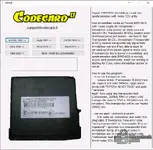
Toyota 4D Key Tool immobilizer and engine ECU synchronization reference screen

Toyota 4D Key Tool supported vehicle menu and 93C66 EEPROM information
Author
Bin
Downloads
43
Views
4,131
First release
Last update

Ratings

4.60 star(s) 5 ratings

More resources from Bin

Latest updates

  1. Download rebuilt and documentation expanded

    Download rebuilt and documentation expanded The unavailable legacy bundle has been replaced with...

Similar resources

Automotive Key and Remote Programming Manual
Domestic and imported vehicle key, remote and immobilizer procedure reference for locksmith work
Mercedes and VAG Immobilizer Tool
Inspect immobilizer dumps, view hexadecimal data and prepare supported key records offline
PSA BSI Tool — Peugeot and Citroen EEPROM Utility
Read, save and write supported Peugeot or Citroen BSI EEPROM, flash, PIN and configuration data
Bosch ME7.4.5 IMMO OFF — PSA 95320 EEPROM File Utility
Process verified Citroën and Peugeot ME7.4.5 immobilizer EEPROM dumps for authorized repair
ABS Dump Tool — Renault and Dacia ABS EEPROM Editor
Read and edit stored mileage in Renault and Dacia ABS EEPROM dumps using two memory profiles

Latest reviews

Excellent!!
i selected Prius and tried to select my dump but it says wrong file or unknown immo to contact support, maybe its because my car is a 3rd gen idk. other then that the download was good
Merci beaucoup pour ce précieux partage ! 🙏

Toyota 4D Key Tool V1.1 est un outil très utile pour la programmation de nouveaux transpondeurs sur les véhicules Toyota équipés du système 4D. Ce type de partage est très apprécié et contribue à faire avancer toute la communauté.

Encore un grand merci pour votre générosité et votre contribution !
This soft is a must use when you need to create a master key for toyota C1 or Peugeot
woah this tool is so good