![WinOLS 4.70.01 Download [No VM / No Date Change / Bug Fixed]](/data/resource_icons/0/2.jpg?1750193537)
WinOLS 4.70.01 Download [No VM / No Date Change / Bug Fixed]
Here is a working and easy-to-install worked version of WinOLS 4.7. The main advantage of this build is that it does not require a virtual machine (VM) and there is no need to change the system date to run it.
This is the latest corrected version from 2024 that I was able to find.
Checksum Plug-ins:
My dears, I have gone through many versions, and unfortunately, none of them passed a full VirusTotal (VT) check. Moreover, it's impossible to run the installer (.exe) without first disabling your antivirus or Windows Firewall.
You are installing and using this software AT YOUR OWN RISK. It is strongly recommended to use this on a separate, non-critical computer or a virtual machine that does not contain important personal data.
https://www.virustotal.com/gui/file/6af0cc29449129e9f17dee1ab3d4c54a306b9836a63bd0c915ca1520f7c93e2f
OLSInstall
https://www.virustotal.com/gui/file/c0338698e5671050cf998be8d31428b52ae5ff9d980f474609fcfd6d473eb1ac
WinOLS4.7.4 - Natiuve Installer
https://www.virustotal.com/gui/file...a5a63e0ca08f4f1d4711cca34d704a1bf95/detection

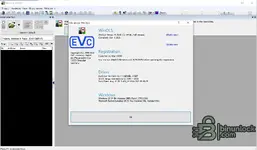
This is the latest corrected version from 2024 that I was able to find.
Easy Installation Steps
The installation is very simple:- Open OLSInstall
- Click Install OLS (Silent)
- Click раtсh WinOLS
- Click Create Link On Desktop
- Click Launch WinOLS and Exit Tool
Included Checksum & Other Plugins
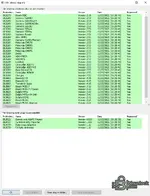
This WinOLS 4.7 build comes with a pre-installed set of useful plugins that expand its capabilities for working with various ECU types and files.Checksum Plug-ins:
- OLS220: Bosch TDI (Supports: V2.0, V3.x, V4.x, CR1, CR2)
- OLS270: Bosch DME / DDE
- OLS280: Siemens SID803 (Supports SID803, SID201/204, SID202, SIDxxx, SID9xx, EasyU)
- OLS289: CASE (Supports SISU EEM2; Siemens CLAAS/Mercury; Motorola CM570, CM850, CM87X; Deutz; VDO-FMGR, VDO_ECS; Liebherr; CAT ADEM3/4/5/6, CAT PCMFP; New Holland GD, Charger)
- OLS803: Denso32 (Supports Denso32; Transtron Isuzu)
- OLS807: Bosch MED17 / EDC17 (with support for RSA, Comp Chk, MED17 раtсh, EEPROM, EDC17Cxxx раtсh, MED17 Variant)
- OLS809: Delphi DCM3 (Supports DCM3.2, DCM3.3, DCM3.4, DCM3.5 + PSA, DCM3.7, DCM MB)
- OLS810: Delphi Truck (Supports Delphi Truck., Metatron MF3)
- OLS820: Delphi Tricore (Supports MTxxx, MT2x/HV-240, DCM6)
- OLS830: Bosch MDG1 (Supports MDG1, CVN, EEPROM, MD1CE101/MD1CS069 раtсh)
- OLS521: DAMOS/A2L - Import Filter (Supports .a2l, .asap2, .dam, .damos)
- OLS523: Cummins ecfg Importer (Supports .e2m, .ecfg)
- OLS550: Data Areas (for identifying data areas, including Fill byte detection)
 IMPORTANT WARNING: READ BEFORE INSTALLING
My dears, I have gone through many versions, and unfortunately, none of them passed a full VirusTotal (VT) check. Moreover, it's impossible to run the installer (.exe) without first disabling your antivirus or Windows Firewall.You are installing and using this software AT YOUR OWN RISK. It is strongly recommended to use this on a separate, non-critical computer or a virtual machine that does not contain important personal data.
Additional Information
- Tested on: Windows 10
- Version: This is the most recent and fixed build from 2024 that I could find.
VirusTotal:
WinOLS_v4.70.01https://www.virustotal.com/gui/file/6af0cc29449129e9f17dee1ab3d4c54a306b9836a63bd0c915ca1520f7c93e2f
OLSInstall
https://www.virustotal.com/gui/file/c0338698e5671050cf998be8d31428b52ae5ff9d980f474609fcfd6d473eb1ac
WinOLS4.7.4 - Natiuve Installer
https://www.virustotal.com/gui/file...a5a63e0ca08f4f1d4711cca34d704a1bf95/detection


