Post #1
GIDS is GAC Toyota's official full-vehicle electronic diagnostic tool. A Windows PC running GIDS, plus a VCI diagnostic adapter connected to the vehicle's OBD port, enables the full range of operations on every ECU in the vehicle (engine, transmission, gateway, body, immobilizer, and other controllers): reading fault codes, retrieving data, running actuator tests, flashing software, and upgrading software versions. In short, it is the repair shop's PC-based equivalent of a "full-vehicle electronic system inspection + programming workstation."
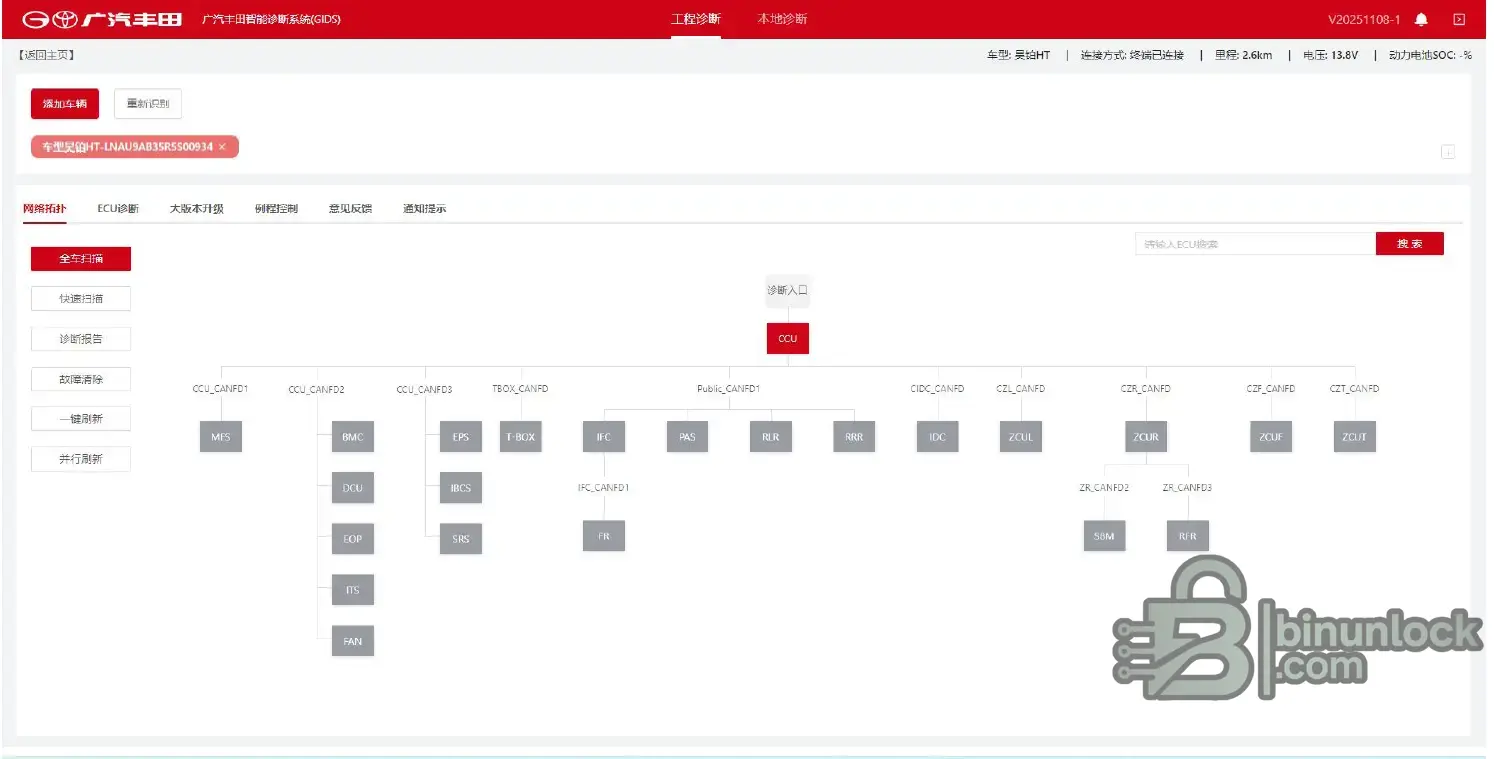
1.installation file:GIDS-Toyota_V20261009-1.zip
2.GIDS_User_Manual_EN.pdf
3.GIDS_User_Manual_RU.pdf
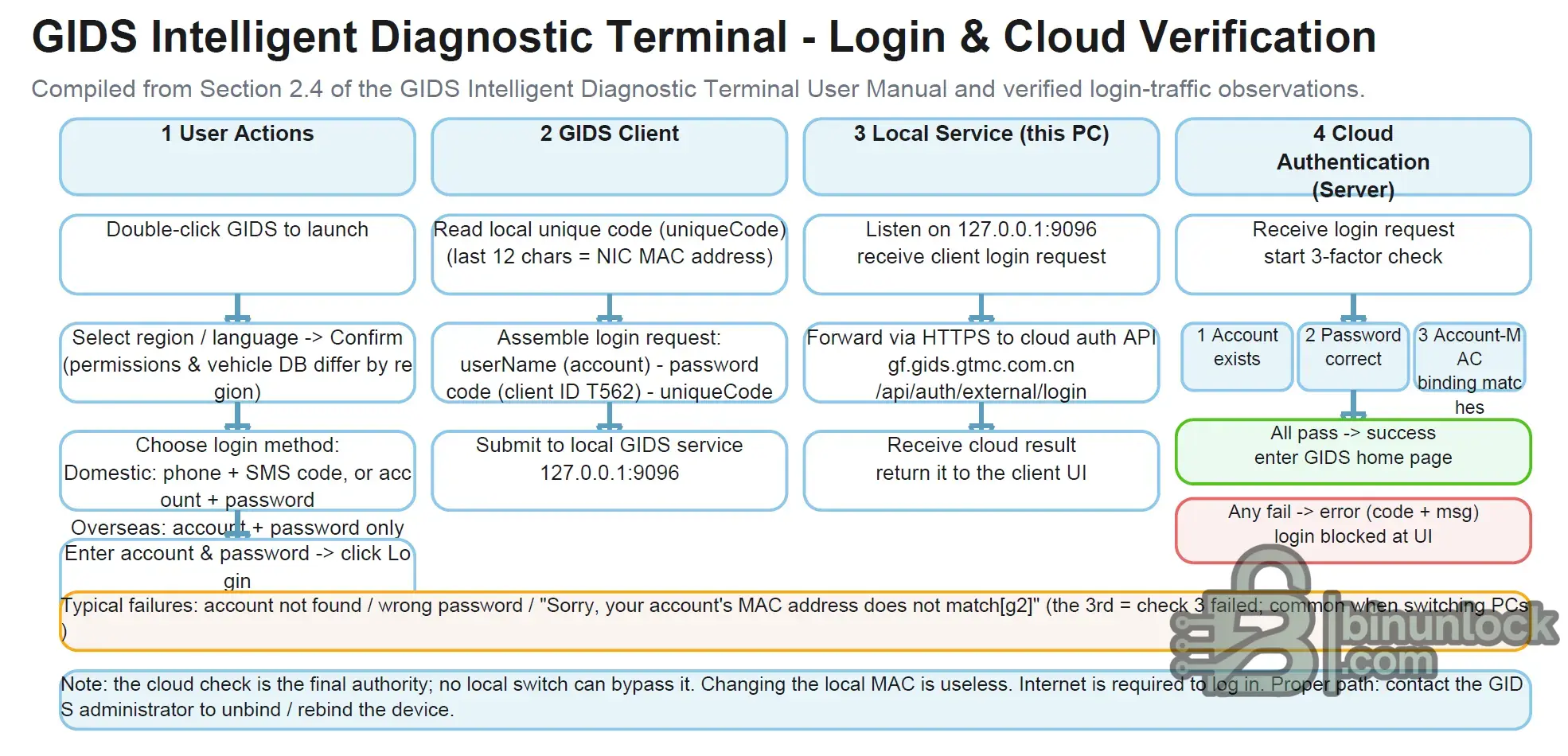
4.GIDS_Login_and_Cloud_Verification_Editable.pdf
Has anyone figured out how to bypass the verification on this software and use it offline?
I have translated the Chinese user manual into English and Russian respectively. Please do not hesitate to correct me if you find any errors. Thank you!
1.installation file:GIDS-Toyota_V20261009-1.zip
2.GIDS_User_Manual_EN.pdf
3.GIDS_User_Manual_RU.pdf
4.GIDS_Login_and_Cloud_Verification_Editable.pdf
Has anyone figured out how to bypass the verification on this software and use it offline?
I have translated the Chinese user manual into English and Russian respectively. Please do not hesitate to correct me if you find any errors. Thank you!


