Honda Multi Editor for DTC Review and ECU File Handling

Honda Multi Editor for DTC Review and ECU File Handling 1.39

Sign in to download for free
  • Thread starter Thread starter Bin
  • Start date Start date
  • Tagged users Tagged users None
Honda Multi Editor for DTC Review and ECU File Handling
Honda Multi Editor for DTC Review and ECU File Handling 1.39
Sign in to download for free
  • Thread starter Thread starter Bin
  • Start date Start date
  • Tagged users Tagged users None

Bin

Thread Owner
Administrator
Joined
03.05.2025
Messages
1,821
Reaction score
33,869
New release thread for Honda Multi Editor for DTC Review and ECU File Handling: discuss, share feedback, and get help.


Honda Multi Editor for DTC Review and ECU File Handling​

Honda DTC review, basic tuning, and supported ECU file work

This fully configured build presents Honda-focused ECU file review, DTC inspection, and selected service editing functions in one desktop interface. The layout separates DTC work, basic tuning values, and system-related options into dedicated tabs, which helps workshops move between review and file preparation with a simple workflow.

View attachment 3662...

What's inside:
  • Overview & screenshots
  • Version history and compatibility
  • Download link and setup notes

👉 View full details and download — Honda Multi Editor for DTC Review and ECU File Handling
 
please how do i install it

The resource page shows the package contains these files:

  • HONDA EDITOR-V1.39 — the main program
  • HONDA EDITOR-V1.39_Loader — the launcher
  • liсеnsе.dat — liсеnsе file

Installation steps:

  1. Download the package from the resource page and extract all files into one folder (keep all three files together).
  2. Right-click HONDA EDITOR-V1.39_LoaderRun as administrator. This is the entry point — do not launch the main exe directly.
  3. Once the interface opens, use Open to load a supported Honda ECU bin file, select the correct ECU group (Keihin 1MB / 2MB / 2.5MB / 3MB), and you're ready to work.

Tips if it doesn't start:

  • Make sure all three files remain in the same directory — the loader needs the liсеnsе file next to it.
  • Temporarily disable antivirus / Windows Defender real-time protection, as loaders are often flagged as false positives. Add the folder to exclusions.
  • Run on a native Windows install (10 or 11). VMs and Wine/emulation layers may cause issues — test before relying on them.
  • Confirm you have admin rights on the machine.

If it still won't launch, post the exact error message or screenshot and we can troubleshoot further.
 
The resource page shows the package contains these files:

  • HONDA EDITOR-V1.39 — the main program
  • HONDA EDITOR-V1.39_Loader — the launcher
  • liсеnsе.dat — liсеnsе file

Installation steps:

  1. Download the package from the resource page and extract all files into one folder (keep all three files together).
  2. Right-click HONDA EDITOR-V1.39_LoaderRun as administrator. This is the entry point — do not launch the main exe directly.
  3. Once the interface opens, use Open to load a supported Honda ECU bin file, select the correct ECU group (Keihin 1MB / 2MB / 2.5MB / 3MB), and you're ready to work.

Tips if it doesn't start:

  • Make sure all three files remain in the same directory — the loader needs the liсеnsе file next to it.
  • Temporarily disable antivirus / Windows Defender real-time protection, as loaders are often flagged as false positives. Add the folder to exclusions.
  • Run on a native Windows install (10 or 11). VMs and Wine/emulation layers may cause issues — test before relying on them.
  • Confirm you have admin rights on the machine.

If it still won't launch, post the exact error message or screenshot and we can troubleshoot further.
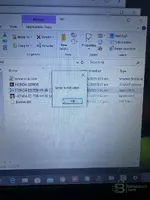
it gives me sеriаl is no valid
 
is there something that tm doing wrong

That "sеriаl is not valid" error typically means the loader can't validate the liсеnsе properly.

Check these things:

  • All three files in the same folder — the main exe, the loader, and the liсеnsе.dat must sit together in one directory. If any file is missing or was renamed, the liсеnsе check fails.
  • Don't move or rename any file — keep the original filenames exactly as they came in the archive.
  • Run the Loader as Administrator — right-click → Run as administrator. Not the main exe, only the Loader.
  • Disable antivirus / Defender — security software sometimes quarantines or blocks the liсеnsе.dat or the loader silently. Check your quarantine list and add the folder to exclusions.
  • Extract fresh — re-download and extract the archive again with 7-Zip or WinRAR to a simple path like C:\HondaEditor\. Avoid paths with special characters, spaces, or deep nesting.
  • Check Windows region/locale — some loaders are sensitive to non-Latin system locales. If your Windows is set to a non-English locale, try changing the system locale to English temporarily (Control Panel → Region → Administrative → Change system locale).

If it still fails after all that, post a screenshot of:
  1. The exact error message
  2. The folder contents showing all files present

That way we can see if something is missing or corrupted.
 
this is the error
 

Attachments

  • WhatsApp Image 2026-04-03 at 13.46.00.webp
    WhatsApp Image 2026-04-03 at 13.46.00.webp
    103.7 KB · Views: 4
  • WhatsApp Image 2026-04-03 at 13.46.00(1).webp
    WhatsApp Image 2026-04-03 at 13.46.00(1).webp
    80 KB · Views: 4
this is the error

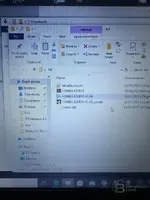
Thanks for the screenshots — I can see the folder contents clearly. All the files are present and correctly named, so the issue is not a missing file.

Looking at your setup, the problem is likely one of these:

1. The liсеnsе.dat may be corrupted or empty

Right-click on liсеnsе.dat → Open with Notepad. Check if it actually contains data (a sеriаl string or key). If it's empty or contains garbage/zero bytes, the file got corrupted during download or extraction.

Solution: Re-download the original archive fresh and extract again with 7-Zip (not Windows built-in extractor — it sometimes corrupts files silently).

2. You may be running the wrong file

Make sure you are launching HONDA EDITOR-V1.39_Loader (the loader), not HONDA EDITOR-V1.39 directly. If you double-click the main exe instead of the loader, it will fail the sеriаl check.

3. Antivirus interference

Check your Windows Defender quarantine:
  • Open Windows Security → Virus & threat protection → Protection history
  • Look for any recently quarantined or blocked items related to the Honda Editor files
  • If anything was blocked, restore it and add the entire hd folder to exclusions

4. Try a different location

Your folder is inside Downloads — some loaders have issues running from there. Move the entire hd folder to:

Code:
C:\HondaEditor\

Then right-click the Loader → Run as administrator.

5. Compatibility mode

If none of the above works:
  • Right-click HONDA EDITOR-V1.39_Loader → Properties → Compatibility tab
  • Check "Run this program in compatibility mode for" → select Windows 7
  • Check "Run as administrator"
  • Click Apply → OK → Launch

Try these steps in order and let us know the result. If it still fails, open the liсеnsе.dat in Notepad and post what's inside (or screenshot it) — that will tell us if the liсеnsе file itself is the problem.
 
i tried on a different laptop now is asking og a kеуgеn
 

Attachments

  • WhatsApp Image 2026-04-03 at 13.58.01(1).webp
    WhatsApp Image 2026-04-03 at 13.58.01(1).webp
    80.9 KB · Views: 2
  • WhatsApp Image 2026-04-03 at 13.58.01.webp
    WhatsApp Image 2026-04-03 at 13.58.01.webp
    49.6 KB · Views: 2
i tried on a different laptop now is asking og a kеуgеn

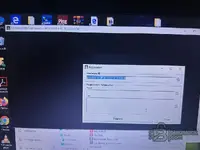
Good progress — on this second laptop the loader is actually running properly. It's showing the Registration window with a Hardware ID, which means the loader is working as intended.

This is a hardware-locked liсеnsе system. The liсеnsе.dat from the first laptop won't work here because it was generated for a different Hardware ID.

Here's what you need to do:

1. Use the kеуgеn

I can see you have a kеуgеn file on the desktop of that laptop. Open it and:

  • Copy your Hardware ID: 871ADB-6E8F3C-C67F3F-0265EB
  • Paste it into the kеуgеn
  • It will generate a Name and Key for you
  • Copy those back into the Registration window
  • Click Register

2. Important notes

  • Run the kеуgеn as Administrator as well
  • If your antivirus blocks the kеуgеn, add it to exclusions first — these tools are almost always flagged as false positives
  • Make sure you copy the Hardware ID exactly — no extra spaces before or after

3. About the first laptop

The "sеriаl is not valid" error on the first laptop was likely because the liсеnsе.dat was generated for yet another machine. If you want to use Honda Editor on that laptop too, you'll need to run the kеуgеn there as well with that laptop's Hardware ID.

Try the kеуgеn and let us know if it registers successfully.
 
i dont have kеуgеn i tried using another sofware kеуgеn but gave me(hardware ID isinvalid)

That's expected — you can't use a random kеуgеn from another software. Each kеуgеn is specifically made for its own application. A kеуgеn from a different program will not recognize the Honda Editor Hardware ID format and will give you that "Hardware ID is invalid" error.

Your options:

1. Go back to the source where you downloaded Honda Editor V1.39

The original package should have included its own specific kеуgеn or a pre-generated liсеnsе. Contact the source (binunlock.com based on what I see in your folder) and ask them for:
  • The correct kеуgеn for Honda Editor V1.39
  • Or a liсеnsе generated for your Hardware ID: 871ADB-6E8F3C-C67F3F-0265EB

2. Check inside the HONDA EDITOR archive

I see you have a file called HONDA EDITOR (WinRAR archive, dated 03/04/2026). Extract that archive — the kеуgеn might be packed inside it. Sometimes the kеуgеn is nested inside a subfolder or a second .rar/.zip within the main archive.

3. Check the grd-drivers-password-mk3 file

I can see a file called grd-drivers-password-mk3 on your desktop. That name suggests it could be a dongle emulator or liсеnsе tool related to Guardant or similar protection. It may or may not be related to Honda Editor — but worth checking if it came with the same package.

Bottom line: You need the specific kеуgеn that was made for Honda Multi Editor V1.39. No other kеуgеn will work. Go back to where you got the files and request it, or ask them to generate a liсеnsе for your Hardware ID.
 
just run loader as admin on win 10 64

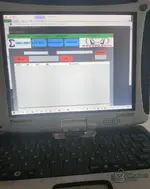
It's working now — Honda Multi Editor V1.39 is fully loaded on your Panasonic Toughbook CF-19.

So the issue on the other laptops was likely related to OS compatibility or antivirus interference. The Toughbook running Win 10 64-bit with Run as Administrator did the trick.

Few important notes:

  • Do NOT close the black console window — it says "Don't close me :)" at the top. That's the VMP bураss loader. If you close it, the main program will crash immediately.
  • You have all the tabs available: World Center, DTC, Basic Tuning, and System OFF
  • To use it: click Open → load your Honda ECU bin/dump file → select the ECU type from the dropdowns → then use DTC, tuning, or system off functions as needed

If you need help with a specific Honda file (DTC removal, EGR off, etc.), post the file details — ECU part number, vehicle model/engine/year, and how it was read (tool used, full or partial read) — and we can guide you through it.
 
Activity
So far there's no one here
Back