
ODIS Service - Full VAG Group Dealer Diagnostics
ODIS Service (ODIS-S) version 25.0.3 is the official dealership-level diagnostic software used for the entire Volkswagen Auto Group (VAG). This is a complete and fully up-to-date package that provides comprehensive tools for professional diagnostics, guided repair, and control unit programming. It is the most powerful software available for servicing Volkswagen, Audi, SEAT, Skoda, and other VAG brands, replacing the older VAS-PC system.

Key Features:
• Guided Fault Finding: The core feature of ODIS-S. It provides official, step-by-step diagnostic test plans, wiring diagrams, component locations, and repair instructions, taking all the guesswork out of complex troubleshooting.
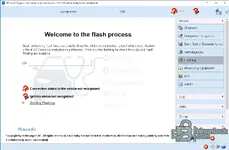
• Full ECU Flashing & Programming: The integrated "Flashing" function allows you to update control unit software with the latest factory files and perform programming and coding for new module installations.
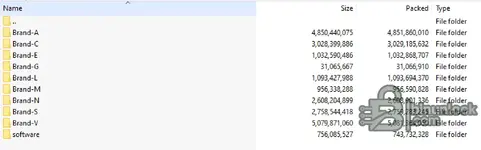
• Complete VAG Group Coverage: This package includes the massive data packs for all major VAG brands, ensuring full functionality across the entire vehicle range.
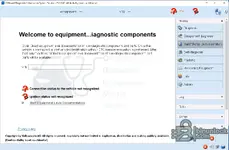
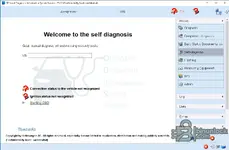
• Advanced Diagnostic Modes: In addition to standard diagnostics, it offers specialized modes such as "Standalone Component Diagnosis" for testing parts off the vehicle (like an HV battery) and "Self-Diagnosis" for direct fault code access.
• Up-to-Date Version (25.0.3): As a very recent release, this version ensures compatibility with the latest 2024/2025 vehicle models and their advanced electronic systems.
Supported VAG Brands Include:
• Volkswagen
• Audi
• SEAT
• Skoda
• Lamborghini
• Bentley
• VW Commercial Vehicles
System Compatibility
This software has been fully tested and is confirmed to be working perfectly on Windows 10 LTSC (2019).
Disclaimer
• Source of Files: All software and resources provided in this post have been collected from public, open-source domains on the internet. We do not claim to be the original authors or developers of this software.
• File Hosting: This forum does not host any of the files. All download links point to third-party, publicly available cloud storage services. We are not responsible for the content hosted on these external sites.
• User Responsibility: This software is provided for educational and evaluation purposes only. You, the user, assume all responsibility and risk associated with the use of this software. The authors of this post and the forum administration are not liable for any damage to your equipment or data that may result from its use.

Key Features:
• Guided Fault Finding: The core feature of ODIS-S. It provides official, step-by-step diagnostic test plans, wiring diagrams, component locations, and repair instructions, taking all the guesswork out of complex troubleshooting.
• Full ECU Flashing & Programming: The integrated "Flashing" function allows you to update control unit software with the latest factory files and perform programming and coding for new module installations.
• Complete VAG Group Coverage: This package includes the massive data packs for all major VAG brands, ensuring full functionality across the entire vehicle range.
• Advanced Diagnostic Modes: In addition to standard diagnostics, it offers specialized modes such as "Standalone Component Diagnosis" for testing parts off the vehicle (like an HV battery) and "Self-Diagnosis" for direct fault code access.
• Up-to-Date Version (25.0.3): As a very recent release, this version ensures compatibility with the latest 2024/2025 vehicle models and their advanced electronic systems.
Supported VAG Brands Include:
• Volkswagen
• Audi
• SEAT
• Skoda
• Lamborghini
• Bentley
• VW Commercial Vehicles
System Compatibility
This software has been fully tested and is confirmed to be working perfectly on Windows 10 LTSC (2019).
Disclaimer
• Source of Files: All software and resources provided in this post have been collected from public, open-source domains on the internet. We do not claim to be the original authors or developers of this software.
• File Hosting: This forum does not host any of the files. All download links point to third-party, publicly available cloud storage services. We are not responsible for the content hosted on these external sites.
• User Responsibility: This software is provided for educational and evaluation purposes only. You, the user, assume all responsibility and risk associated with the use of this software. The authors of this post and the forum administration are not liable for any damage to your equipment or data that may result from its use.


