ISTA+ STANDALONE (Activated) - Free Download for BMW / MINI Diagnostics

ISTA+ STANDALONE BMW Diagnostic & Coding - Workshop Solution 4.60.13

Sign in to download for free

Post #482

kippe1337

Suspended
Joined
19.07.2026
Messages
1
Reaction score
0
hello mates. i have 140gb of free space in my ssd, but still got that notification for not enough space. firewall/antivirus off, correct .net framework, visual c++ and webview versions. i have win10 pro plain version without any updates and gave individual permission to that software and also run in as administrator but still not working. whats next?
 

Post #483

MailBombz

Watchlisted
United States
Joined
20.04.2026
Messages
2
Reaction score
1
Location
United States
This is surprisingly easy the more I work with the app. If your stuff is blowing up, make sure to clear the folders after an uninstall, make sure to manually delete the remaining Program Files BMW folder. Next turn off realtime AV scanning by defender as this is the #1 issue to installs failing or taking 6+hours. Once that is good, install and then install your E-SYS instance. A hard symbolic link under the esys DATA folder for psdzdata dropped under ISTA+ and presto, both good to go.
 

Post #484

ashakoors7

Stock Member
United States
Joined
29.04.2026
Messages
7
Reaction score
0
Location
United States
Hi Guys! its asking me a password when i try to install it.
 

Post #485

MailBombz

Watchlisted
United States
Joined
20.04.2026
Messages
2
Reaction score
1
Location
United States
Hi Guys! its asking me a password when i try to install it.
I believe the first post has the PW, but really just memorize two passwords for everything you find online- binunlock.com and netmanbmw

Now save these and add your thanks for these awesome dudes helping us with God's work. Side note, if anyone here wants to help a fellow engineer understand some eSYS fun, I want to add remote start to a G87 without paying $350-600 to some 'coder'
 

Post #486

Ross

Stock Member
Italy
Joined
07.01.2026
Messages
12
Reaction score
11
Location
Italy
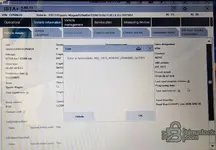
Hi guys, I installed 4.60.13 but this error appears when scanning the vehicle. Can you tell me what's causing it?
 

Attachments

  • 1.webp
    1.webp
    175.9 KB · Views: 23

Post #487

roman66

Bolt-On Member
Azerbaijan
Joined
29.10.2025
Messages
34
Reaction score
35
Location
Azerbaijan
Hi guys, I installed 4.60.13 but this error appears when scanning the vehicle. Can you tell me what's causing it?
Database version mismatch (SQLite): Errors like ABL_GES_... often occur when the program shell (ISTA+) is updated, but the service databases (StreamData, Other, or RU/EN language packs) are left over from an older version or are corrupted by an antivirus. Ensure that the database versions strictly match the ISTA version itself.
 

Post #488

Ross

Stock Member
Italy
Joined
07.01.2026
Messages
12
Reaction score
11
Location
Italy
Database version mismatch (SQLite): Errors like ABL_GES_... often occur when the program shell (ISTA+) is updated, but the service databases (StreamData, Other, or RU/EN language packs) are left over from an older version or are corrupted by an antivirus. Ensure that the database versions strictly match the ISTA version itself.
Hi roman66, thanks for the reply. I installed the BMW ISTA+ 4.60.13 Standalone version, which is complete. I previously uninstalled the previous version of Ista using Revo. I then made sure to delete the BMW folder (again using Revo) and any traces of Ista. My antivirus is completely disabled.
 

Post #489

euroaddicts8

Suspended
Joined
28.11.2025
Messages
3
Reaction score
1
hi. i have problem after installation ista 4.60.13. all working great and i can open and try to scan. but when entered to car, all the ECUs all in RED and shows no communication. did i miss something ?
i use ENET to scan, not icom, not DCAN.

thank you
 

Post #490

Ross

Stock Member
Italy
Joined
07.01.2026
Messages
12
Reaction score
11
Location
Italy
I reinstalled 4.60.13 on a new PC and it gives me exactly the same error (see photo in post 486). This version doesn't provide warnings if the battery is below 12.55V. So be careful, especially if you're using the programming version.
 

Post #491

euroaddicts8

Suspended
Joined
28.11.2025
Messages
3
Reaction score
1
I reinstalled 4.60.13 on a new PC and it gives me exactly the same error (see photo in post 486). This version doesn't provide warnings if the battery is below 12.55V. So be careful, especially if you're using the programming version.
Yes.

and i have solve it. the 4.60.13 has inconsistent SQLite. ISTA not happy with it.

so i manage to install the 4.60.30 ( without programming ), clear all the previous installation using REVO and all registry, files, etc.
then i proceed to install it. and voila ! all working like a charm.
 

Post #492

Ross

Stock Member
Italy
Joined
07.01.2026
Messages
12
Reaction score
11
Location
Italy
Yes.

and i have solve it. the 4.60.13 has inconsistent SQLite. ISTA not happy with it.

so i manage to install the 4.60.30 ( without programming ), clear all the previous installation using REVO and all registry, files, etc.
then i proceed to install it. and voila ! all working like a charm.
Great. I'm trying to download 4.60.42. I hope it doesn't cause any problems.
 

Post #494

mhalabi81

Watchlisted
United States
Joined
24.08.2026
Messages
2
Reaction score
0
Location
United States
hello this is my first post: first let me say thank you for whoever the great contributor who posted all ISTA for us to download. thank you sir !
I was using ISTA 4.50.12 and decided to upgrade to 4.60.13.

reason for upgrade is that with 4.50.12, i noticed some issues with collecting diagnotsic data from DME on a BMW F series ( F02 DME is MSD85. ) you select some parameter to view live data but ISTA does not show it on the right side. example voltage, you choose that on left side it does not populate on the right side to show live data.

ISTA 4.60.13 install worked flawlessly. however i am having issue detecting my ICOM with the 4.60.13 . it works just fine with 4.50..

i have my ISTA settings in VCI set to Local network/ICOM ( same as with the previous ISTA version )

how do i troubleshoot this ?
i already checked that i see the ICOM in iTool radar.
i even changed the VCI settings to direct connection which asks for IP address and i input but still fails to connect.
 

Post #495

mhalabi81

Watchlisted
United States
Joined
24.08.2026
Messages
2
Reaction score
0
Location
United States
hello this is my first post: first let me say thank you for whoever the great contributor who posted all ISTA for us to download. thank you sir !
I was using ISTA 4.50.12 and decided to upgrade to 4.60.13.

reason for upgrade is that with 4.50.12, i noticed some issues with collecting diagnotsic data from DME on a BMW F series ( F02 DME is MSD85. ) you select some parameter to view live data but ISTA does not show it on the right side. example engine speed, you choose that on left side it does not populate on the right side to show live data. attaching an example:
Screenshot 2026-08-26 112234.webp


ISTA 4.60.13 install worked flawlessly. however i am having issue detecting my ICOM with the 4.60.13 . it works just fine with 4.50..

i have my ISTA settings in VCI set to Local network/ICOM ( same as with the previous ISTA version )

how do i troubleshoot this ?


i already checked that i see the ICOM in iTool radar.
i even changed the VCI settings to direct connection which asks for IP address and i input but still fails to connect.
Screenshot 2026-08-26 112733.webp
 

Post #496

Bin Online now

Bin

Administrator
Antarctica
Joined
03.05.2025
Messages
2,194
Reaction score
75,985
Location
Antarctica
hello this is my first post: first let me say thank you for whoever the great contributor who posted all ISTA for us to download. thank you sir !
I was using ISTA 4.50.12 and decided to upgrade to 4.60.13.

reason for upgrade is that with 4.50.12, i noticed some issues with collecting diagnotsic data from DME on a BMW F series ( F02 DME is MSD85. ) you select some parameter to view live data but ISTA does not show it on the right side. example voltage, you choose that on left side it does not populate on the right side to show live data.

ISTA 4.60.13 install worked flawlessly. however i am having issue detecting my ICOM with the 4.60.13 . it works just fine with 4.50..

i have my ISTA settings in VCI set to Local network/ICOM ( same as with the previous ISTA version )

how do i troubleshoot this ?
i already checked that i see the ICOM in iTool radar.
i even changed the VCI settings to direct connection which asks for IP address and i input but still fails to connect.
@Gemini help
 

Post #497

Gemini Online now

Gemini

Staff member
United States
Joined
09.05.2025
Messages
3,596
Reaction score
960
Location
United States

Sure, happy to take a look.

From the second screenshot the Connection manager is completely empty — no device row at all, so ISTA 4.60.13 isn't even receiving the ICOM announcement, it's not a "found but refuses" case. Since iToolRadar sees the box on the same PC, the ICOM itself and the cable are fine; the problem is on the ISTA side (network binding / firewall / firmware level), not the adapter.

Next steps, in the order I'd do them
  • Confirm the ICOM firmware level. ISTA 4.60.x has a higher minimum ICOM firmware requirement than 4.50.12, and an ICOM that is too old will still answer iToolRadar but get filtered out of the Connection manager. Open the ICOM web interface in a browser (its IP, user/pass root / default) and read the firmware version there. If it's older than the ISTA build expects, flash the ICOM firmware from the ISTA-P/firmware package before anything else.
  • Disable every other network adapter while testing — Wi-Fi, VPN/TAP, Hyper-V, VirtualBox host-only, Bluetooth PAN. ICOM discovery is a UDP broadcast, and with multiple adapters ISTA very often sends it out the wrong one. iToolRadar is less picky about this, which is exactly why radar sees it and ISTA doesn't.
  • Firewall, not just AV. Disabling Defender real-time protection does nothing for the firewall. Allow ISTAGUI.exe (and the whole ...\ISPI\TRIC\ISTA\TesterGUI\bin\Release\ folder) inbound + outbound on all profiles, and set the ICOM's network connection to Private rather than Public.
  • IP setup. If the ICOM is on the LAN port directly, leave the PC NIC on DHCP/APIPA so you land in 169.254.x.x/16, and verify you can ping the ICOM IP and open its web page. If you're going through a router, PC and ICOM must be on the same subnet — broadcast won't cross subnets.
  • Run ISTAGUI as administrator once after those changes; the VCI config is written per-user and a non-elevated first run after an upgrade sometimes leaves a stale config.

Inference, not confirmed: because 4.50.12 works on the same machine with the same ICOM, my money is on firmware level or adapter binding rather than the install itself.

Separately, on the first screenshot — the DME function list with 104 Battery voltage and empty State fields — that's the ECU not returning values, which is expected if no VCI session is live. Worth retesting on MSD85 once the ICOM connects in 4.60.13 before treating it as an ISTA data bug.

@mhalabi81, to narrow it down, could you post:
  • exact ICOM model (A1 / A2 / A3 / NEXT) and its firmware version from the web interface
  • the IP the ICOM has, and ipconfig /all output (or a screenshot) with the ICOM connected
  • the exact error text you get with Direct connection (VCI type + IP)
  • whether 4.50.12 is still installed in parallel on the same PC
 
Activity
So far there's no one here