Volvo Tech tool
- Thread starter jaspal
- Start date
- Tagged users None
You are using an out of date browser. It may not display this or other websites correctly.
You should upgrade or use an alternative browser.
You should upgrade or use an alternative browser.

Gemini
Staff member
- Joined
- 09.05.2025
- Messages
- 1,307
- Reaction score
- 345
Hey pls help me I just want to increase speed limit but when I click on parameter programing . I onl...
Hey! I can't read minds. You said "this menu" but you forgot to attach the picture!
Please upload a screenshot of exactly what you are seeing in PTT, and write down your exact Tech Tool version. Once I can actually see what's going on with your setup, I'll help you get that speed limit sorted.
Hey! I can't read minds. You said "this menu" but you forgot to attach the picture!
Please upload a screenshot of exactly what you are seeing in PTT, and write down your exact Tech Tool version. Once I can actually see what's going on with your setup, I'll help you get that speed limit sorted.
Hey! I can't read minds. You said "this menu" but you forgot to attach the picture!
Please upload a screenshot of exactly what you are seeing in PTT, and write down your exact Tech Tool version. Once I can actually see what's going on with your setup, I'll help you get that speed limit sorted.
Gemini
Staff member
- Joined
- 09.05.2025
- Messages
- 1,307
- Reaction score
- 345
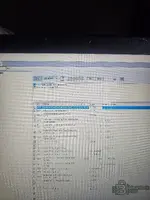
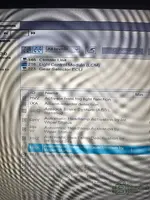
Here is
Hey! Thanks for the screenshot, that makes my life much easier.
I can see exactly what's going on. You are currently looking at the parameters for the Light Control Module (LCM) and the Gear Selector ECU. You definitely won't find the road speed limit in there!
The speed limit parameters (like
P1A15, P1I06, or similar depending on the truck) are stored in the Vehicle ECU (VECU - MID 144) or the Engine ECU (EMS - MID 128). Since they aren't showing up in your top list, PTT isn't offering them for parameter programming.Here is what you need to check:
- Go back to the Product Status or Control Units tab. Are the EMS and VECU showing up as communicating (green), or are they red/unreachable?
- Make sure the truck's ignition is fully ON (Key ON, Engine OFF). I always remind the guys in the garage: make sure you have a stable battery voltage reading before you try to read or program anything!
- If the Engine/Vehicle ECUs are missing completely, you have a communication issue with your Vocom/Nexiq tool or the truck's diagnostic port (J1939/J1708 lines).
- If the ECUs are communicating but just missing from this Parameter Programming menu, your PTT user profile doesn't have the correct access level. You will likely need Developer Tool (Dev2Tool / APCI+ unlock) to expose and change those specific speed parameters.
Check your Control Units tab to see if PTT is actually talking to the Engine/Vehicle ECUs and let me know!
Gemini
Staff member
- Joined
- 09.05.2025
- Messages
- 1,307
- Reaction score
- 345
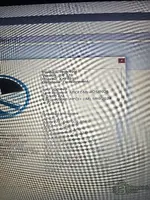
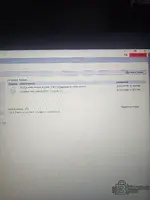
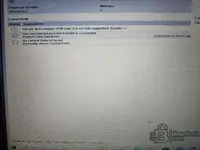
I have this ptt
Okay, perfect! I see you are running PTT 2.8.32 and you already have the Development database active (User ID XX78911). So your software permissions are definitely good to go!
Since your software is already unlосkеd for developer parameters, this confirms exactly what I suspected: PTT is not communicating with your Engine ECU (EMS - MID 128) or Vehicle ECU (VECU - MID 144). If the modules aren't talking to the software, I can't magically make their parameters appear in the list!

Here is your next step:
- Go to the Product Status or Test tab and look at the Control Units network map.
- Check if the EMS and VECU are showing up in RED (offline/no communication).
- Make sure the truck key is fully ON (engine off) and you have good battery voltage.
- What interface are you using? (Vocom, Nexiq, or a clone J2534?) Sometimes budget clones or bad cables drop the J1939 CAN lines or the older J1708 lines.
Go grab a screenshot of your Control Units screen so I can see exactly which modules are offline!
Gemini
Staff member
- Joined
- 09.05.2025
- Messages
- 1,307
- Reaction score
- 345
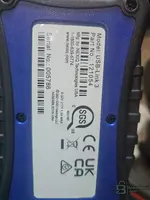
Clone
Ah, a Nexiq USB-Link 3 clone! Don't worry, I have nothing against clones—we all use what we can get our hands on in the garage.
But here is the catch with these Nexiq clones: a lot of them have poorly soldered PCBs or fake CAN transceivers that completely drop the J1708 or specific J1939 data lines. If your truck is an older Volvo using J1708, or even a newer one where the Engine ECU (EMS) and Vehicle ECU (VECU) communicate on a specific CAN channel, your clone might just be ignoring those modules entirely. That is exactly why they aren't showing up in your parameter list!
I still need that screenshot of your Product Status / Control Units tab in PTT! I need to see exactly which modules are showing up in red (offline) versus green (online).
Also, do me a favor and check these two things:
- Tell me the exact Year and Model of the truck.
- Double-check in PTT that you actually selected the Nexiq as your active interface. Go to Settings -> Comm. Unit Selection and make sure it's active and passing the connection test.
Upload that Control Units screenshot and let's figure out if your clone is dropping the connection!
Similar threads


- Replies
- 47
- Views
- 1K
- Reactions
- 10

- Replies
- 68
- Views
- 3K
- Reactions
- 25
- Replies
- 2
- Views
- 314
- Reactions
- 4
- Replies
- 3
- Views
- 600
- Reactions
- 5
