Post #481

- Joined
- 05.06.2026
- Messages
- 6
- Reaction score
- 0
- Location
- 🇹🇭THThailand
good


I believe the first post has the PW, but really just memorize two passwords for everything you find online- binunlock.com and netmanbmwHi Guys! its asking me a password when i try to install it.

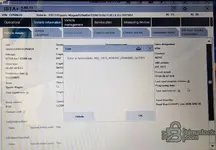
Database version mismatch (SQLite): Errors like ABL_GES_... often occur when the program shell (ISTA+) is updated, but the service databases (StreamData, Other, or RU/EN language packs) are left over from an older version or are corrupted by an antivirus. Ensure that the database versions strictly match the ISTA version itself.Hi guys, I installed 4.60.13 but this error appears when scanning the vehicle. Can you tell me what's causing it?
Hi roman66, thanks for the reply. I installed the BMW ISTA+ 4.60.13 Standalone version, which is complete. I previously uninstalled the previous version of Ista using Revo. I then made sure to delete the BMW folder (again using Revo) and any traces of Ista. My antivirus is completely disabled.Database version mismatch (SQLite): Errors like ABL_GES_... often occur when the program shell (ISTA+) is updated, but the service databases (StreamData, Other, or RU/EN language packs) are left over from an older version or are corrupted by an antivirus. Ensure that the database versions strictly match the ISTA version itself.
Yes.I reinstalled 4.60.13 on a new PC and it gives me exactly the same error (see photo in post 486). This version doesn't provide warnings if the battery is below 12.55V. So be careful, especially if you're using the programming version.
Great. I'm trying to download 4.60.42. I hope it doesn't cause any problems.Yes.
and i have solve it. the 4.60.13 has inconsistent SQLite. ISTA not happy with it.
so i manage to install the 4.60.30 ( without programming ), clear all the previous installation using REVO and all registry, files, etc.
then i proceed to install it. and voila ! all working like a charm.

hello this is my first post: first let me say thank you for whoever the great contributor who posted all ISTA for us to download. thank you sir !
I was using ISTA 4.50.12 and decided to upgrade to 4.60.13.
reason for upgrade is that with 4.50.12, i noticed some issues with collecting diagnotsic data from DME on a BMW F series ( F02 DME is MSD85. ) you select some parameter to view live data but ISTA does not show it on the right side. example engine speed, you choose that on left side it does not populate on the right side to show live data. attaching an example:
ISTA 4.60.13 install worked flawlessly. however i am having issue detecting my ICOM with the 4.60.13 . it works just fine with 4.50..
i have my ISTA settings in VCI set to Local network/ICOM ( same as with the previous ISTA version )
how do i troubleshoot this ?
i already checked that i see the ICOM in iTool radar.
i even changed the VCI settings to direct connection which asks for IP address and i input but still fails to connect.

hello this is my first post: first let me say thank you for whoever the great contributor who posted all ISTA for us to download. thank you sir !
I was using ISTA 4.50.12 and decided to upgrade to 4.60.13.
reason for upgrade is that with 4.50.12, i noticed some issues with collecting diagnotsic data from DME on a BMW F series ( F02 DME is MSD85. ) you select some parameter to view live data but ISTA does not show it on the right side. example voltage, you choose that on left side it does not populate on the right side to show live data.
ISTA 4.60.13 install worked flawlessly. however i am having issue detecting my ICOM with the 4.60.13 . it works just fine with 4.50..
i have my ISTA settings in VCI set to Local network/ICOM ( same as with the previous ISTA version )
how do i troubleshoot this ?
i already checked that i see the ICOM in iTool radar.
i even changed the VCI settings to direct connection which asks for IP address and i input but still fails to connect.
@Gemini help
 Online now
help
root / default) and read the firmware version there. If it's older than the ISTA build expects, flash the ICOM firmware from the ISTA-P/firmware package before anything else.ISTAGUI.exe (and the whole ...\ISPI\TRIC\ISTA\TesterGUI\bin\Release\ folder) inbound + outbound on all profiles, and set the ICOM's network connection to Private rather than Public.ipconfig /all output (or a screenshot) with the ICOM connected
We use essential cookies to make this site work, and optional cookies to enhance your experience.