
Carley Automotive Diagnostics Training Library is an offline collection of practical automotive education modules written for technicians, students and experienced DIY repairers. It explains how systems operate, what common symptoms mean and how to approach diagnosis instead of supplying model-specific factory procedures.
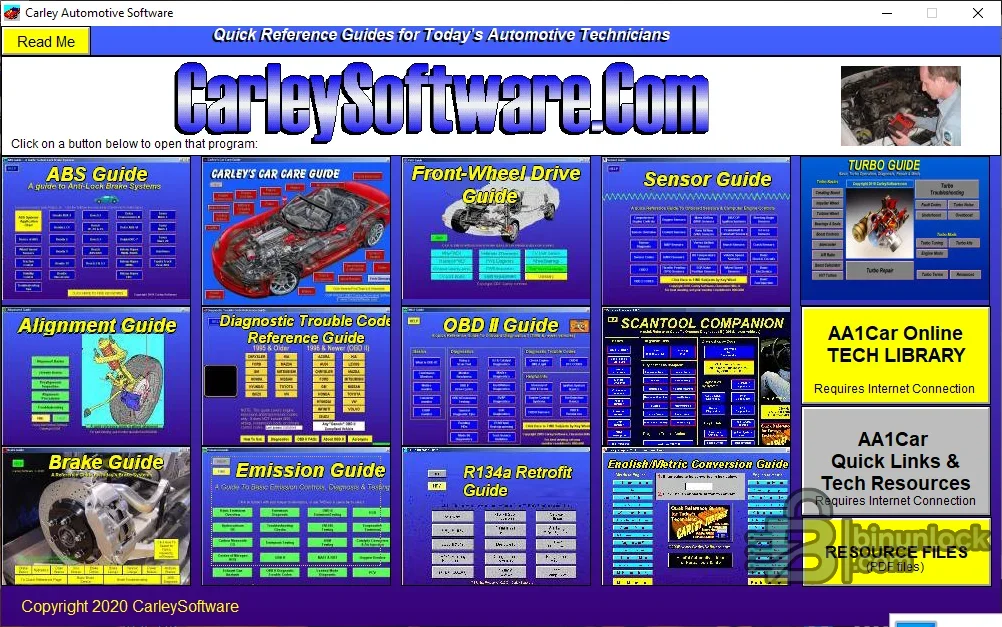
The material spans electronic and mechanical systems that often meet in a real diagnostic job: OBD and scan-tool use, sensors and engine controls, emissions, ABS, brakes, wheel alignment, front-wheel drive, turbochargers, air-conditioning retrofit and general vehicle care. It works best as a foundation alongside current service information for the exact vehicle.
Choose the module that explains the system behind the complaint, then compare its diagnostic logic with current OEM information. The strongest use is to understand signal relationships and test strategy before opening a wiring diagram or running a component test. It is not a substitute for torque specifications, safety bulletins, software updates or a model-specific pinout.
The publisher describes the material as broadly applicable across makes and models, but it is educational rather than factory data. It does not contain every wiring diagram, calibration value, controller pinout or repair campaign. Vehicle-specific decisions must come from current OEM documentation, especially for restraint systems, high voltage, braking, ADAS and refrigerant work.
Use the collection for personal or authorized workshop education and respect the author’s copyright. Do not redistribute individual articles separately or present educational guidance as a vehicle-specific factory instruction. Critical repairs still require qualified personnel, current service data and the correct protective equipment.
The material spans electronic and mechanical systems that often meet in a real diagnostic job: OBD and scan-tool use, sensors and engine controls, emissions, ABS, brakes, wheel alignment, front-wheel drive, turbochargers, air-conditioning retrofit and general vehicle care. It works best as a foundation alongside current service information for the exact vehicle.
Training modules included#
- Antilock brake system fundamentals
- Wheel alignment, steering and suspension diagnosis
- Brake service principles
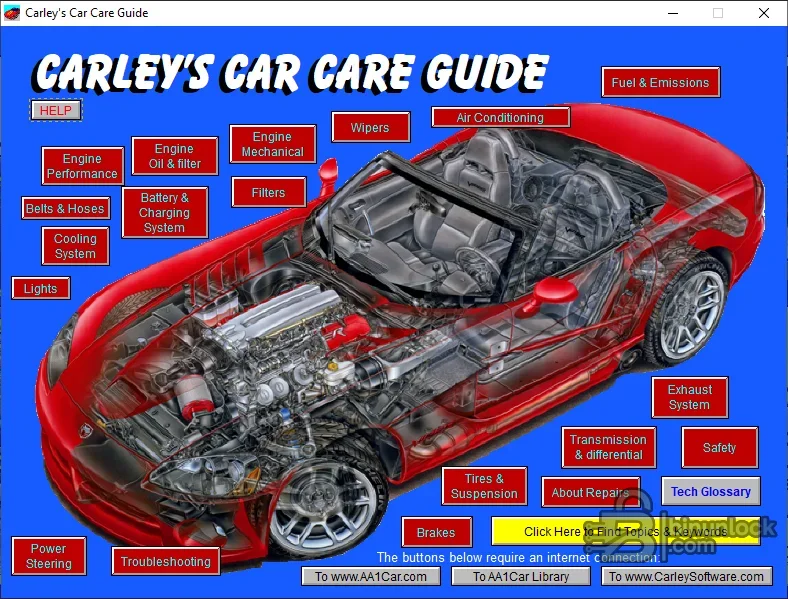
- Vehicle care and basic repair
- Diagnostic trouble-code reference for pre-OBD and OBD-II systems
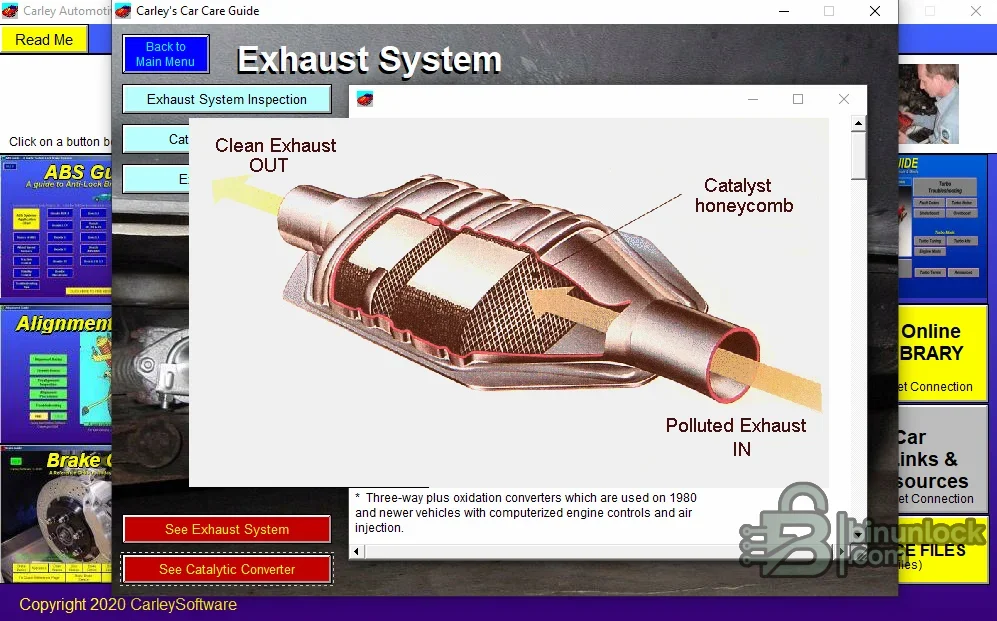
- Emission-control systems and testing
- Front-wheel-drive service and diagnosis
- On-board diagnostics fundamentals
- Scan-tool companion for code, symptom and system-based diagnosis
- Engine sensors and computer controls
- Turbocharger operation, diagnosis and service
- R12-to-R134a retrofit background
- English and metric workshop conversion reference
How to use the library effectively#
Choose the module that explains the system behind the complaint, then compare its diagnostic logic with current OEM information. The strongest use is to understand signal relationships and test strategy before opening a wiring diagram or running a component test. It is not a substitute for torque specifications, safety bulletins, software updates or a model-specific pinout.
System and installation requirements#
- Windows workshop computer; the publisher states compatibility with Windows eleven, ten, seven and XP
- Local disk space for the installer, extracted learning material and notes
- Administrator rights may be needed for the unsigned legacy installer
- Modern browser for any optional external article links; the core packaged modules are local
- PDF reader for included reference documents where present
- Isolated environment recommended before running unsigned legacy software
Recommended study workflow#
- Start with the system overview and identify every component involved in the complaint.
- Write a diagnostic plan that separates power, ground, signal, communication and mechanical checks.
- Use the trouble-code and scan-tool material to understand what a code can and cannot prove.
- Open current OEM wiring and service data for the exact vehicle.
- Perform non-intrusive tests first and compare measured values with documented specifications.
- Record conclusions and revisit the module when test results conflict with the initial hypothesis.
Best workshop applications#
- Preparing a junior technician before supervised diagnostic work
- Refreshing fundamentals before an unfamiliar ABS, emissions or turbo complaint
- Learning how sensor signals and control strategies relate
- Building a consistent code-to-test workflow
- Explaining system operation to customers or trainees
- Creating internal workshop checklists from established principles
Coverage limits#
The publisher describes the material as broadly applicable across makes and models, but it is educational rather than factory data. It does not contain every wiring diagram, calibration value, controller pinout or repair campaign. Vehicle-specific decisions must come from current OEM documentation, especially for restraint systems, high voltage, braking, ADAS and refrigerant work.
Troubleshooting the legacy package#
- Installer blocked: verify the archive hash and test only in an isolated Windows environment
- Missing module: confirm the clean package is fully extracted before installation
- External article link unavailable: use the local training content and search the current publisher index separately
- Display issue: try a compatible Windows display scale and legacy browser mode
- Printed PDF fails: open the document directly with a current PDF reader
Safety and copyright context#
Use the collection for personal or authorized workshop education and respect the author’s copyright. Do not redistribute individual articles separately or present educational guidance as a vehicle-specific factory instruction. Critical repairs still require qualified personnel, current service data and the correct protective equipment.


