
GsmHelp Locksmith Helper is a local workshop database for organizing automotive key, remote-control and immobilizer reference information. Instead of calculating a PIN or programming a vehicle, it lets a locksmith build structured records for each make and model, then retrieve those records when preparing a legitimate key or module job.
The genuine interface records the vehicle range, transponder identifier, remote frequency, blade type and immobilizer location together with notes and reference photographs. This makes the application useful as an internal knowledge base for repeat work, especially when information would otherwise be scattered across paper notes, phone photos and separate spreadsheets.
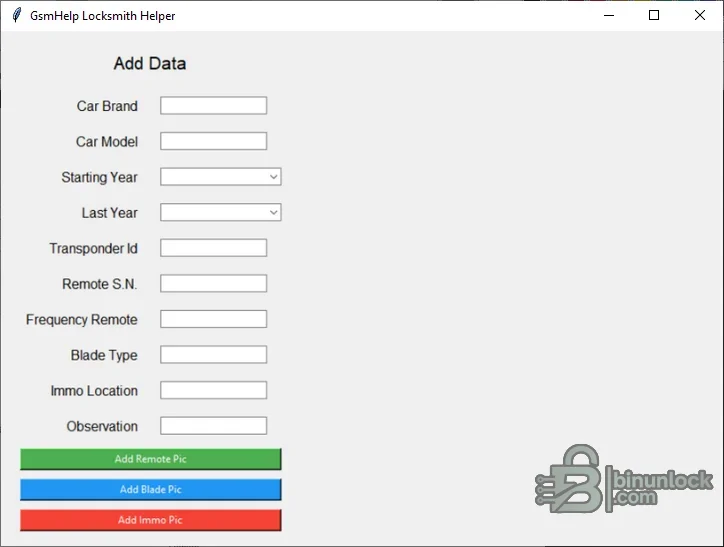
The program also exposes separate controls for adding a remote photograph, blade photograph and immobilizer-location photograph. These images turn a text record into a visual reference that can be checked before parts are ordered or a vehicle is dismantled.
The database is only as accurate as the records entered by its operator. A matching brand and model name is not enough when markets, trim levels, production changes and replacement modules use different key systems.
The supplied executable is a native 64-bit Windows application and is unsigned. Keep the program and its data together when moving the installation, because the included configuration file and image directory are part of the working package.
Use consistent spelling for brands and models, normalize frequency units, and state the market or production exception in the notes. Periodically review duplicate records so that outdated information does not remain beside a corrected entry.
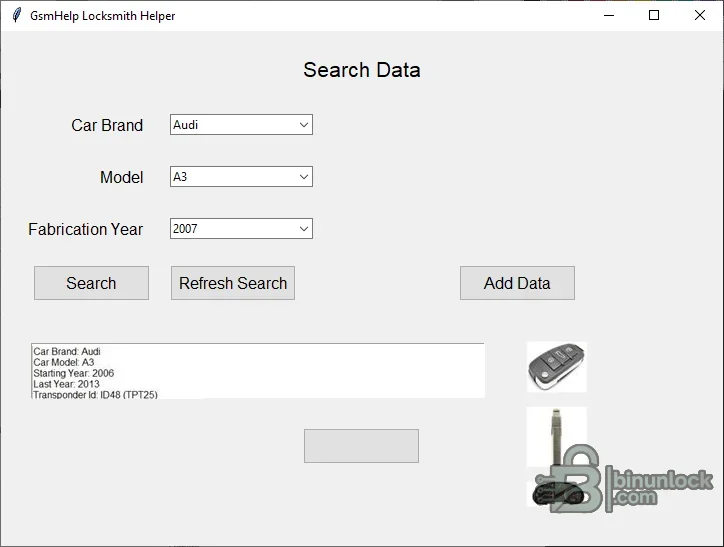
The genuine interface records the vehicle range, transponder identifier, remote frequency, blade type and immobilizer location together with notes and reference photographs. This makes the application useful as an internal knowledge base for repeat work, especially when information would otherwise be scattered across paper notes, phone photos and separate spreadsheets.
Data fields available for each vehicle#
- Vehicle brand and model
- Starting and ending production year
- Transponder ID or family reference
- Remote-control serial or reference number
- Remote frequency
- Mechanical blade type
- Immobilizer location
- Free-form observations for workshop notes
The program also exposes separate controls for adding a remote photograph, blade photograph and immobilizer-location photograph. These images turn a text record into a visual reference that can be checked before parts are ordered or a vehicle is dismantled.
Typical locksmith workflow#
- Create a record after confirming the vehicle identification and production range from reliable service information.
- Enter only verified transponder, frequency and blade details rather than copying an uncertain online listing.
- Add clear photographs with neutral filenames and no customer documents visible.
- Record where the immobilizer or antenna component is located and note any model-year exceptions.
- Search the database before the next job and confirm the stored information against the actual vehicle.
- Back up the application folder and database after important additions.
What the application does not do#
This is an information-management program, not a diagnostic or programming suite. It does not read a vehicle over OBD, calculate security codes, clone a transponder, generate a remote, alter an immobilizer dump or verify that a key is legally authorized. A compatible diagnostic device, key programmer and model-specific service procedure are still required for the actual repair.The database is only as accurate as the records entered by its operator. A matching brand and model name is not enough when markets, trim levels, production changes and replacement modules use different key systems.
System and storage requirements#
- A Windows 10 workshop computer, as specified for the distributed application
- A writable application folder for the local data and image library
- Enough disk space for the photographs added over time
- Regular backups to a separate protected location
- A screen resolution suitable for the desktop data-entry form
The supplied executable is a native 64-bit Windows application and is unsigned. Keep the program and its data together when moving the installation, because the included configuration file and image directory are part of the working package.
Privacy and record quality#
Do not store customer names, addresses, registration documents, payment records, security codes or complete VINs unless your business has a documented legal reason and an appropriate retention policy. The strongest reusable record describes the vehicle platform, verified key-system characteristics and workshop procedure without identifying the customer.Use consistent spelling for brands and models, normalize frequency units, and state the market or production exception in the notes. Periodically review duplicate records so that outdated information does not remain beside a corrected entry.


