
Description
Mazda As-Built Editor Pro - ABT Decode, Edit, Compare & Checksum Tool
Mazda As-Built Editor Pro is a Windows utility for reading, decoding, comparing and editing Mazda As-Built / ABT configuration files.
The application presents vehicle configuration data in a structured visual workspace instead of requiring manual byte-level inspection.
It can decode supported options by block, display current values, preview edited bytes and bits, recalculate checksums after changes and compare original and modified ABT files.
Key Features
Visual As-Built Decoding
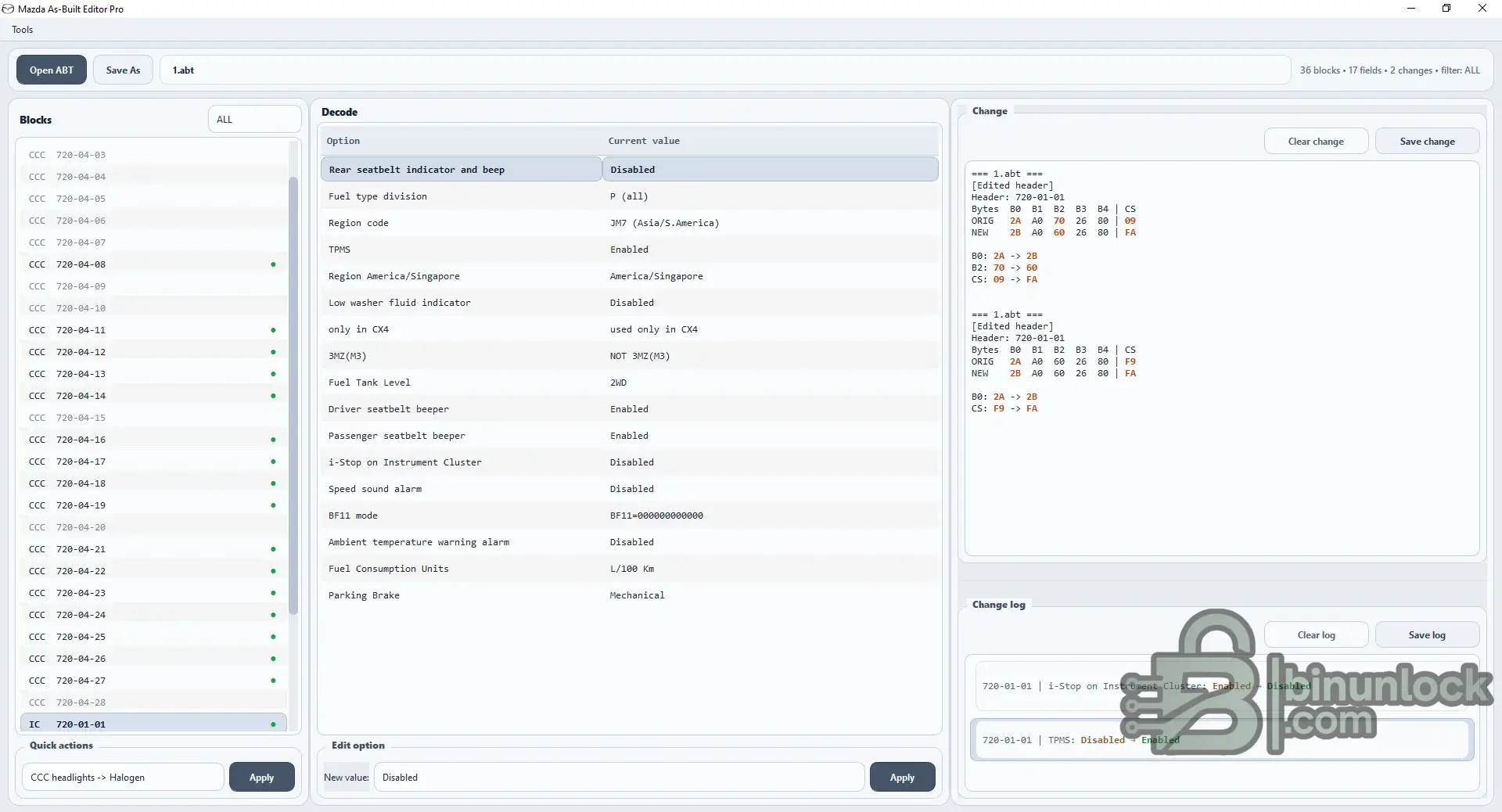
After opening an ABT file, the workspace organizes the available configuration into blocks and decoded options.
The main view can display:
This makes Mazda configuration research and preparation easier than manually interpreting every raw As-Built line.
Option Editing
Supported decoded options can be edited directly from the main workspace.
When a value is changed, Mazda As-Built Editor Pro provides a detailed preview showing the affected data before the edited file is saved.
The Change panel can show:
The integrated Change Log keeps a readable record of edited options and their old / new values.
Compare As-Built Files
The dedicated Compare As Built tool allows two ABT files to be loaded and compared.
It is useful for:
Changed bytes are highlighted clearly, with bit-level information available for detailed analysis.
Checksum Calculator
A separate Checksum calculation utility is included for individual Mazda As-Built rows.
Enter:
and the tool calculates the required checksum byte.
The checksum window also includes a Hex / Bin helper for hexadecimal and binary conversion.
Quick Start Guide
The application includes an integrated multi-step Quick Start Guide explaining the main workflow.
The guide covers the basic concepts of:
Usage instructions are available in multiple languages, including:
English, Vietnamese, Khmer, Thai, Chinese, Japanese, Korean, French, German, Spanish, Portuguese, Russian, Indonesian and Malay.
Analysis & Preparation Tool
Important
Always keep an untouched backup of the original Mazda As-Built file.
A correctly edited and checksummed ABT file does not automatically confirm that a configuration change is appropriate for every Mazda model, module or equipment level.
Use only configuration changes that are understood and appropriate for the intended vehicle.
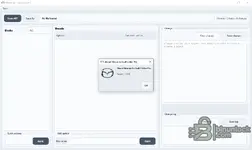
Mazda As-Built Editor Pro is a Windows utility for reading, decoding, comparing and editing Mazda As-Built / ABT configuration files.
The application presents vehicle configuration data in a structured visual workspace instead of requiring manual byte-level inspection.
It can decode supported options by block, display current values, preview edited bytes and bits, recalculate checksums after changes and compare original and modified ABT files.
Key Features
- Open and inspect Mazda ABT / As-Built files
- Visual block and module list
- Decode supported configuration options
- Display the current value of each decoded option
- Edit supported option values
- Automatic checksum recalculation after edits
- Preview original and modified bytes
- Show exactly which bytes changed
- Bit-level change tracking
- Change history / Change Log
- Save edited As-Built file under a new name
- Compare two ABT files
- Dedicated checksum calculator
- Hexadecimal / binary conversion helper
- Quick Actions for commonly used configuration changes
- Integrated Quick Start Guide
Visual As-Built Decoding
After opening an ABT file, the workspace organizes the available configuration into blocks and decoded options.
The main view can display:
- Module / block identifier
- As-Built address
- Decoded option name
- Current configuration value
- Edited value
- Changed bytes
- Checksum impact
This makes Mazda configuration research and preparation easier than manually interpreting every raw As-Built line.
Option Editing
Supported decoded options can be edited directly from the main workspace.
When a value is changed, Mazda As-Built Editor Pro provides a detailed preview showing the affected data before the edited file is saved.
The Change panel can show:
- Original bytes
- New bytes
- Changed byte positions
- Original checksum
- New checksum
The integrated Change Log keeps a readable record of edited options and their old / new values.
Compare As-Built Files
The dedicated Compare As Built tool allows two ABT files to be loaded and compared.
It is useful for:
- Comparing original and modified configurations
- Finding configuration differences between files
- Reviewing changes after coding
- Identifying changed bytes
- Inspecting changed bits inside each byte
Changed bytes are highlighted clearly, with bit-level information available for detailed analysis.
Checksum Calculator
A separate Checksum calculation utility is included for individual Mazda As-Built rows.
Enter:
- As-Built header
- Data bytes
and the tool calculates the required checksum byte.
The checksum window also includes a Hex / Bin helper for hexadecimal and binary conversion.
Quick Start Guide
The application includes an integrated multi-step Quick Start Guide explaining the main workflow.
The guide covers the basic concepts of:
- Opening and inspecting ABT files
- Understanding blocks and decoded options
- Editing values
- Reviewing byte and bit changes
- Comparing files
- Checksum handling
- Saving modified data
Usage instructions are available in multiple languages, including:
English, Vietnamese, Khmer, Thai, Chinese, Japanese, Korean, French, German, Spanish, Portuguese, Russian, Indonesian and Malay.
Analysis & Preparation Tool
Important
Always keep an untouched backup of the original Mazda As-Built file.
A correctly edited and checksummed ABT file does not automatically confirm that a configuration change is appropriate for every Mazda model, module or equipment level.
Use only configuration changes that are understood and appropriate for the intended vehicle.


