xDecoder 14.0 — Official Discussion Thread
This thread is intended for xDecoder
license activation requests, technical support, compatibility reports, bug reports, and update announcements.
v12.7 Offline DTC tables, mask and path mapping for quick fault code disables
The current version is
xDecoder 14.0, which features expanded support for Bosch, Continental, Delphi, Siemens, and Visteon ECUs used in BMW, Ford, Iveco, VAG, PSA, Renault, Nissan, and Dacia vehicles.
License Activation
To request activation:
- Download and fully extract the current xDecoder package.
- Run the file START-xDecoder.exe .
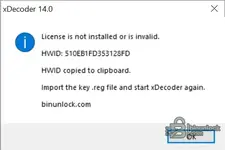
- Copy the displayed 16-character hardware identifier.
- Reply to this message and post your HWID.
- Wait for your personal .reg license file to be issued.
- Close xDecoder before installing the license.
- Baixe o arquivo .reg provided and double-click it.
- Confirm that the license information may be added to the Windows Registry.
- Start the program again using START-xDecoder.exe .
Each license is generated for a specific HWID. A registry file issued for another computer will not work.
Your license file name will be based on your hardware identifier and will therefore be different for each user.
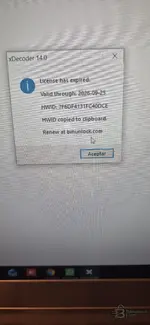
If the Hardware Identifier (HWID) window appears again after importing the registry file, post the new HWID shown together with a screenshot of the activation window.
Current ECU coverage added in recent versions.
- 14.0 — Delphi DCM6.1 for Ford
- 13.9 — Continental SID211 for Ford
- 13.8 — Bosch MD1CS069 for Iveco
- 13.7 — Bosch MD1CP014 for VAG
- 13.6 — Bosch MD1CS004 for VAG
- 13.5 — Visteon ESU412 for Ford
- 13.4 — Bosch MG1CS201 for BMW
- 13.3 — Bosch MG1CS024 for BMW
- 13.2 — Bosch MG1CS003 for BMW
- 13.1 — Continental EMS3155 for Renault, Nissan, and Dacia
- 13.0 — Siemens SID803 for PSA
- 12.9 — Bosch EDC17CP65 for Ford
- 12.8 — Bosch EDC17C45 for Nissan and Renault light commercial vehicles
Note from SID803: Modifications are applied to the MPC file, but both the MPC file and the external flash file are required for complete decoding.
Note MD1CS069: Additional original files are still useful for more comprehensive testing and compatibility verification.
Technical Support and Bug Reports
When reporting an issue, include as much information as possible:
- xDecoder version
- Vehicle make and model
- ECU manufacturer and exact ECU type
- Hardware and software identification
- BIN file size and reading method
- ECU reading tool used
- Screenshot of the xDecoder window
- Exact error message or unexpected behavior
- Whether the file was detected correctly.
- Operation selected before the issue occurred.
Do not publicly attach customer ECU files containing confidential vehicle data unless specifically requested by a staff member.
Installation Notes
- Install version 14.0 in a new, clean folder.
- Do not combine files from different xDecoder versions.
- Do not run the application directly from a compressed archive.
- Keep all included EXE, DLL, and BIN components together.
- Always start the program using the file START-xDecoder.exe.
- Do not start o Decoder.exe directly.
If an antivirus blocks or quarantines a component, do not disable the entire security system. First, post the exact detection name and the name of the affected file in this thread.
File Safety
Always preserve the original ECU read intact. Work only with a separate copy and save each processed result under a new file name.
Removing a diagnostic trouble code (DTC) does not fix the electrical, mechanical, or software cause of the fault. Verify the modified file and its checksums before programming it into a control unit.
Download and Full Description
View the full description and download xDecoder DTC Manager.