
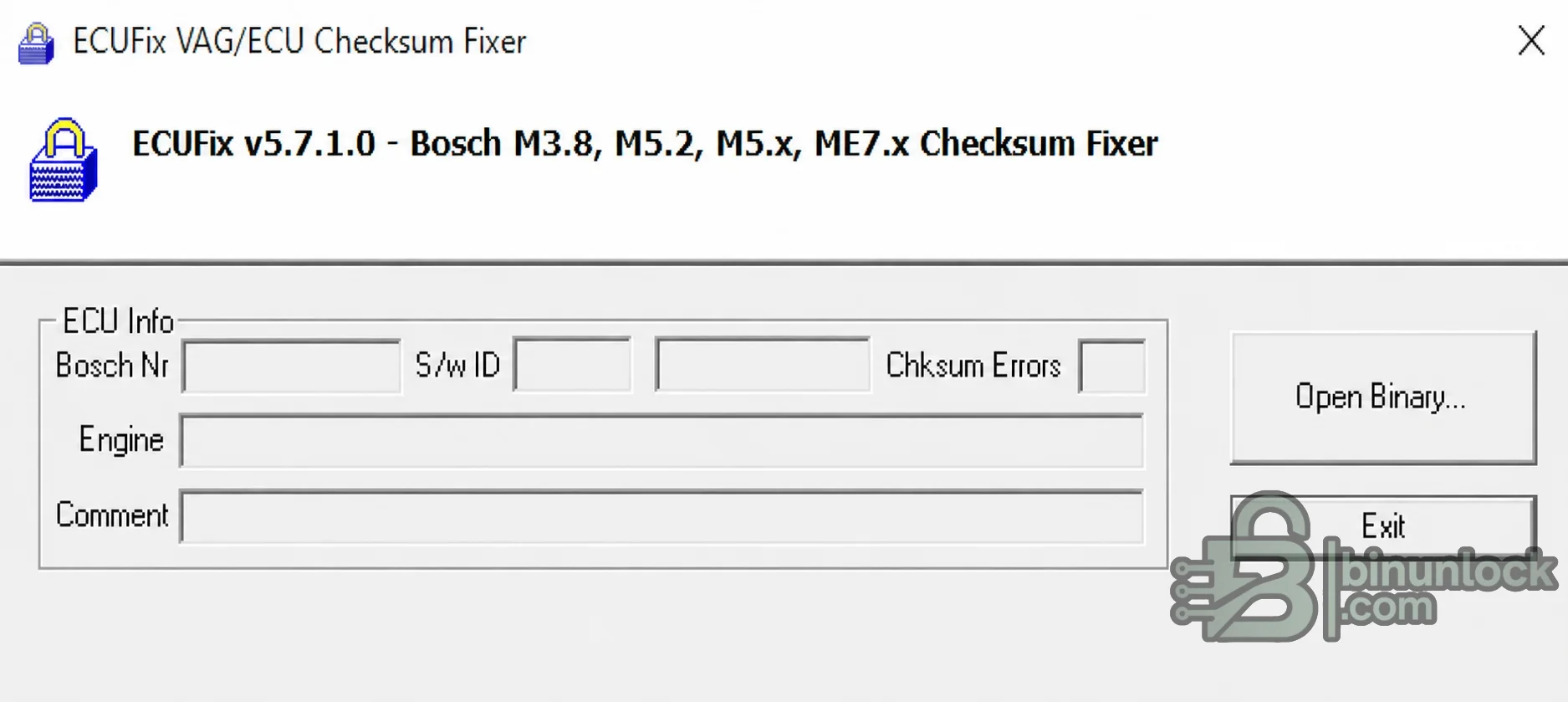
ECUFix is a compact offline utility for correcting checksums in recognized Bosch Motronic ECU binaries after calibration data has been edited. It opens a BIN file, identifies supported software layouts, displays Bosch and software information where available, counts checksum errors and writes a corrected file for a separate flashing workflow.
The tool is particularly relevant to older Volkswagen Group petrol ECUs, but compatibility is determined by the exact Bosch software layout rather than the badge on the vehicle. A file should be considered supported only when ECUFix recognizes it cleanly; an unfamiliar or differently sized binary must not be forced through a nearby definition.
The tool is particularly relevant to older Volkswagen Group petrol ECUs, but compatibility is determined by the exact Bosch software layout rather than the badge on the vehicle. A file should be considered supported only when ECUFix recognizes it cleanly; an unfamiliar or differently sized binary must not be forced through a nearby definition.
What this resource is for#
Use ECUFix after making a controlled calibration change to a compatible Bosch Motronic binary and before programming that modified file back to the ECU. It handles checksum calculation only: reading, editing, ECU communication, recovery and post-write diagnostics require separate tools and procedures.Confirmed functions#
- Open a Bosch Motronic binary from local storage
- Recognize supported binary layouts automatically
- Display Bosch number, software identity, engine/comment fields and checksum-error count when present
- Locate and recalculate multiple checksum regions encoded in a supported software branch
- Save the corrected binary for independent comparison and later programming
Supported ECUs, vehicles and protocols#
- Bosch Motronic ME3.8 and related M3.x layouts recognized by the application
- Bosch Motronic ME5.2, ME5.x and ME5.9 families where the exact binary is recognized
- Bosch Motronic ME7.x software branches supported by the embedded checksum logic
- Common VAG applications from Volkswagen, Audi, SEAT and Skoda, plus some Porsche Bosch Motronic binaries
- Support remains software-specific: ECU family, hardware number, software number, read type and file size must all be checked
Package contents#
- One portable x86 Windows executable
- No driver, vehicle interface, map definition or flash protocol is bundled
- The public screenshot retains the actual legacy interface while removing unrelated registration text
- The executable identity and version were read from the extracted file without launching it
System and interface requirements#
- Windows PC or isolated Windows virtual machine; period vendor testing covered Windows XP through Windows 10
- A compatible ECU programmer capable of producing the correct full or calibration-area read
- Binary or calibration editor for making the intended changes
- Hex comparison tool for reviewing every output difference
- Stable programming power and a verified boot/bench recovery method before any ECU write
Recommended workshop workflow#
- Record ECU hardware, Bosch and software identifiers before reading
- Create at least two matching reads and preserve an immutable original hash
- Edit only a working copy with the correct map definition
- Open the modified file in ECUFix and require unambiguous recognition
- Save to a new filename, compare the result and confirm only intended data and checksum regions changed
- Program through the original tool with stable voltage, then clear and rescan diagnostic faults
Compatibility limits#
- The application is not a universal checksum module for every ME3, ME5 or ME7 binary
- Vehicle make and ECU family alone do not prove file compatibility
- A corrected checksum does not make a wrong calibration, wrong file size or wrong memory segment safe
- It does not read or flash an ECU and does not replace the programmer vendor's recovery procedure
- Modern operating systems may require an isolated compatibility environment for this legacy unsigned executable
Troubleshooting#
- Binary not recognized: confirm that the read is complete and belongs to a supported software branch; do not force processing
- Bosch or software fields are empty: verify the read method, file offset and whether the programmer exported only a calibration segment
- Checksum-error count is unexpected: compare against the untouched original and review editor checksum settings
- Programmer rejects the output: confirm exact file size, segment type and whether that programmer expects to calculate checksums itself
- ECU does not communicate after writing: stop repeated attempts and use the preserved original with the documented recovery mode


