
Efisio Checksum Corrector is a modular Windows utility for checking and saving checksum data in selected engine-control binary files. Rather than applying a single generic formula, it loads a library of controller-specific drivers and presents the detected filename, byte length, checksum driver and available check or save operations. This makes it useful as a final integrity stage after a controlled calibration repair or binary edit.
The original interface exposes a wide installed-driver list, but that list is not a guarantee for every software revision. The exact binary layout, read type and controller software number still determine whether a driver is appropriate.
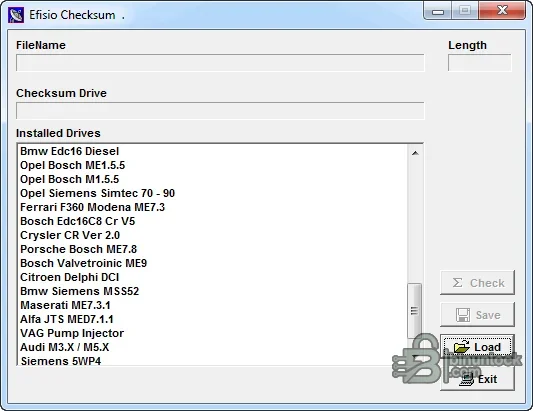
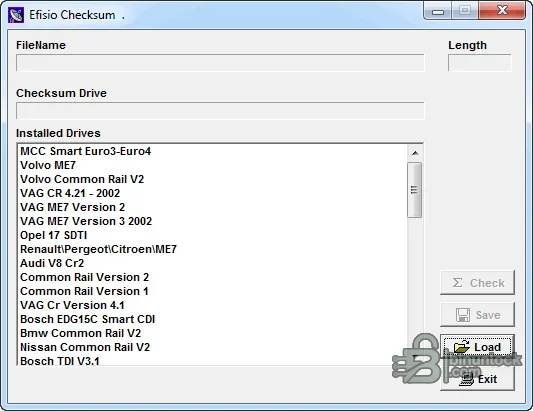
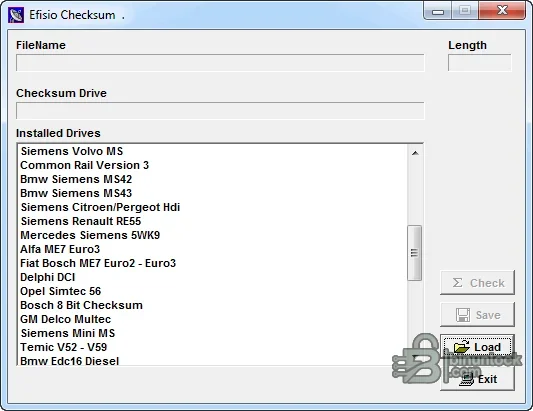
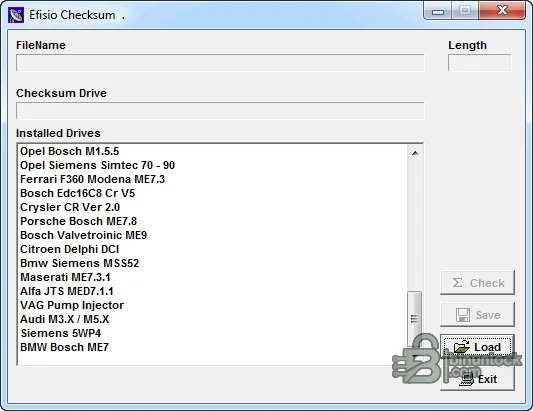
The original interface exposes a wide installed-driver list, but that list is not a guarantee for every software revision. The exact binary layout, read type and controller software number still determine whether a driver is appropriate.
What this resource is for#
Use this resource to verify checksum regions after a technically understood modification and before the file reaches a programmer. It is designed for offline binary work: it does not identify the vehicle, read an ECU through OBD or decide whether the underlying calibration change is correct.Confirmed functions#
- Load an ECU binary and display its exact file length
- Select or detect an installed controller-specific checksum driver
- Check checksum structures recognized by the selected module
- Save a corrected working copy after successful validation
- Keep modular checksum DLLs together with the main application
- Support repeatable before-and-after file comparison in a workshop workflow
Supported vehicles, controllers and files#
- Visible drivers include BMW EDC16 diesel and Siemens MSS52
- Opel Bosch ME1.5.5, M1.5.5 and Siemens Simtec families
- Ferrari Marelli and Bosch ME7.3 families
- Porsche Bosch ME7.8 and Bosch Valvetronic ME9
- Citroën Delphi DCI and Audi M3.x or M5.x families
- Maserati ME7.3.1, Alfa JTS MED7.1.1, VAG pump-injector and Siemens 5WP4 entries
- Coverage is driver- and software-revision-specific; verify detection against the exact original
Package contents#
- Main native checksum-correction application
- Large controller-driver DLL library supplied with the application
- Legacy FTDI driver components retained because they are part of the original package
- Registration/configuration data supplied with the tool
- Four original interface previews; the main image appears after this introduction and the other views are placed at the bottom
- Every executable and DLL was hash-pinned and inspected statically without launch
System, hardware and interface requirements#
- Isolated Windows workstation; a legacy 32-bit environment may be required for this older native application
- Known-good full or calibration read from the exact target ECU
- Binary comparison software and a programmer appropriate to the controller
- Enough local space for immutable original, working and corrected copies
- Administrator rights may be necessary for legacy components; avoid installing old drivers unless genuinely required
Recommended workshop workflow#
- Record the vehicle, controller label, hardware number, software number and communication method before starting.
- Read the original twice where practical, compare hashes and store one untouched copy outside the working directory.
- Confirm that file type, segment, byte length and ECU family match the selected function.
- Perform one documented operation on a copy and review every changed region before saving.
- Reopen or recheck the output, then validate it with the programmer or diagnostic platform before writing.
- Use regulated power during vehicle or bench work and complete a full identification and fault scan afterward.
Compatibility limits and responsible use#
- A file that opens successfully is not automatically compatible with the target controller, vehicle or hardware revision.
- Preserve a verified original read and compare byte length, identifiers and modified ranges before any write.
- Security, identity, emissions and anti-theft functions must be used only on property the technician is authorized to service and where the change is lawful.
- The supplied application does not replace OEM service information, stable power, a compatible interface or a tested recovery route.
- An unsigned legacy executable should be isolated and independently scanned before use; no malware-free claim is made.
Troubleshooting#
- File is rejected: verify full-read versus calibration-read format, exact byte length, family and software revision.
- Output is unchanged: confirm that the expected signature or supported data structure is actually present.
- Unexpectedly large changes: stop and compare against the original; do not flash an unexplained result.
- Vehicle communication fails: check power, grounds, ignition state, interface driver and bus wiring separately from file processing.
- Module does not recover after writing: restore the exact original with the documented bench or boot recovery method.


