
Description
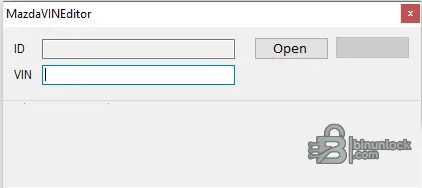
Mazda VIN Editor is a compact offline Windows utility for locating and replacing a vehicle identification number inside a compatible Mazda ECU firmware binary. It displays the detected firmware identifier and stored VIN before saving an edited copy, making it suitable for controlled module-replacement or data-correction work.
Supported vehicles, ECUs and files#
The application has no published universal model, year or ECU list. Compatibility is determined by the internal firmware layout being recognized, not simply by the Mazda badge. A valid result should expose a plausible firmware ID and the existing 17-character VIN before the user enters a replacement; an unrecognized or blank result is a stop condition.- Mazda ECU firmware files whose VIN storage layout is implemented by this utility.
- Offline binaries read with a separate programming tool; there is no direct OBD communication.
- VIN replacement within the recognized firmware region, not broader immobilizer synchronization or ECU cloning.
Functions#
- Open a firmware or ECU binary and display the detected file identifier.
- Locate and show the existing VIN when the layout is supported.
- Accept a complete replacement VIN and save to a separately chosen output file.
- Keep the source file unchanged when the operator follows a copy-based workflow.
System and hardware requirements#
- A Windows PC; the package is one portable unsigned x86 executable.
- A complete original ECU read obtained with a compatible bench, boot or approved reflash tool.
- Exact ECU hardware/software identification and a valid 17-character target VIN.
- External checksum validation and a programming/recovery method appropriate to the ECU.
Recommended workflow#
- Hash and archive the untouched original, then open only a working copy.
- Verify that the displayed firmware ID and old VIN agree with the target module and vehicle.
- Enter the replacement VIN carefully, save under a new name and compare all changed offsets.
- Validate checksum and file size before programming, then confirm VIN and DTC status diagnostically.


