
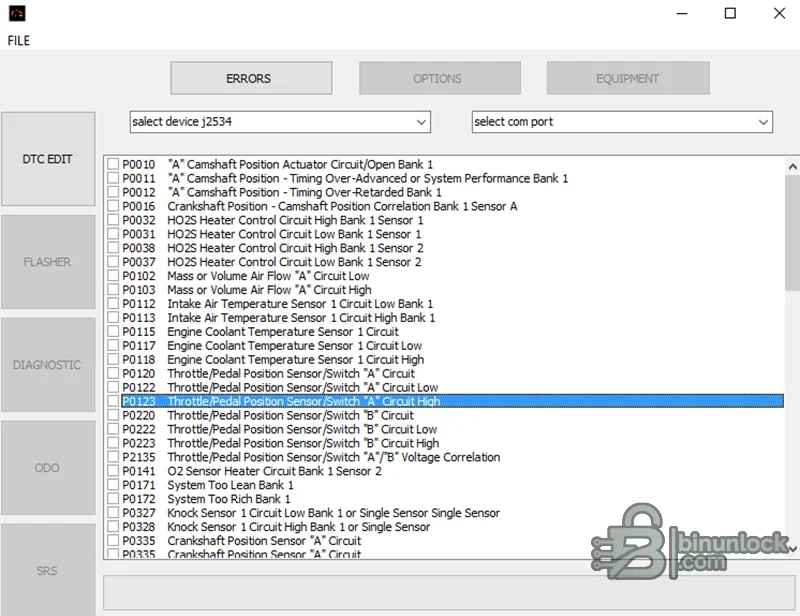
Toyota & Lexus DTC Firmware Editor is an offline utility for locating and changing supported diagnostic trouble-code entries inside ECU binary files. The English interface presents a searchable list of P-codes with descriptions and check boxes, allowing a technician to select the intended entries while keeping the rest of the file visible for controlled review. A Russian-language build is included alongside the English application.
This is a firmware editor, not a live code reader. Selecting a code in the file does not diagnose the vehicle, repair the circuit or guarantee that every ECU strategy stores the DTC in the same format. The exact Toyota or Lexus ECU family, software revision and read type must be recognized before saving any change.
This is a firmware editor, not a live code reader. Selecting a code in the file does not diagnose the vehicle, repair the circuit or guarantee that every ECU strategy stores the DTC in the same format. The exact Toyota or Lexus ECU family, software revision and read type must be recognized before saving any change.
What this resource is for#
Use the editor on a copy of a verified firmware read when a documented repair or controlled development task requires a supported DTC-table change. Diagnostic testing should be completed first, and the output must be compared, checksummed and validated before programming.Functions included#
- Open a supported Toyota or Lexus ECU firmware binary
- Display recognized diagnostic trouble codes with descriptions
- Select individual supported entries rather than applying an unknown blanket раtсh
- Save a modified working copy for comparison and validation
- Provide separate English and Russian application builds
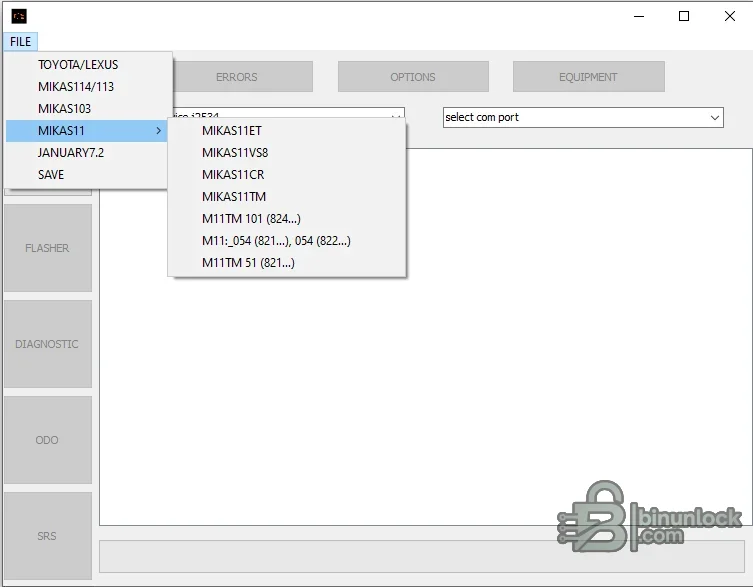
- Expose broader controller-family menu entries present in the supplied application while keeping the resource focused on Toyota and Lexus
Supported vehicles, controllers and file types#
- Toyota and Lexus ECU files whose internal DTC table is recognized by the application
- The visible interface lists standard P-code descriptions but support is determined by binary layout
- The broader menu also shows selected MIKAS and January controller groups; these are not the primary scope of this resource
- J2534 and COM fields are visible in the interface, but direct flashing or diagnostics are not claimed without proven documentation
- No model, engine, ECU supplier or software-number matrix is included
Package contents#
- English Toyota/Lexus DTC editor application
- Russian-language companion build
- Two original interface screenshots
- No J2534 driver, communication cable, stock firmware or checksum database
System, hardware and interface requirements#
- Windows PC or isolated VM
- Verified original Toyota or Lexus ECU binary
- Exact ECU hardware/software identification
- Programmer supporting the correct controller and read type
- Binary comparison and controller-specific checksum verification
- Stable power and a recovery plan before writing
Recommended workshop workflow#
- Identify the exact vehicle, ECU label, hardware number, software number and reading method before opening a file.
- Read the controller twice where practical, compare the two reads and keep one untouched original outside the working folder.
- Work on a copy with the same byte length and segment type expected by the selected function.
- Save the result under a new name and compare every changed region against the original before considering a write.
- Verify checksum handling with the programmer or an appropriate independent tool for the exact controller family.
- Use regulated power and a documented bench, boot or recovery route if the modified file is written to a module.
- After installation, complete identification, fault-code and functional checks before returning the vehicle to service.
Compatibility limits and responsible use#
- A file opening successfully does not prove that its software revision or internal layout is supported.
- A full read, calibration-only read, virtual read and reconstructed file are not interchangeable unless the workflow explicitly says so.
- The application does not identify unknown hardware, choose the correct programmer protocol or provide a recovery backup.
- Do not write output with unexplained size changes, unusually broad modifications or a failed checksum check.
- Immobilizer, identity, emissions and safety-related work must be authorized and lawful for the vehicle being serviced.
- Suppressing a DTC does not repair the monitored system and can hide a fault that affects safety, emissions or drivability.
Troubleshooting#
- File is rejected: verify controller family, software number, byte length and whether the tool expects EEPROM, flash or calibration data.
- No change is produced: the selected signature or table may not exist in that software revision; do not force a similar profile.
- Output differs in many unrelated areas: stop, restore the original working copy and confirm the input format.
- Program will not start: keep every supplied runtime and activation component together and try an isolated compatible Windows environment.
- Module does not communicate after writing: use the prepared recovery method and restore the exact original rather than making more edits.


