
Nissan Immo Off Calculator is a compact offline utility that applies supported immobilizer-state changes to ECU binary files. The interface provides a controller selection, binary-file input and separate actions for immobilizer-off and immobilizer-on processing, making the intended workflow clear and repeatable.
This is a dump-processing tool, not an OBD diagnostic application. Compatibility depends on the exact controller and binary layout exposed by the program’s selection list; a Nissan badge or matching engine family alone is not enough.
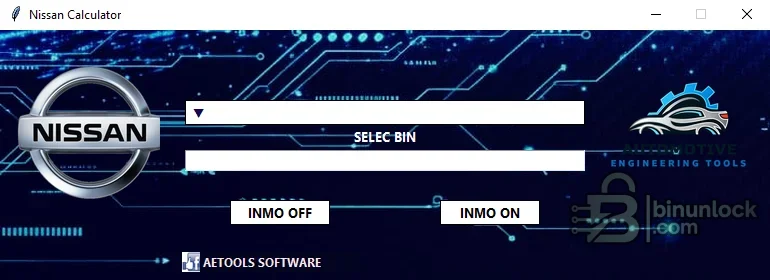
This is a dump-processing tool, not an OBD diagnostic application. Compatibility depends on the exact controller and binary layout exposed by the program’s selection list; a Nissan badge or matching engine family alone is not enough.
What this resource is for#
The calculator is suited to authorized ECU replacement, recovery and bench-repair jobs where a complete original file has already been read. The reverse action can also be useful when returning a supported file to an immobilizer-enabled state after controlled testing.Confirmed functions#
- Select a supported controller profile from the application list
- Load a local ECU binary
- Create an immobilizer-off output for a recognized layout
- Create an immobilizer-on output where supported
- Single-file portable workflow with no direct vehicle communication
Supported controllers, files and vehicles#
- Supported Nissan ECU layouts offered by the internal profile list
- File size and memory type must match the selected profile
- No universal all-model claim is made because Nissan uses multiple Bosch, Hitachi, Denso, Continental and other controller families
- Use the ECU label and software identity to choose the profile, not the vehicle name alone
Package contents#
- One portable Nissan calculator executable
- No bundled drivers, flash interface or vehicle database
- The executable was never launched during preparation and carries only legacy generic version metadata
System and interface requirements#
- Windows PC or isolated virtual machine
- Appropriate programmer for reading the target EEPROM, flash or full memory
- At least two matching reads to confirm a stable source file
- Independent checksum and file-size validation before writing
Recommended workshop workflow#
- Identify the ECU hardware and memory device
- Read and compare the original data, then preserve an immutable backup
- Choose the corresponding profile and open a working copy
- Apply only the intended immobilizer action and save the result under a new name
- Compare the output, verify checksum requirements and program with stable power
Compatibility limits and responsible use#
- The tool cannot diagnose antenna rings, keys, BCM wiring or synchronization faults
- Unsupported files may be rejected or produce an invalid result
- Immobilizer changes must be restricted to owned or authorized vehicles and lawful repair use
- A processed file should never replace the only known-good backup
Troubleshooting#
- If no profile accepts the file, confirm whether the read is EEPROM, flash or a partial segment
- If the output size changes unexpectedly, do not write it
- If the engine still does not start, restore the original and diagnose the complete immobilizer chain


