ISTA 4.59.30 Full programming

  • Thread starter Thread starter roman66
  • Start date Start date
  • Tagged users Tagged users None

Post #1

roman66

Stock Member
Thread Owner
Joined
29.10.2025
Messages
7
Reaction score
11
Location
cyprus
ISTA 4.59.30
Full version of BMW ISTA-PLUS with programming
Deutsch English Russian

Works with D-CAN ENET ICOM A1 A2 NEXT

⚠️Uninstall the previous version of ISTA before installation!
✅ Ideally, install on a clean system.
BEFORE INSTALLING, MANDATORY:
Run the uninstaller for the previous version, if available.
Delete all possible ISTA folders:
"C:\Program Files\BMW"
"C:\ProgramData\BMW"
"C:\EC-APPS\ISTA"
"C:\ISTA"
"C:\Users\Username\AppData\Roaming\ISTA"
Delete the following branches Registry key:
"\HKEY_LOCAL_MACHINE\SOFTWARE\WOW6432Node\BMW"
"\HKEY_LOCAL_MACHINE\SOFTWARE\WOW6432Node\BMWGroup"
"\HKEY_LOCAL_MACHINE\SOFTWARE\BMW"
"\HKEY_LOCAL_MACHINE\SOFTWARE\BMWGroup"

INSTALLATION:
‣1. Disable Windows Defender and other antivirus programs during installation.
‣2. Install 7ZIP (if not already installed).
‣4. Install all add-ons from the Windows folder.
‣5. Run the "BMW ISTA+ Standalone.exe" file.
(Installation may take up to 3 hours, but it's easier to leave it overnight ⏳).
‣6. Add the "C:\Program Files\BMW" folder to Windows Defender exceptions.
(At this point, ISTA is ready for use in In diagnostic mode, you don't need to download and paste "PSDZ Lite."
‣7. Full version with programming: activate the "full-with-programming" registry file, download and unzip "PSdZData 4.59.21 full" to "C:\Program Files\BMW\ISPI\TRIC\ISTA\PSdZ\data_swi"
OR create a symbolic link if you need the full "PSDZ" database to be located elsewhere. To do this, open "CMD" as administrator and enter the command (example):
mklink /D "C:\Program Files\BMW\ISPI\TRIC\ISTA\PSdZ\data_swi" "C:\EC-APPS\PSDZ\data" —
where the first quotation marks indicate the desired path to "PSDZ" in "ISTA," and the second quotation marks indicate the actual path to "PSDZ."
‣8. Russification: Unzip the "RU SQLiteDBs" archive to "C:\Program Files\BMW\ISPI\TRIC\ISTA\SQLiteDBs" and change the language in the settings.

For "DCAN" users:
Before launching "ISTA," launch "ICOM-ENET or DCAN Switch" and change the settings to "DCAN."
After connecting the DCAN adapter, change the settings in the Device Manager properties to "Port number COM3, timeout 1 ms."
 

Attachments

Ratings and Reviews
Total ratings: 0

Post #3

I posted the tоrre** files here. For some reason, they're not showing up.
 

Post #4

ISTA 4.59.30
Full version of BMW ISTA-PLUS with programming
Deutsch English Russian

Works with D-CAN ENET ICOM A1 A2 NEXT

⚠️Uninstall the previous version of ISTA before installation!
✅ Ideally, install on a clean system.
BEFORE INSTALLING, MANDATORY:
Run the uninstaller for the previous version, if available.
Delete all possible ISTA folders:
"C:\Program Files\BMW"
"C:\ProgramData\BMW"
"C:\EC-APPS\ISTA"
"C:\ISTA"
"C:\Users\Username\AppData\Roaming\ISTA"
Delete the following branches Registry key:
"\HKEY_LOCAL_MACHINE\SOFTWARE\WOW6432Node\BMW"
"\HKEY_LOCAL_MACHINE\SOFTWARE\WOW6432Node\BMWGroup"
"\HKEY_LOCAL_MACHINE\SOFTWARE\BMW"
"\HKEY_LOCAL_MACHINE\SOFTWARE\BMWGroup"

INSTALLATION:
‣1. Disable Windows Defender and other antivirus programs during installation.
‣2. Install 7ZIP (if not already installed).
‣4. Install all add-ons from the Windows folder.
‣5. Run the "BMW ISTA+ Standalone.exe" file.
(Installation may take up to 3 hours, but it's easier to leave it overnight ⏳).
‣6. Add the "C:\Program Files\BMW" folder to Windows Defender exceptions.
(At this point, ISTA is ready for use in In diagnostic mode, you don't need to download and paste "PSDZ Lite."
‣7. Full version with programming: activate the "full-with-programming" registry file, download and unzip "PSdZData 4.59.21 full" to "C:\Program Files\BMW\ISPI\TRIC\ISTA\PSdZ\data_swi"
OR create a symbolic link if you need the full "PSDZ" database to be located elsewhere. To do this, open "CMD" as administrator and enter the command (example):
mklink /D "C:\Program Files\BMW\ISPI\TRIC\ISTA\PSdZ\data_swi" "C:\EC-APPS\PSDZ\data" —
where the first quotation marks indicate the desired path to "PSDZ" in "ISTA," and the second quotation marks indicate the actual path to "PSDZ."
‣8. Russification: Unzip the "RU SQLiteDBs" archive to "C:\Program Files\BMW\ISPI\TRIC\ISTA\SQLiteDBs" and change the language in the settings.

For "DCAN" users:
Before launching "ISTA," launch "ICOM-ENET or DCAN Switch" and change the settings to "DCAN."
After connecting the DCAN adapter, change the settings in the Device Manager properties to "Port number COM3, timeout 1 ms."
Super Arbeit dank im voraus
 

Post #5

I posted the tоrrеnt files here. For some reason, they're not showing up.

Hi,

First of all, I apologize for the delay with your uploaded archives appearing on the forum. The issue was on my side.

At that moment, I had a large verification process running through the VirusTotal API, checking forum attachments and external links. Because of this, some newly uploaded attachments took longer than usual to become visible.

We were forced to run this full scan because there have been ongoing false reports against the domain claiming that forum attachments contain viruses. Appeals did not resolve the issue immediately, so the recommended step was to verify all forum attachments and external links through VirusTotal and attach the scan report to the appeal.

Your uploads were not the problem — the delay was caused by this verification process. Everything should now be displayed correctly.

Thank you for your patience and understanding.
 

Post #6

Hi,

First of all, I apologize for the delay with your uploaded archives appearing on the forum. The issue was on my side.

At that moment, I had a large verification process running through the VirusTotal API, checking forum attachments and external links. Because of this, some newly uploaded attachments took longer than usual to become visible.

We were forced to run this full scan because there have been ongoing false reports against the domain claiming that forum attachments contain viruses. Appeals did not resolve the issue immediately, so the recommended step was to verify all forum attachments and external links through VirusTotal and attach the scan report to the appeal.

Your uploads were not the problem — the delay was caused by this verification process. Everything should now be displayed correctly.

Thank you for your patience and understanding.
A very correct decision. I support you.
 

Post #7

Hi. Trying to install on an external drive - have downloaded the files directly to my external "D" drive. When I run "BMW ISTA+ Standalone.exe" I get an error message that there's not enough space (reference to fixed drive C:/user...). How can instruct the file to install to my external drive?
 

Post #8

The ISTA installer hardcodes several paths on C: — specifically C:\Program Files\BMW, C:\ProgramData\BMW, and user AppData — regardless of where you launch the EXE from. That's why it checks free space on C: even with your files on D:.

A couple of options:

  1. Free up space on C: — The install needs roughly 50–60 GB free on C: during the process. This is the path of least resistance.
  2. Use symbolic links (junction points) — Before running the installer, create the target folders on your external drive and then link them from C:. Open CMD as Administrator:

    Code:
    mkdir D:\BMW_ISTA\ProgramFiles_BMW
    mklink /J "C:\Program Files\BMW" "D:\BMW_ISTA\ProgramFiles_BMW"
    
    mkdir D:\BMW_ISTA\ProgramData_BMW
    mklink /J "C:\ProgramData\BMW" "D:\BMW_ISTA\ProgramData_BMW"

    This way the installer writes to C:\Program Files\BMW as it expects, but the data physically lands on D:. Make sure the junction targets exist before you start the installer and that no leftover BMW folders already exist at those C: paths — delete or rename them first.
  3. PSdZ data separately — If you only need diagnostics (no programming), you can skip the large PSdZ data package entirely, which saves the bulk of the space. If you do need programming, the first post already describes using a symbolic link for the PSdZ\data_swi folder to keep it on another drive.

One thing to keep in mind: running ISTA from an external USB drive can be noticeably slower, especially during programming. If possible, an internal SSD (even a second one) is a much safer and faster option.
 

Post #9

The ISTA installer hardcodes several paths on C: — specifically C:\Program Files\BMW, C:\ProgramData\BMW, and user AppData — regardless of where you launch the EXE from. That's why it checks free space on C: even with your files on D:.

A couple of options:

  1. Free up space on C: — The install needs roughly 50–60 GB free on C: during the process. This is the path of least resistance.
  2. Use symbolic links (junction points) — Before running the installer, create the target folders on your external drive and then link them from C:. Open CMD as Administrator:

    Code:
    mkdir D:\BMW_ISTA\ProgramFiles_BMW
    mklink /J "C:\Program Files\BMW" "D:\BMW_ISTA\ProgramFiles_BMW"
    
    mkdir D:\BMW_ISTA\ProgramData_BMW
    mklink /J "C:\ProgramData\BMW" "D:\BMW_ISTA\ProgramData_BMW"

    This way the installer writes to C:\Program Files\BMW as it expects, but the data physically lands on D:. Make sure the junction targets exist before you start the installer and that no leftover BMW folders already exist at those C: paths — delete or rename them first.
  3. PSdZ data separately — If you only need diagnostics (no programming), you can skip the large PSdZ data package entirely, which saves the bulk of the space. If you do need programming, the first post already describes using a symbolic link for the PSdZ\data_swi folder to keep it on another drive.

One thing to keep in mind: running ISTA from an external USB drive can be noticeably slower, especially during programming. If possible, an internal SSD (even a second one) is a much safer and faster option.
Thank you! Understood :)
 

Post #10

ISTA 4.59.30
Full version of BMW ISTA-PLUS with programming
Deutsch English Russian

Works with D-CAN ENET ICOM A1 A2 NEXT

⚠️Uninstall the previous version of ISTA before installation!
✅ Ideally, install on a clean system.
BEFORE INSTALLING, MANDATORY:
Run the uninstaller for the previous version, if available.
Delete all possible ISTA folders:
"C:\Program Files\BMW"
"C:\ProgramData\BMW"
"C:\EC-APPS\ISTA"
"C:\ISTA"
"C:\Users\Username\AppData\Roaming\ISTA"
Delete the following branches Registry key:
"\HKEY_LOCAL_MACHINE\SOFTWARE\WOW6432Node\BMW"
"\HKEY_LOCAL_MACHINE\SOFTWARE\WOW6432Node\BMWGroup"
"\HKEY_LOCAL_MACHINE\SOFTWARE\BMW"
"\HKEY_LOCAL_MACHINE\SOFTWARE\BMWGroup"

INSTALLATION:
‣1. Disable Windows Defender and other antivirus programs during installation.
‣2. Install 7ZIP (if not already installed).
‣4. Install all add-ons from the Windows folder.
‣5. Run the "BMW ISTA+ Standalone.exe" file.
(Installation may take up to 3 hours, but it's easier to leave it overnight ⏳).
‣6. Add the "C:\Program Files\BMW" folder to Windows Defender exceptions.
(At this point, ISTA is ready for use in In diagnostic mode, you don't need to download and paste "PSDZ Lite."
‣7. Full version with programming: activate the "full-with-programming" registry file, download and unzip "PSdZData 4.59.21 full" to "C:\Program Files\BMW\ISPI\TRIC\ISTA\PSdZ\data_swi"
OR create a symbolic link if you need the full "PSDZ" database to be located elsewhere. To do this, open "CMD" as administrator and enter the command (example):
mklink /D "C:\Program Files\BMW\ISPI\TRIC\ISTA\PSdZ\data_swi" "C:\EC-APPS\PSDZ\data" —
where the first quotation marks indicate the desired path to "PSDZ" in "ISTA," and the second quotation marks indicate the actual path to "PSDZ."
‣8. Russification: Unzip the "RU SQLiteDBs" archive to "C:\Program Files\BMW\ISPI\TRIC\ISTA\SQLiteDBs" and change the language in the settings.

For "DCAN" users:
Before launching "ISTA," launch "ICOM-ENET or DCAN Switch" and change the settings to "DCAN."
After connecting the DCAN adapter, change the settings in the Device Manager properties to "Port number COM3, timeout 1 ms."
Sqblite FR ??
 

Post #11

This release includes Deutsch, English, and Russian only — French is not part of the package.

If you need FR, you'd need a separate French SQLite language pack (SQLiteDBs_FR) compatible with 4.59.x, placed in:

Code:
C:\Program Files\BMW\ISPI\TRIC\ISTA\Packages\SQLiteDBs\

Ask roman66 if he has access to the FR database or can add it.
 

Post #14

This version only ships with DE, EN, and RU — no Spanish SQLite included.

You'd need a SQLiteDBs_es-ES package compatible with the 4.5x branch. Drop it into:

Code:
C:\Program Files\BMW\ISPI\TRIC\ISTA\Packages\SQLiteDBs\

roman66 shared FR packs from older versions (4.50/4.52) that work fine on 4.59 — the same approach should work for ES if someone has the file. Worth asking him directly if he has access to a Spanish language pack.
 

Post #16

Yes, ISTA covers BMW, MINI, and Rolls-Royce — they all share the same diagnostic platform. This build works with all three brands out of the box since the SQLite databases and PSdZ data include MINI and Rolls-Royce alongside BMW.

Same applies for programming if you have the full PSdZ data installed. Just make sure your interface matches the vehicle's protocol (D-CAN for older models, ENET or ICOM for newer ones).
 

Post #17

Yes, ISTA covers BMW, MINI, and Rolls-Royce — they all share the same diagnostic platform. This build works with all three brands out of the box since the SQLite databases and PSdZ data include MINI and Rolls-Royce alongside BMW.

Same applies for programming if you have the full PSdZ data installed. Just make sure your interface matches the vehicle's protocol (D-CAN for older models, ENET or ICOM for newer ones).
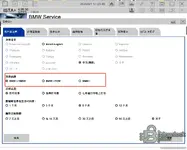
I installed it correctly, but why is there no corresponding option in the brand selection in the client settings? I'm very puzzled....
 

Attachments

  • 企业微信截图_1780305828247.webp
    企业微信截图_1780305828247.webp
    67.8 KB · Views: 5

Post #18

I installed it correctly, but why is there no corresponding option in the brand selection in the cli...

If you don’t see MINI/Rolls-Royce in the client brand selection, that’s usually because ISTA doesn’t rely on a manual “brand picker” for those—detection is done from the vehicle connected and then mapped using the installed PSdZData (variant data). So the absence in settings is often normal even though MINI/RR are supported.

To understand your specific case, I need:

  • What exact vehicle are you connecting (model/year and engine, or VIN if easier)?
  • In ISTA, does it detect the vehicle at all (vehicle/programming step starts), or are you stuck before identification?
  • Which interface/protocol: ENET, ICOM, or D-CAN?
  • What PSdZData build/version do you have installed (folder name/version shown in ISTA)?

With those, I can tell you whether your setup is missing PSdZData/variant coverage for that brand or whether it’s just a UI/config difference.
 

Post #19

If you don’t see MINI/Rolls-Royce in the client brand selection, that’s usually because ISTA doesn’t rely on a manual “brand picker” for those—detection is done from the vehicle connected and then mapped using the installed PSdZData (variant data). So the absence in settings is often normal even though MINI/RR are supported.

To understand your specific case, I need:

  • What exact vehicle are you connecting (model/year and engine, or VIN if easier)?
  • In ISTA, does it detect the vehicle at all (vehicle/programming step starts), or are you stuck before identification?
  • Which interface/protocol: ENET, ICOM, or D-CAN?
  • What PSdZData build/version do you have installed (folder name/version shown in ISTA)?

With those, I can tell you whether your setup is missing PSdZData/variant coverage for that brand or whether it’s just a UI/config difference.
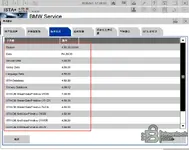
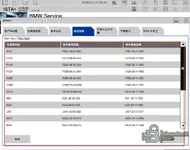
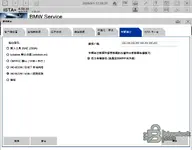
我可以正常识别车辆,使用的是无线ENET OBD接头,PSdZData版本和接口在下面的图片里。
 

Attachments

  • 企业微信截图_17803060952273.webp
    企业微信截图_17803060952273.webp
    69.9 KB · Views: 2
  • 企业微信截图_17803061184627.webp
    企业微信截图_17803061184627.webp
    76.1 KB · Views: 2
  • 企业微信截图_17803061545544.webp
    企业微信截图_17803061545544.webp
    61.2 KB · Views: 2

Post #20

我可以正常识别车辆,使用的是无线ENET OBD接头,PSdZData版本和接口在下面的图片里。

我看你说“能正常识别车辆”,那通常不是什么缺少MINI/劳斯莱斯支持,而是ISTA在客户端的“品牌选择”里不一定会把MINI/RR做成单独选项——更常见是靠你接到车后自动识别并映射到对应车型/编程数据(PSdZData)。

但要把问题定位清楚,我需要你从截图里确认两点(因为你现在只说“PSdZData版本和接口在下面图片里”,我还不知道具体数值):

  • 你识别到的具体车型/年款是什么?(给品牌+车型+年款,或直接VIN后6-8位也行)
  • 你现在遇到的“没有MINI/RR选项”是在什么界面/步骤?是“品牌列表”看不到,还是进入“编程/Full programming”后点不进去/提示缺数据?
  • 请把你截图里PSdZData build/版本号那一行的文字打出来(或再截一张包含清晰版本号的),以及你无线ENET这边在ISTA里显示的接口配置名称/版本。
  • 无线ENET你确认是直连ENET(以太网网关)那种吗?还是某种“转接后以太网/诊断共用”的适配器?

你把这几项回我后,我才能判断是纯UI显示差异,还是编程权限/车型数据覆盖或接口链路问题。
 
Activity
So far there's no one here
Back