
This package combines the OBD flasher EDC16 with the MPC 5xx BDM Programmer software interface for working with Bosch EDC16 and related ECUs on the bench or via the vehicle’s diagnostic connector. The flasher application is intended for controlled reading and writing of ECU firmware, while the software and BDM manual cover safe bench connection to MPC5xx-based controllers, such as Bosch EDC16, EDC16+, ME9, and a range of Siemens and Marelli units used in modern diesel and gasoline engines.

The included EDC 16 ECU Flasher Application Lists document contains a list of numerous vehicles from Alfa Romeo, Audi, BMW, Citroën, Fiat, Ford, Iveco, Jeep, Lancia, MAN, Mercedes-Benz, Opel, Peugeot, Seat, Škoda, Suzuki, Volkswagen, New Holland, and others, with notes indicating OBD read and write support.
BDM operation in the MPCProg 5xx style is described in detail in the BDM manual. It explains how to identify the BDM pad area on the PCB, solder 10-pin connectors, correctly install the MPC5xx adapter, and supply stabilized 12 V power for bench work with Bosch EDC16/EDC16+/ME9, Delphi Ford/Jaguar/SsangYong, Marelli MJet/MJet+, Siemens SID803, MS45, MSV70, MSS65, SIM266, and PPD1.1 VAG ECUs.
As a unified toolset, it is useful for workshops that need to preserve the original ECU contents, recover non-working units, update software as part of technical campaigns, and perform controlled calibration work across a wide range of applications based on EDC16. The EDC16 OBD BDM utilities are generally regarded as professional tools for servicing, analyzing, backing up, and managing the firmware of Bosch EDC16 control units, supporting both OBD-II communication and bench BDM access.

Features
Package contents
Compatibility notes
The flasher component EDC16 is intended for Bosch EDC16 diesel ECUs installed in many European vehicles, including Alfa Romeo JTD and Multijet engines, Audi and Volkswagen TDI, Peugeot and Citroën HDI, Fiat and Opel Multijet, Mercedes CDI, Ford TDCi, Iveco Daily, MAN TG-A trucks, New Holland agricultural machinery, and Suzuki DDiS models. The supported engines and control units are explicitly listed in the PDF appendix, with separate notes on read and write capability and, in some cases, OBD write-only support.
The MPC 5xx BDM Programmer and the accompanying manual describe bench connections for a wide range of MPC5xx-based controllers, including Bosch EDC16/EDC16+/ME9, Delphi diesel units for Ford and Jaguar, Marelli MJet and MJet+ for Fiat/Opel/Suzuki, Siemens 5WS SID803, Siemens MS45/MSV70/MSS65 for BMW, Siemens SIM266 for Mercedes, and Siemens PPD1.1 VAG ECUs. Actual support depends on the interface hardware used with the software, as well as the adapter set for connecting to the pads or test points.
Full read and write availability may vary depending on the ECU firmware version, immobilizer configuration, and OBD protocol. For some units, EDC16 only OBD writing is documented, whereas others support full access R/W. If in doubt, it is safer to first make a complete BDM backup of the unit on the bench before attempting to write anything via OBD or BDM.
Basic usage
Operating systems
Minimum System Requirements
Disclaimer
File source. All software and materials in this publication have been collected from open publicly available sources on the internet. We do not claim authorship or ownership.
File hosting. This forum does not host files. All links lead to public cloud storage provided by third-party services. We are not responsible for external content.
User responsibility. The software is provided solely for educational and informational purposes. You use it at your own risk. The publication authors and forum administration are not responsible for any damage.
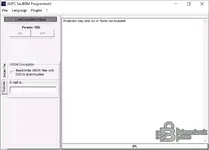
The included EDC 16 ECU Flasher Application Lists document contains a list of numerous vehicles from Alfa Romeo, Audi, BMW, Citroën, Fiat, Ford, Iveco, Jeep, Lancia, MAN, Mercedes-Benz, Opel, Peugeot, Seat, Škoda, Suzuki, Volkswagen, New Holland, and others, with notes indicating OBD read and write support.
BDM operation in the MPCProg 5xx style is described in detail in the BDM manual. It explains how to identify the BDM pad area on the PCB, solder 10-pin connectors, correctly install the MPC5xx adapter, and supply stabilized 12 V power for bench work with Bosch EDC16/EDC16+/ME9, Delphi Ford/Jaguar/SsangYong, Marelli MJet/MJet+, Siemens SID803, MS45, MSV70, MSS65, SIM266, and PPD1.1 VAG ECUs.
As a unified toolset, it is useful for workshops that need to preserve the original ECU contents, recover non-working units, update software as part of technical campaigns, and perform controlled calibration work across a wide range of applications based on EDC16. The EDC16 OBD BDM utilities are generally regarded as professional tools for servicing, analyzing, backing up, and managing the firmware of Bosch EDC16 control units, supporting both OBD-II communication and bench BDM access.
Features
- Two operating modes for working with ECUs: an OBD flasher for programming supported Bosch diesel controllers EDC16 directly in the vehicle, and bench access via BDM through the MPC 5xx BDM Programmer interface.
- Broad coverage of vehicles listed in the EDC 16 ECU Flasher Application compatibility lists, including popular passenger cars, light commercial vehicles, heavy trucks, and agricultural machinery from European manufacturers.
- Separate BDM procedures for Bosch ECUs EDC16/EDC16+/ME9, as well as Siemens and Marelli, with PCB photographs, pad locations, pin-header orientation, and power supply notes for each family — helping reduce the risk of connection errors.
- Support for typical ECU service operations: complete flash memory backup, recovery after unsuccessful OBD programming, software transfer between ECUs with identical part numbers, and updates to control software versions.
- Compact executable files for Windows and a driver set (the MapObdII driver stack and the ObdII library), which can be installed on a workshop laptop together with USB BDM interfaces and OBD adapters.
- PDF documentation on OBD application compatibility and BDM equipment connection, allowing specialists to verify compatibility and the connection diagram before starting any read or write session.
Package contents
- EDC16\EDC 16 ECU Flasher Application lists.pdf – PDF list of supported vehicles and ECU variants for the EDC 16 OBD flasher, grouped by manufacturer, engine displacement, and power, with an indication of whether reading or writing is supported.
- EDC16\EDC 16 ECU Flasher.doc – editable version of the same compatibility list for quick searching or printing in the workshop.
- EDC16\EDC16 OBD-BDM XP 1.1.exe – main executable file EDC16 of the OBD flasher with read and write functions via the diagnostic connector on compatible Bosch ECUs EDC16.
- EDC16\EDC16.exe – launcher or alternative binary flasher file, used together with the compatibility lists for specific variants EDC16.
- EDC16\Instructions.txt – brief text instructions for installing the drivers and launching the flasher and BDM tools.
- EDC16\Manual-BDM.pdf – user manual for MPC 5xx BDM Programmer with photographs and step-by-step connection examples for Bosch, Siemens, Delphi, and Marelli ECU families, including power supply diagrams.
- EDC16\ObdII.dll – the main OBD communication library used by the flasher.
- EDC16\System + drivers\CMD1.crt – certificate file used by the legacy driver stack.
- EDC16\System + drivers\MapObdII.inf – device driver installation information file for MapObdII.
- EDC16\System + drivers\MapObdII.PNF – precompiled MapObdII driver installation data.
- EDC16\System + drivers\MapObdII.sys – kernel-mode driver providing USB or virtual COM port access to the OBD interface.
- EDC16\System + drivers\ObdII.dll – additional auxiliary OBD library referenced by the main applications.
Compatibility notes
The flasher component EDC16 is intended for Bosch EDC16 diesel ECUs installed in many European vehicles, including Alfa Romeo JTD and Multijet engines, Audi and Volkswagen TDI, Peugeot and Citroën HDI, Fiat and Opel Multijet, Mercedes CDI, Ford TDCi, Iveco Daily, MAN TG-A trucks, New Holland agricultural machinery, and Suzuki DDiS models. The supported engines and control units are explicitly listed in the PDF appendix, with separate notes on read and write capability and, in some cases, OBD write-only support.
The MPC 5xx BDM Programmer and the accompanying manual describe bench connections for a wide range of MPC5xx-based controllers, including Bosch EDC16/EDC16+/ME9, Delphi diesel units for Ford and Jaguar, Marelli MJet and MJet+ for Fiat/Opel/Suzuki, Siemens 5WS SID803, Siemens MS45/MSV70/MSS65 for BMW, Siemens SIM266 for Mercedes, and Siemens PPD1.1 VAG ECUs. Actual support depends on the interface hardware used with the software, as well as the adapter set for connecting to the pads or test points.
Full read and write availability may vary depending on the ECU firmware version, immobilizer configuration, and OBD protocol. For some units, EDC16 only OBD writing is documented, whereas others support full access R/W. If in doubt, it is safer to first make a complete BDM backup of the unit on the bench before attempting to write anything via OBD or BDM.
Basic usage
- Install the MapObdII driver stack and supporting DLLs on a Windows laptop, then connect the OBD or BDM interface according to the manufacturer's documentation and verify in Device Manager that it is detected correctly.
- Use the EDC 16 ECU Flasher Application Lists to check support for the target vehicle and engine code, and to find out whether OBD reading, writing, or both operations are available for this ECU type.
- When working on a vehicle, connect through the diagnostic connector, ensuring stable vehicle power, launch the flasher executable EDC16, select the required ECU family, and follow the on-screen prompts to create a full backup before writing any updated file.
- For bench work, carefully open the ECU, install the BDM pin connectors according to the BDM manual, connect the appropriate adapter, and supply regulated 12 V power to the required pins before using MPC 5xx BDM Programmer to read or write the ECU.
- After programming, check checksum handling if required by your interface, reinstall or reconnect the ECU, clear all DTCs, and make sure the engine starts and all related systems operate correctly.
Operating systems
- The program is designed for legacy Windows platforms commonly used for ECU programming. The executable file names and driver stack indicate primary support for Windows XP; many users also report operation on 32-bit Windows 7 with the correct drivers installed.
- 32-bit editions are recommended, as most early BDM and OBD tools, along with their USB drivers, were written for 32-bit Windows and may not install correctly on 64-bit systems without compatibility layers or virtual machines.
- Operation on newer Windows versions may be possible through a virtual XP environment or a separate 32-bit installation, but is not guaranteed. Always test the interface and driver stack on non-critical equipment before working with an ECU.
Minimum System Requirements
- Processor: x86 processor running at 1 GHz or higher, suitable for running Windows XP or 32-bit Windows 7 alongside ECU programming tools.
- Memory: at least 1 GB RAM; 2 GB or more is recommended when diagnostic packages, documentation, and flasher or BDM software are running simultaneously.
- Storage: at least 500 MB of free disk space for the software package, USB drivers, vehicle files, and several ECU backups.
- Display: screen resolution of 1024x768 or higher so that the MPC 5xx BDM Programmer and flasher windows EDC16 fit without scaling.
- Connection: a free USB port or supported interface port for OBD and BDM equipment, as well as, if necessary, internet access to download updates or reference documentation.
- Access rights: local administrator privileges for installing drivers and configuring USB interfaces and virtual COM ports.
Disclaimer
File source. All software and materials in this publication have been collected from open publicly available sources on the internet. We do not claim authorship or ownership.
File hosting. This forum does not host files. All links lead to public cloud storage provided by third-party services. We are not responsible for external content.
User responsibility. The software is provided solely for educational and informational purposes. You use it at your own risk. The publication authors and forum administration are not responsible for any damage.


