
Description
MEDC17 Immobilizer Utility is an offline binary editor for authorized Bosch EDC17 and MED17 ECU replacement or recovery work. The supplied interface offers two processing paths for a previously read ECU file and saves a separate result for later inspection and programming. It is not an OBD flasher, automatic ECU detector or complete immobilizer synchronization platform.
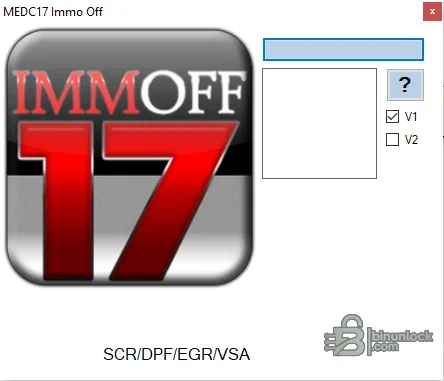
The interface also displays labels for SCR, DPF, EGR and VSA. Their presence does not prove that every emissions or vehicle-stability routine is implemented for every ECU, and this resource does not advertise a universal emissions solution. The strongest verified purpose of the supplied build is its MEDC17 immobilizer file workflow.
Commercial tools with similar MEDC17 branding often cover selected variants from VAG, BMW, Mercedes-Benz, PSA, Renault, Fiat, Ford and other groups, but that broad market description is not a verified compatibility list for this particular executable. If the exact ECU and file layout are not documented in the interface or a trusted reference, treat them as unsupported.
Many EDC17 and MED17 controllers use protected microcontrollers and can be damaged by an incorrect boot method or interrupted write. Confirm the programmer protocol and recovery method before opening the ECU or modifying a file.
Immobilizer modification can affect theft protection and may be illegal outside legitimate repair, motorsport or controlled test use. Verify ownership and local requirements. When a normal adaptation or component-replacement procedure is available, it is generally preferable to a permanent file change.
For support, state the exact Bosch and vehicle part numbers, microcontroller, read tool and mode, original/result sizes and redacted DTCs. Do not post full customer binaries, VINs, ISN/CS data or other security secrets.
Functions confirmed in the supplied build#
- Open a previously read Bosch EDC17 or MED17 binary
- Choose the first or second immobilizer-processing path exposed by the program
- Create a modified file for a supported layout
- Keep the work offline so original and result files can be compared before writing
The interface also displays labels for SCR, DPF, EGR and VSA. Their presence does not prove that every emissions or vehicle-stability routine is implemented for every ECU, and this resource does not advertise a universal emissions solution. The strongest verified purpose of the supplied build is its MEDC17 immobilizer file workflow.
Bosch controller coverage#
EDC17 is a diesel ECU family and MED17 is a gasoline ECU family used across numerous European and Asian applications. Within those names are many processor, EEPROM, flash, tuning-protection and immobilizer layouts. A controller-family label alone is therefore insufficient: identify the exact Bosch number, vehicle part number, hardware revision, software number, microcontroller and complete read size.Commercial tools with similar MEDC17 branding often cover selected variants from VAG, BMW, Mercedes-Benz, PSA, Renault, Fiat, Ford and other groups, but that broad market description is not a verified compatibility list for this particular executable. If the exact ECU and file layout are not documented in the interface or a trusted reference, treat them as unsupported.
Required equipment and system setup#
- Windows computer suitable for a legacy native portable program
- Bench, boot, BDM or compatible programmer that explicitly supports the ECU
- Correct bench pinout and a regulated power supply with current limiting
- A complete, verified original read rather than a calibration-only fragment unless the routine explicitly requires it
- Hex comparison and checksum software appropriate to the controller family
- Diagnostic equipment for pre-scan, ECU identification and post-write adaptation
Many EDC17 and MED17 controllers use protected microcontrollers and can be damaged by an incorrect boot method or interrupted write. Confirm the programmer protocol and recovery method before opening the ECU or modifying a file.
Safe processing workflow#
- Record the VIN privately, ECU label, Bosch number, hardware/software IDs and diagnostic faults.
- Read the required flash and EEPROM areas twice and compare their hashes.
- Protect an untouched original and work only on a named copy.
- Select the processing path only when its intended layout matches the ECU and source file.
- Save the result separately, confirm its length and compare all changed byte ranges.
- Check whether the external programming tool corrects checksums or whether separate correction is needed.
- Write with stable bench or vehicle support voltage and verify the programmed memory.
- Complete the vehicle-specific pairing, relearn or diagnostic checks before returning the vehicle to service.
Validation and limitations#
An accepted input file or a successfully saved output does not guarantee a valid repair. The same Bosch ECU family may have different security blocks, OTP areas, checksums and immobilizer participants. Do not mix a full boot read with a calibration-only read, change file length or borrow data from another car without a documented conversion procedure.Immobilizer modification can affect theft protection and may be illegal outside legitimate repair, motorsport or controlled test use. Verify ownership and local requirements. When a normal adaptation or component-replacement procedure is available, it is generally preferable to a permanent file change.
Troubleshooting#
If the output is rejected, remains unchanged or produces a no-start, restore the verified original and recheck the source read, selected path, checksum handling and module synchronization. Diagnose communication and power faults before assuming the immobilizer edit is responsible. Never keep writing slightly different files without a verified recovery method.For support, state the exact Bosch and vehicle part numbers, microcontroller, read tool and mode, original/result sizes and redacted DTCs. Do not post full customer binaries, VINs, ISN/CS data or other security secrets.


