
Description
Volvo CEM Reader is a dump analysis utility for extracting identification and security data from supported Volvo Central Electronic Module (CEM) memory files.
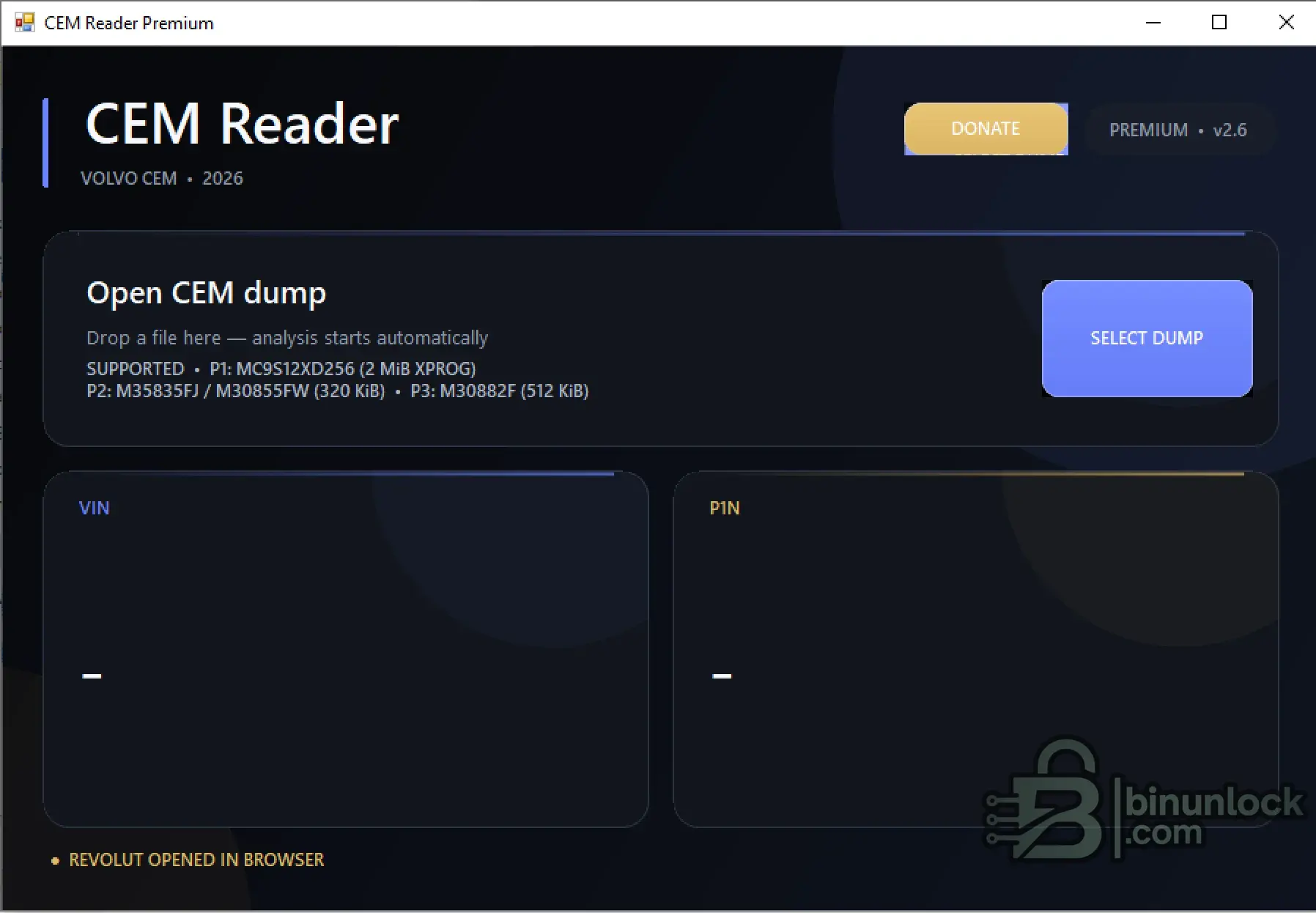
The program works with previously read CEM dumps. Select or drag a supported dump into the application and the analysis starts automatically.
What is it used for?
The main purpose of CEM Reader is to identify data stored inside a Volvo CEM dump, including:
This makes the tool useful when working with CEM replacement, module recovery, bench work or analysis of previously read Volvo CEM memory.
Supported CEM types
According to the application interface, the following dump formats are supported:
The program automatically analyzes the selected file and displays the detected VIN and PIN information in separate result panels.
How it works
No direct vehicle connection is required.
CEM Reader works with dump files already read from the module. It does not replace the programmer required to obtain the original CEM memory contents.
Supported memory / MCU families shown by the program
Typical uses
Important
Use a complete and correctly read dump from the supported MCU / memory type. Results depend on the structure and integrity of the source file.
Always keep an untouched backup of the original CEM dump before performing any repair or programming work.
The program works with previously read CEM dumps. Select or drag a supported dump into the application and the analysis starts automatically.
What is it used for?
The main purpose of CEM Reader is to identify data stored inside a Volvo CEM dump, including:
- VIN — Vehicle Identification Number
- PIN — CEM security / synchronization data when supported
This makes the tool useful when working with CEM replacement, module recovery, bench work or analysis of previously read Volvo CEM memory.
Supported CEM types
According to the application interface, the following dump formats are supported:
- P1 — MC9S12XD256 — 2 MiB XPROG dump
- P2 — M30835FJ / M30855FW — 320 KiB dump
- P3 — M30882F — 512 KiB dump
The program automatically analyzes the selected file and displays the detected VIN and PIN information in separate result panels.
How it works
- Read the CEM memory using a suitable programmer.
- Save the complete dump to your computer.
- Open CEM Reader.
- Select the dump file or drag it into the program window.
- Wait for automatic analysis.
- Review the detected VIN and PIN data.
No direct vehicle connection is required.
CEM Reader works with dump files already read from the module. It does not replace the programmer required to obtain the original CEM memory contents.
Supported memory / MCU families shown by the program
Code:
P1: MC9S12XD256
P2: M30835FJ / M30855FW
P3: M30882F
Typical uses
- Volvo CEM dump identification
- VIN recovery from CEM memory
- PIN extraction from supported dumps
- CEM replacement and synchronization work
- Bench analysis of Volvo CEM modules
- Checking previously read CEM dump files
Important
Use a complete and correctly read dump from the supported MCU / memory type. Results depend on the structure and integrity of the source file.
Always keep an untouched backup of the original CEM dump before performing any repair or programming work.


